Service templates
What this is
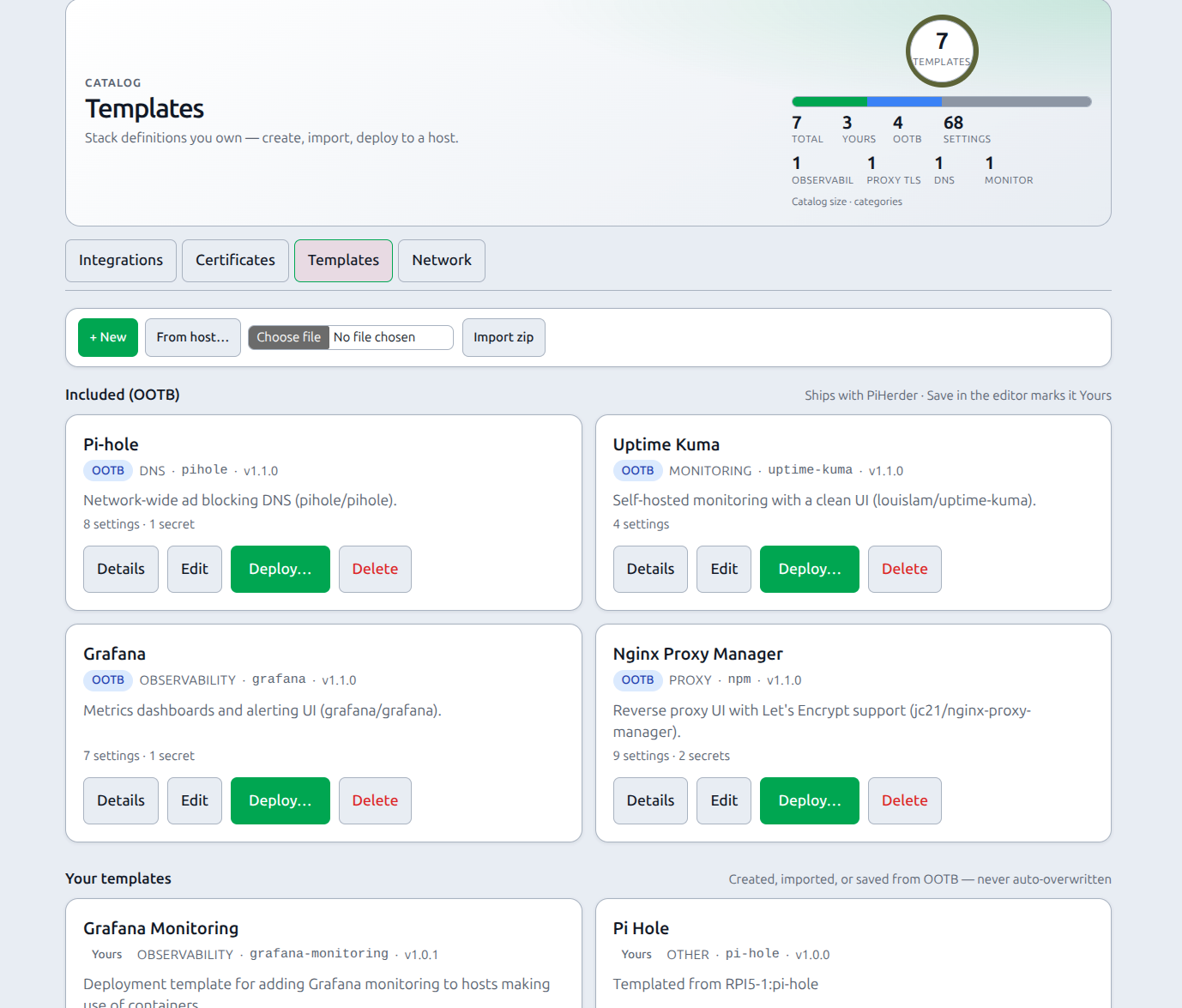
A service template is a versioned recipe for a Docker stack: compose files, variables (including secrets and volumes), operator checklist, and deploy rules. Templates live under top-nav Catalog → tab Templates (/templates), sharing Catalog chrome with Integrations, Certificates, and Network.
You create and edit templates separately from deploying them to a host.
Why it exists
Copy-pasting docker-compose.yml across Pis drifts immediately. Templates give you:
- One definition for NPM, Kuma, Pi-hole, Grafana (and your own stacks)
- Parameterised ports, passwords, and volume modes
- Encrypted secret storage in PiHerder + locked-down host
.env - Desired state, redeploy, and drift detection after deploy
- Desired files browser, always-write
.env, and Accept host as desired for intentional host-only edits
End-to-end: from zero to a running stack
- Ensure a host has Docker enabled and working (Add a server · Docker).
- Open Catalog → Templates and pick an OOTB pack (or create / from-host).
- Deploy through variables → host → preview → wait modal.
- Complete the post-deploy checklist (DNS, first login).
- Optional: connect the matching integration.
- Later: open the deployment page for redeploy, drift, Accept host as desired, import host
.env, or the host file editor.
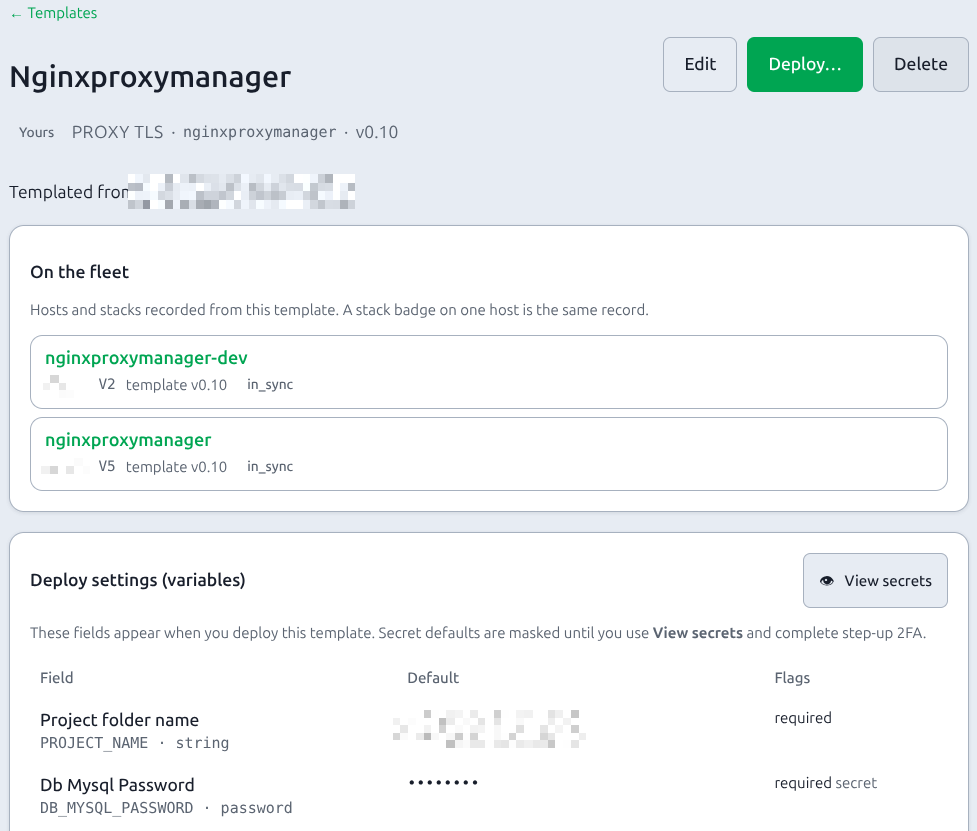
On the fleet is on the template page, under the description. It lists every host and stack recorded from that template. The catalog card shows the stack count. The badge on one Docker stack is the same record, for that host only. A stack that was never deployed from a template does not appear.
Full journey: Operator scenarios — Journey D.
OOTB pack
| Slug | Service | Typical why |
|---|---|---|
npm | Nginx Proxy Manager | TLS / reverse proxy edge |
uptime-kuma | Uptime Kuma | Monitor fleet URLs and SSH |
pihole | Pi-hole | LAN DNS + blocking |
grafana | Grafana | Metrics dashboards |
Defaults use named volumes; deploy can switch to project folder or host path.
Operator ownership
The catalog groups templates when both kinds are present and shows a short badge on each card and detail page:
| Badge | Internal source | Behaviour |
|---|---|---|
| OOTB | builtin (also starter) | Seeded from disk service_templates/; refreshed if still builtin and checksum changes |
| Yours | user (after Save / from-host) | Never auto-overwritten by disk |
| Imported | zip import path | Editable as operator-owned |
| Git | git catalog (when used) | Operator-owned sync |
Editing an OOTB template and saving marks it Yours so release refresh will not clobber your changes.
Variable types
| Type | Deploy UI | Notes |
|---|---|---|
| string / port / int / url / email | Normal fields | Ports 1–65535 |
| password | Secret field | Optional auto-generate |
| boolean | Yes / No | true_value / false_value |
| volume | Storage mode + name/path | named · ./ project · absolute host path |
Volume and boolean vars are never secrets (no step-up 2FA).
Host-specific strings from from host often appear as plain string / url vars, for example:
| Variable | Typical use |
|---|---|
NODE_NAME | Short host label in logs/metrics (e.g. promtail host:) |
HOST_FQDN | Full hostname when different from the short label |
LOKI_URL (or similar) | Remote service URL found in sidecar configs |
Additional files
Templates are not limited to docker-compose.yml + .env. The editor Additional files section stores sidecars (e.g. promtail-config.yaml) that deploy writes next to compose. From-host imports them when compose bind-mounts ./that-file:…. Placeholders like {{NODE_NAME}} work in those files the same as in compose.
Next
- Deploy a template
- From host — capture running stacks + configs
- Secrets model
- Developer schema