Deploy a template
What this is
Deploy takes a template, fills variables, picks a Docker-enabled host, writes files over SSH, runs compose pull + up -d, and stores desired state (versioned, secrets encrypted) in PiHerder.
Why it exists
A one-shot SSH paste is not recoverable after host loss and not comparable for drift. Deploy stores what should be on the host so you can redeploy, detect drift, accept intentional host edits, import host .env, or apply last known config after DR.
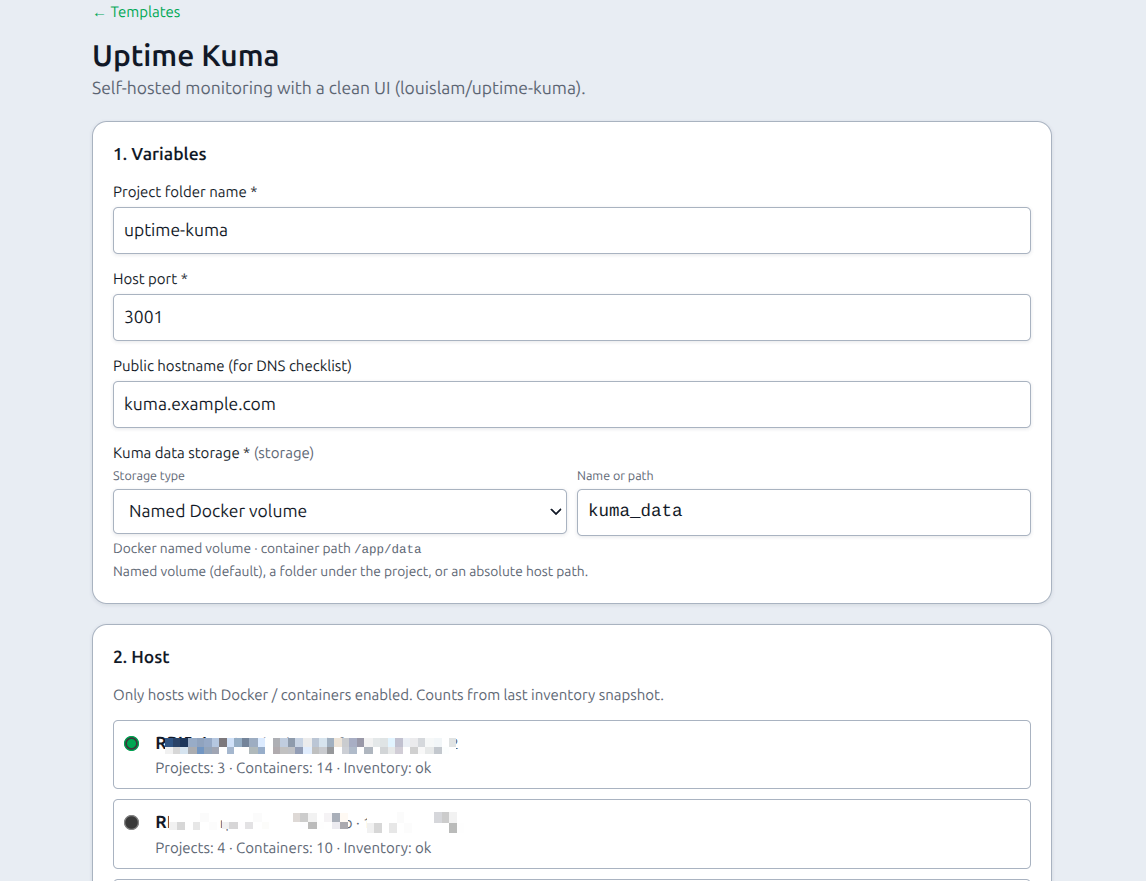
End-to-end: first OOTB deploy
- Catalog → Templates → open a template → Deploy….
- Fill variables (generate passwords if offered; choose volume mode).
- Pick a Docker-enabled host with a correct Docker base dir.
- Preview rendered files (secrets masked) — sanity-check ports and names.
- Fill any host-specific variables (
NODE_NAME, remote URLs) if the template came from host or has additional config files. - Confirm — runs as a Job with live log (write compose + additional files + lock
.env+ compose pull/up). - On success, open the deployment page (or Jobs / Audit).
- Read the checklist (DNS, first admin password in the app, firewall).
- Open Docker on that host to confirm the project is up.
Flow
- Catalog → Templates → open a template → Deploy… (or Details → Deploy).
- Fill variables (incl. volume mode for storage vars; generate secrets if offered).
- Pick a Docker-enabled host (inventory counts shown).
- Preview rendered files (secrets masked).
- Confirm deploy — queues a Template deploy job (live log in the hold modal):
- writes rendered files over SSH (
docker-compose.yml, always a host.env(empty allowed), and any additional files such as promtail config) - locks host
.env(chmod 600) when present - runs
compose pull+up -d - Desired state Vn stored encrypted in PiHerder; success navigates to the deployment page.
- Post-deploy checklist (manual DNS, first login, …).
Template deploy / redeploy / Check drift run as Jobs with live log. Use Accept host as desired, the desired-file browser, and always-write empty .env when intentional host edits should become the source of truth.
Redeploy & ops (deployment page)
Open the deployment for that host+project (/templates/deployments/{id}):
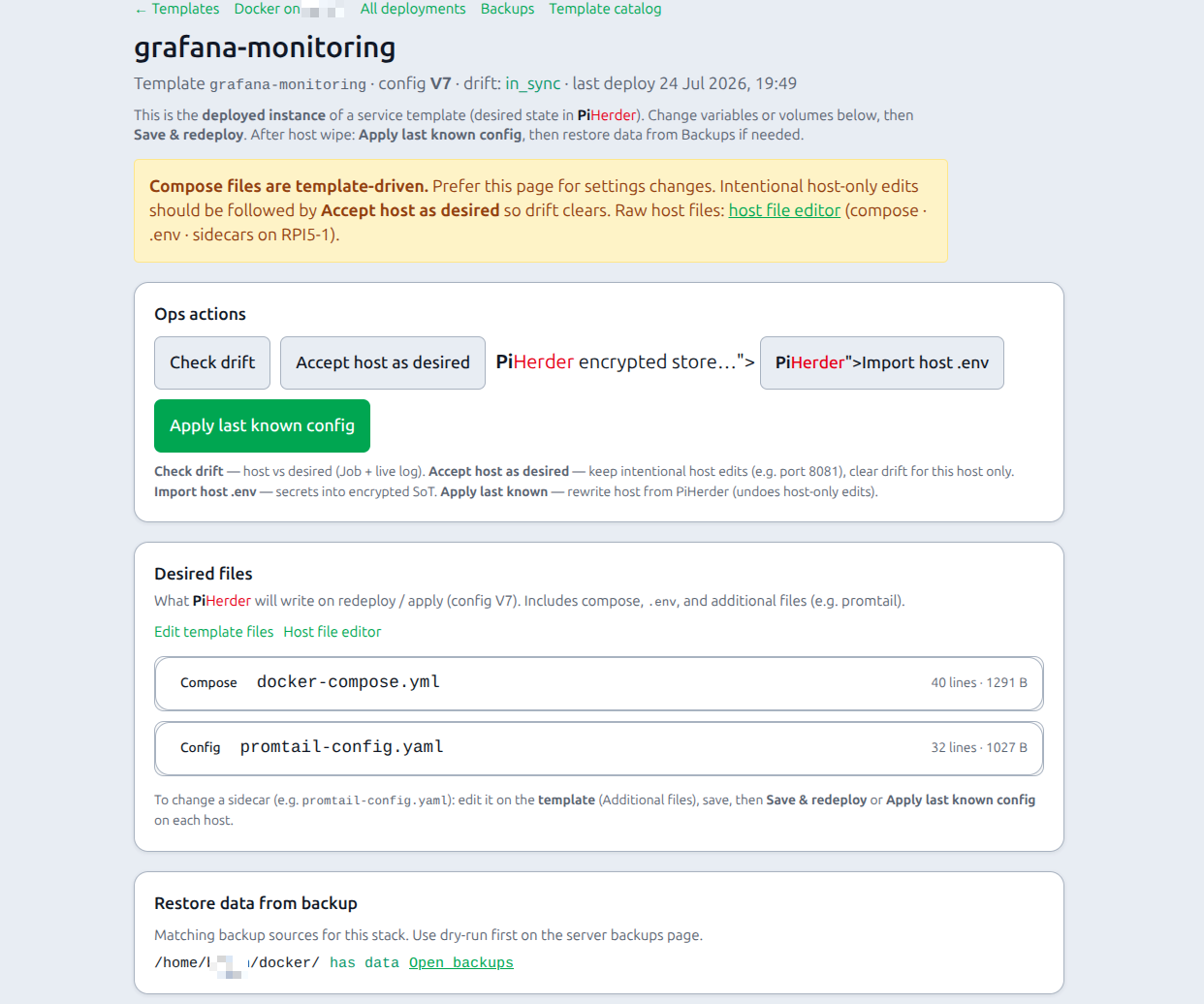
Desired files
The Desired files card lists what PiHerder will write on redeploy / apply (compose, .env, sidecars). Expand a path to preview the stored body (secrets masked until step-up unlock). Edit package sources under Edit template files; edit live host files via the host file editor text link.
Ops actions
| Action | Effect | Why |
|---|---|---|
| Volumes / storage | Change named volume, project folder, or host path without re-wizard | Storage decisions change more often than the whole recipe |
| Save & redeploy | New config version → write files → compose pull/up (Job + live log) | Apply edited desired state |
| Check drift | Compare host compose / .env / sidecars to desired state as a Job (live log / JobHold); updates drift badge | Detect hand-edits on the host |
| Accept host as desired | Copy live host project files into this deployment’s desired state; bump config Vn; clear drift | Keep intentional host-only edits (e.g. cadvisor 8081 for a port conflict) without overwriting the host |
| Import host .env | Pull host secrets into PiHerder encrypted store | Capture secret changes made offline on the host |
| Apply last known config | Re-write stored desired state to the host and run compose | Rebuild after wipe / DR — undoes host-only edits |
| host file editor (text link) | Multi-file host editor (compose, .env, discovered sidecars) | Emergency host YAML; prefer Accept host afterward if you keep the change |
| Restore data | Lists matching backup sources → use server Backups dry-run/apply | Config redeploy ≠ data restore |
Intentional host edit (example: different published port)
- Edit on the host (SSH or the host file editor link).
- On the deployment page, Accept host as desired — config version bumps; drift clears for this host only.
- Do not use Apply last known if you want to keep the host edit — that rewrites the host from PiHerder.
Post-redeploy banner links to Docker, this deployment, and Audit.
Drift also runs on a schedule (~every 6 hours).
Create / edit a template
- Catalog → Templates → + New template or From host… or Edit.
- Metadata: slug, name, category, version.
- Paste or pull
docker-compose.yml; use{{VAR}}placeholders. - Variables as form rows. Types include boolean + volume.
- Editor tools:
- Scan vars + volumes
- Move secrets → .env
- Checklist rows for operators.
- Save →
source=user.
Import zip
Archive with template.yaml + files/. Fully editable after import.
Security settings
Settings → Security policy:
| Option | Effect |
|---|---|
| Require 2FA for all users | Force 2FA for the whole UI |
| Require 2FA for template deploy & secrets | Operator must have TOTP to confirm deploy or view/edit secrets |
Step-up unlock for cleartext secrets: Secrets model.