Settings
What this is
Settings is the admin control plane for the instance: timezone, instance name and accent, Catalog in the nav, security policy, console limits, SSO / OIDC, the max wait for a host that is down, fleet update-check defaults, stale data cleanup, Alerts (policy + webhook + SMTP), PiHerder self-backup, stack Status, and API tokens.
Where: top nav Settings → /herder-backups (tabs on one page; legacy path kept for bookmarks).
Why it exists
Day-to-day fleet work lives on Servers / Jobs / Catalog. Settings keeps policy and DR in one place so operators are not hunting for “where do I force 2FA?” or “where is the herder backup?”
Settings is admin-oriented for stack and policy; operators still use Account for self-service. Timezone, security policy, console limits, fleet defaults, stale data cleanup, PiHerder self-backup/restore, Status, and API tokens require admin (UI tabs and POST routes). Non-admins see a short notice on General only.
The page uses the shared ops-hero (tab-aware title + pulse) plus Settings-style tabs under the hero. Switching tabs is client-side (URL ?tab= updates without a full reload); the hero title, caption, and viz follow the active tab.
End-to-end: harden a new instance
- General → set app timezone (Audit/Jobs clocks). Optional Instance: a name in the header, one accent, and whether Catalog stays in the nav. See Appearance.
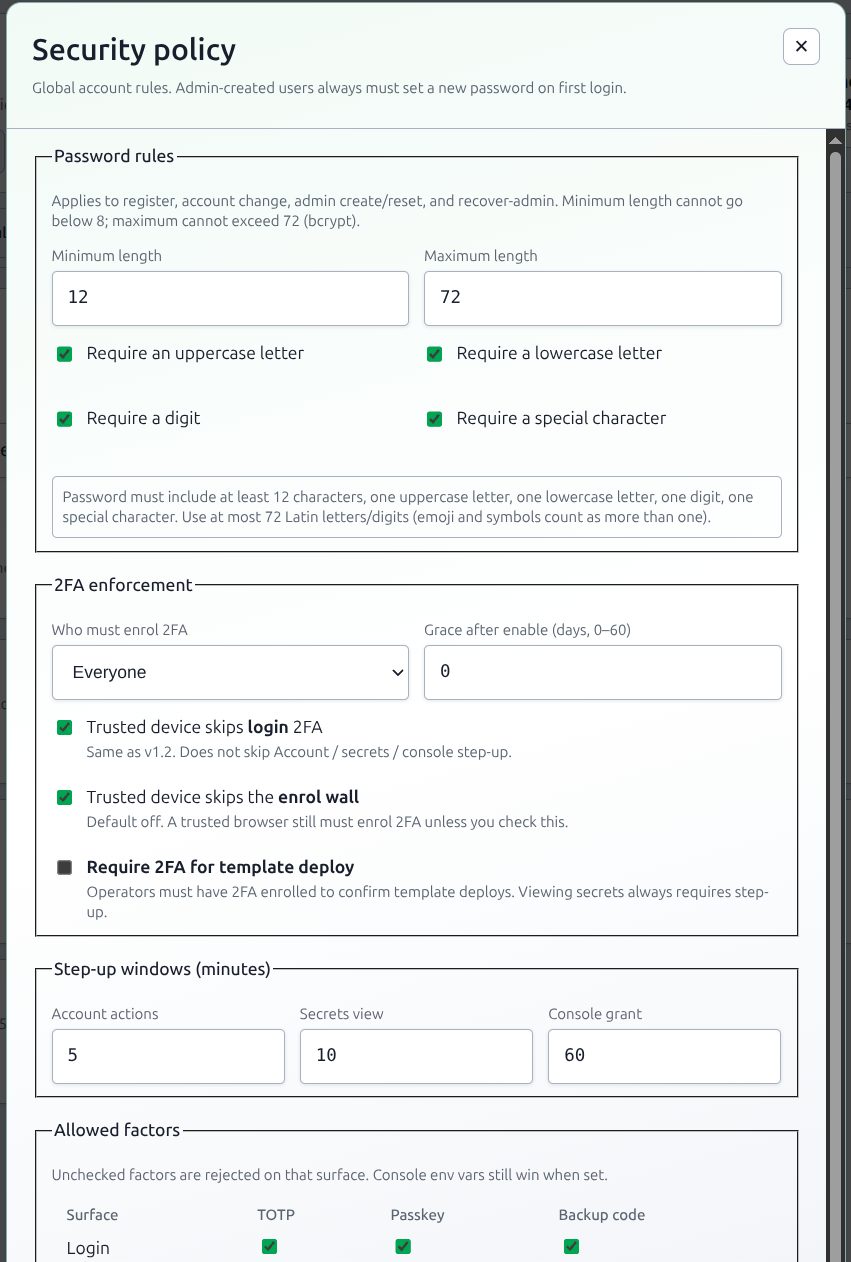
- General → Security policy: password rules, who must enrol 2FA (optional grace 0–60 days), step-up windows.
- General → Console: idle / max session, concurrency, ticket, park hold, bind, scrollback (kill switch stays
PIHERDER_SSH_CONSOLE). General → Files: transfer cap (default 512 MiB, ceiling 32 GiB). Kill switch stays envPIHERDER_HOST_FILES(Host Files). Privileged Files uses the same “who may elevate” knob as the console. Move is not a Settings checkbox. It is on unlessPIHERDER_SERVICE_MIGRATE=false(env reference · Move a service). - Optional General → SSO / OpenID Connect when you have a BYO IdP — SSO guide.
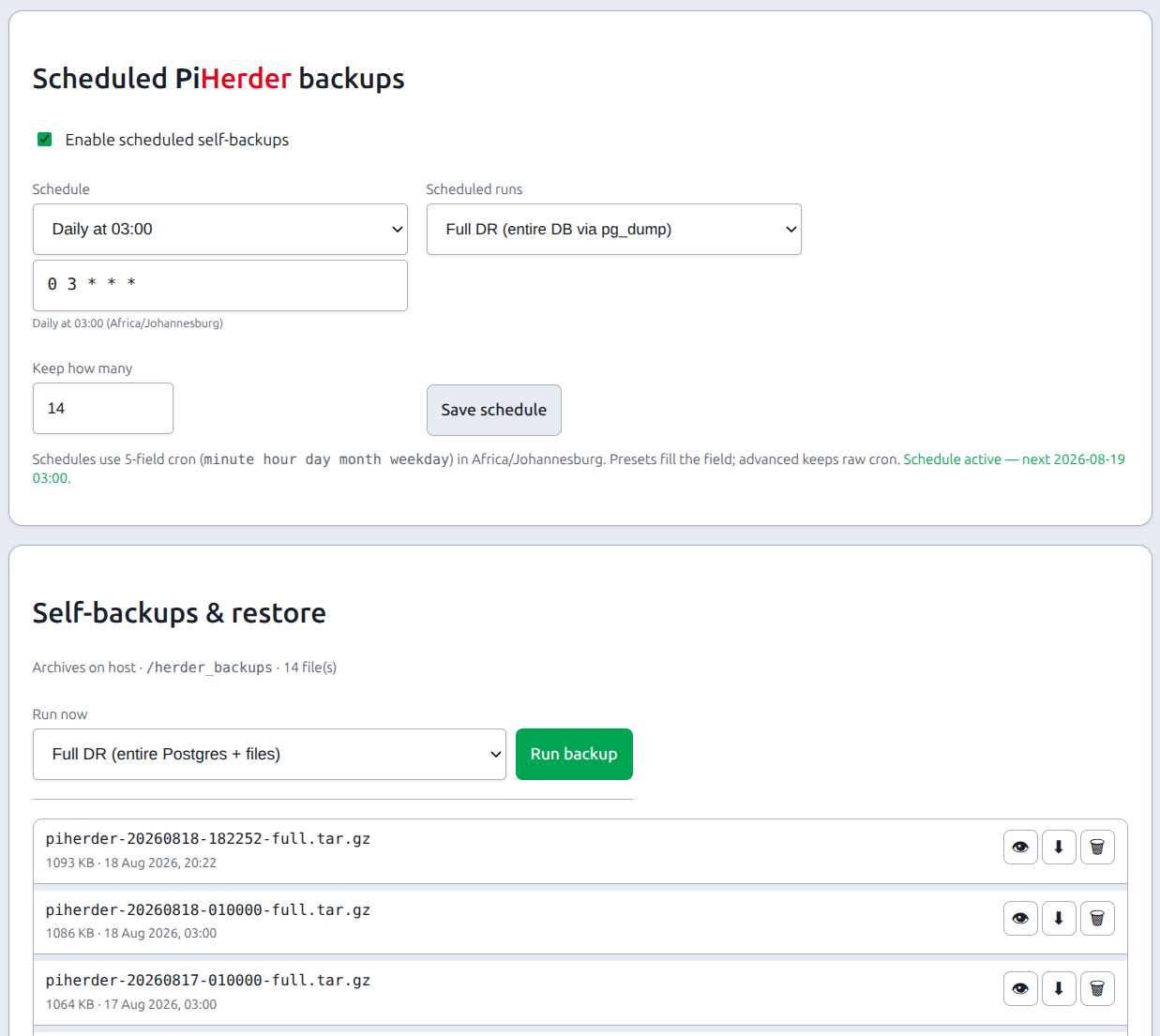
- PiHerder backup → run once + schedule; store archive + master key offline.
- Status → Check now until green.
- Optional Alerts — alert policy (mute / severity / debounce), webhook + SMTP, password recovery.
- Optional API tokens for n8n/HA only if needed.
Tabs (overview)
| Tab | Purpose |
|---|---|
| General | Timezone (inline) plus a hub of summary cards — Instance (name, accent, Catalog in the nav), Jobs (max wait for the host), Security, Console, Files (transfer cap), SSO, Cleanup. Edit opens the full form in a modal |
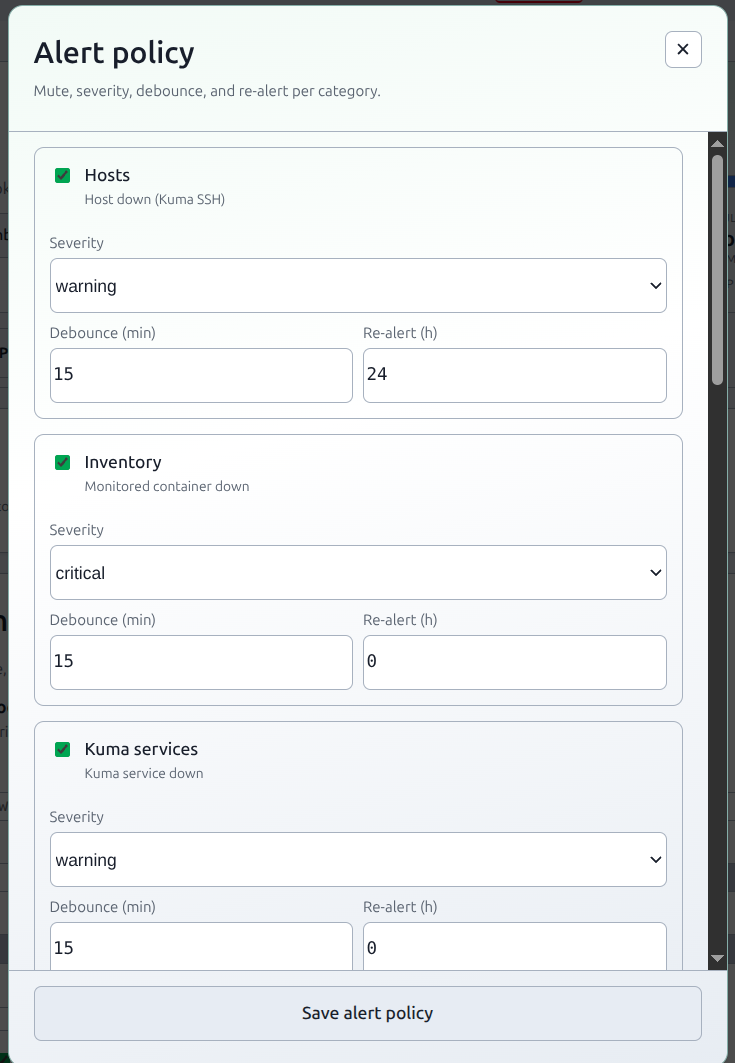
| Alerts | Alert policy (per-category severity / mute / debounce) + outbound webhook + SMTP — details |
| Fleet defaults | Global OS and container update-check defaults, plus a base backup time. A host with backups on and no saved schedule inherits that time (marked fleet default). Apply turns backups on and does not write that time onto the host. The minute comes from the host id, so a large fleet does not all run on the same minute |
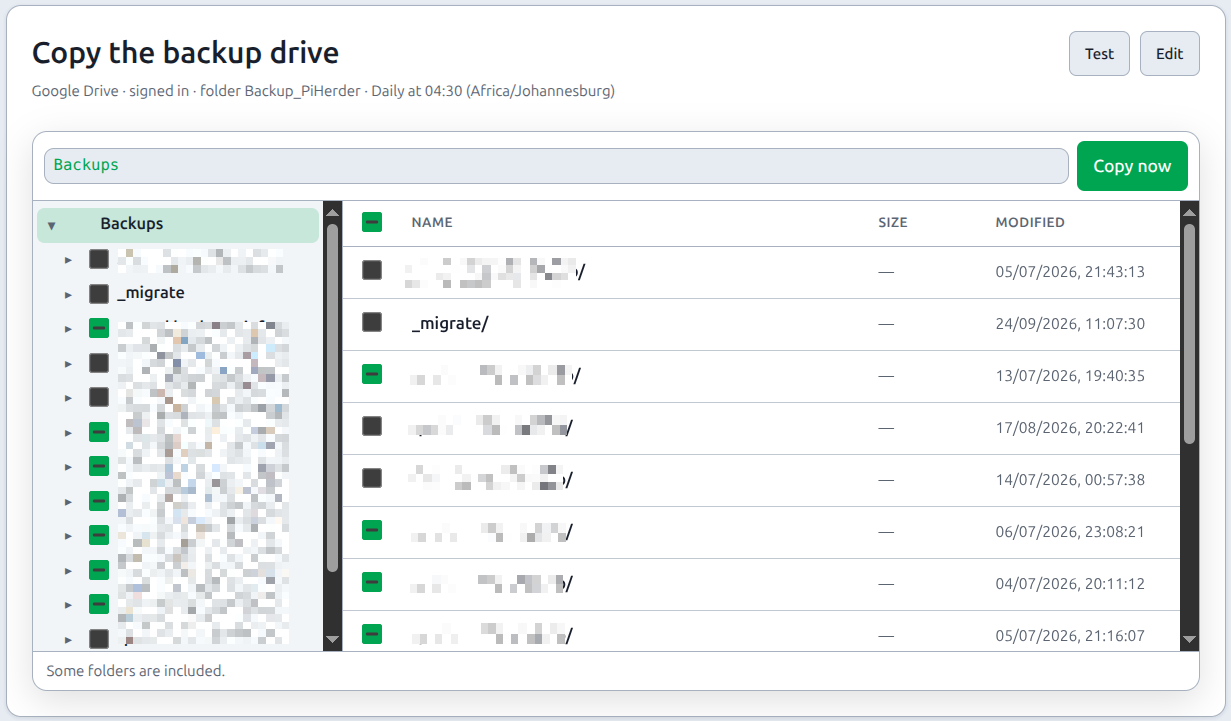
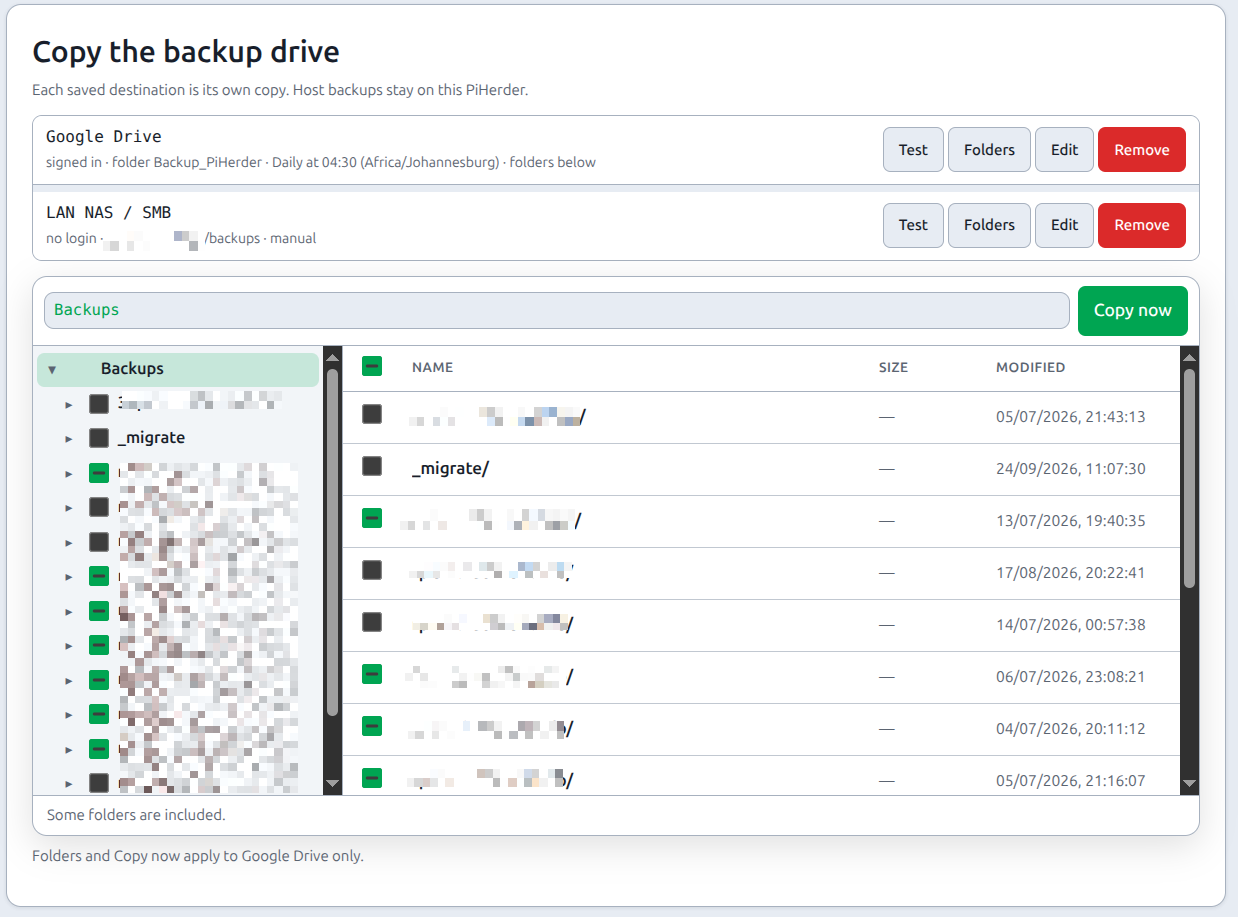
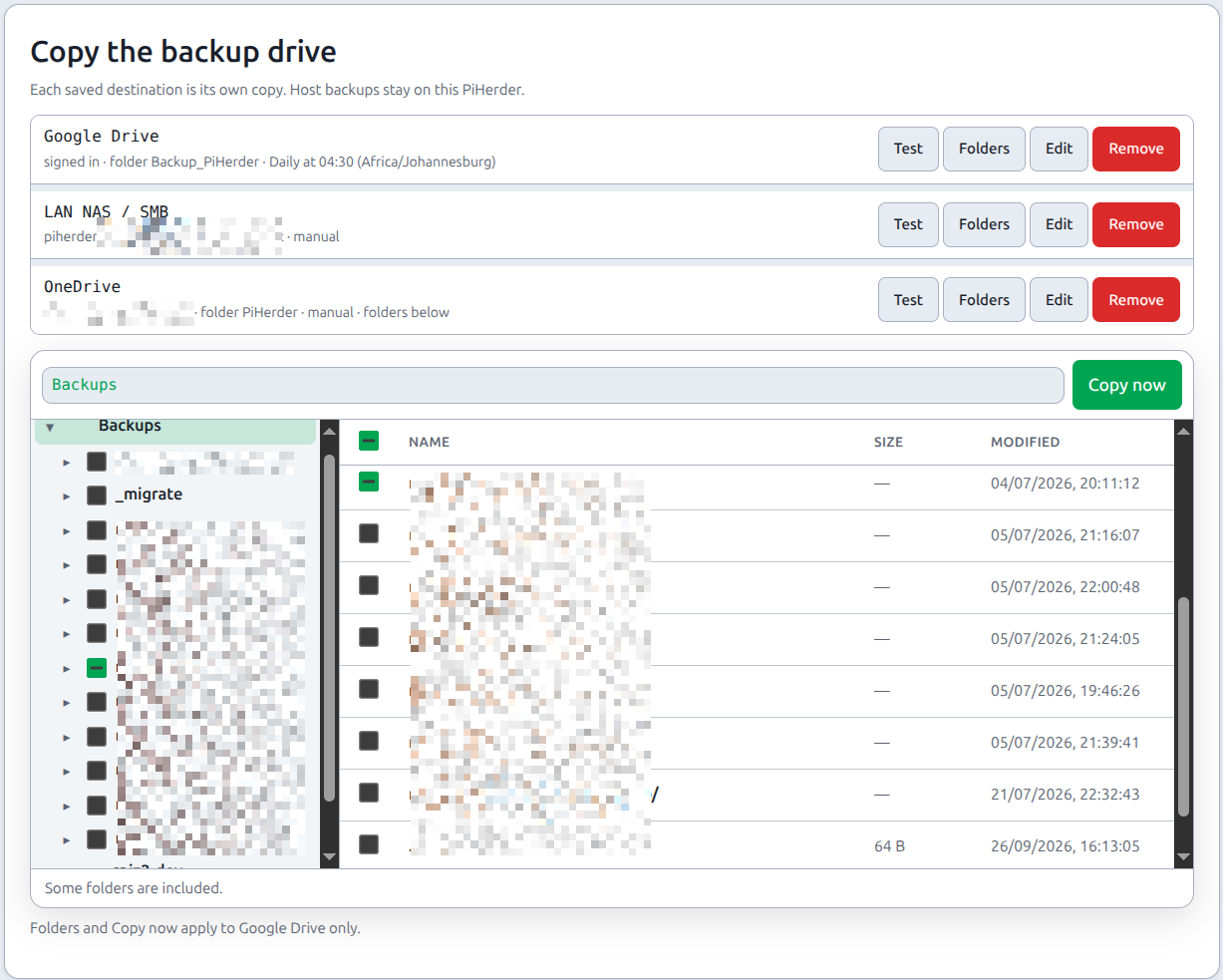
| PiHerder backup | Schedule, run, download, restore herder config (Self-backup & DR). The card under that is Copy the backup drive — Google Drive, OneDrive, or a LAN share (Backups). A host can opt in on its Backups page to send files straight to one or more of those destinations. The finished backup and its audit row name the place. The sign-in is not stored |
| Status | Stack health: web, DB, Redis, Celery, scheduler, disk (Status) — admin |
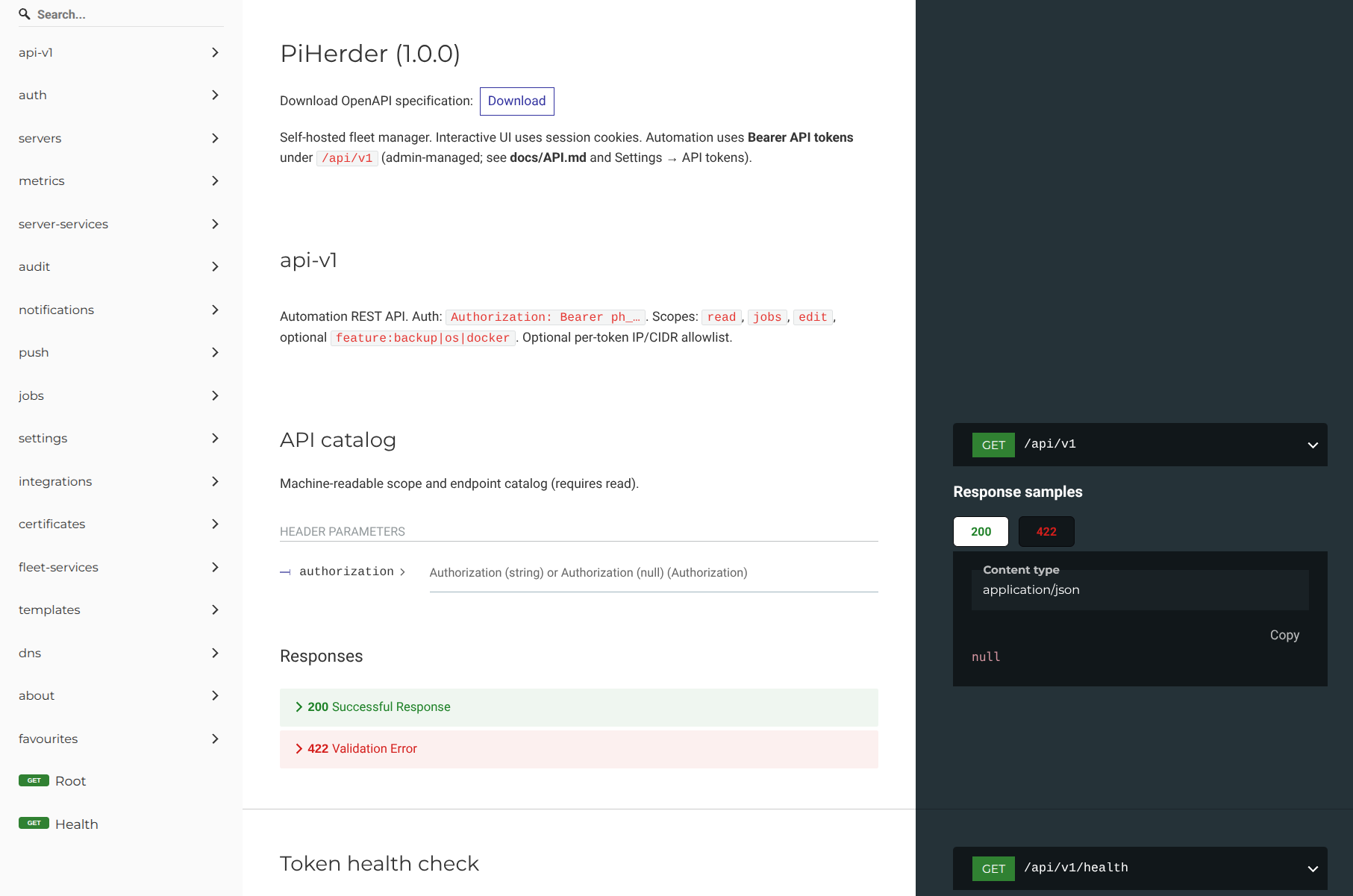
| API | Create / rotate / revoke instance Bearer tokens; Try a token smoke checks; OpenAPI /docs + ReDoc (API tokens) — admin |
Schedules (human-readable)
Cron fields across Settings (cleanup, fleet defaults, PiHerder backup) and host feature schedules show a short English line under the expression (e.g. “Daily at 04:30”) plus common presets where a select is offered. The stored value remains standard 5-field cron in the app timezone.
General tab — hub + modals
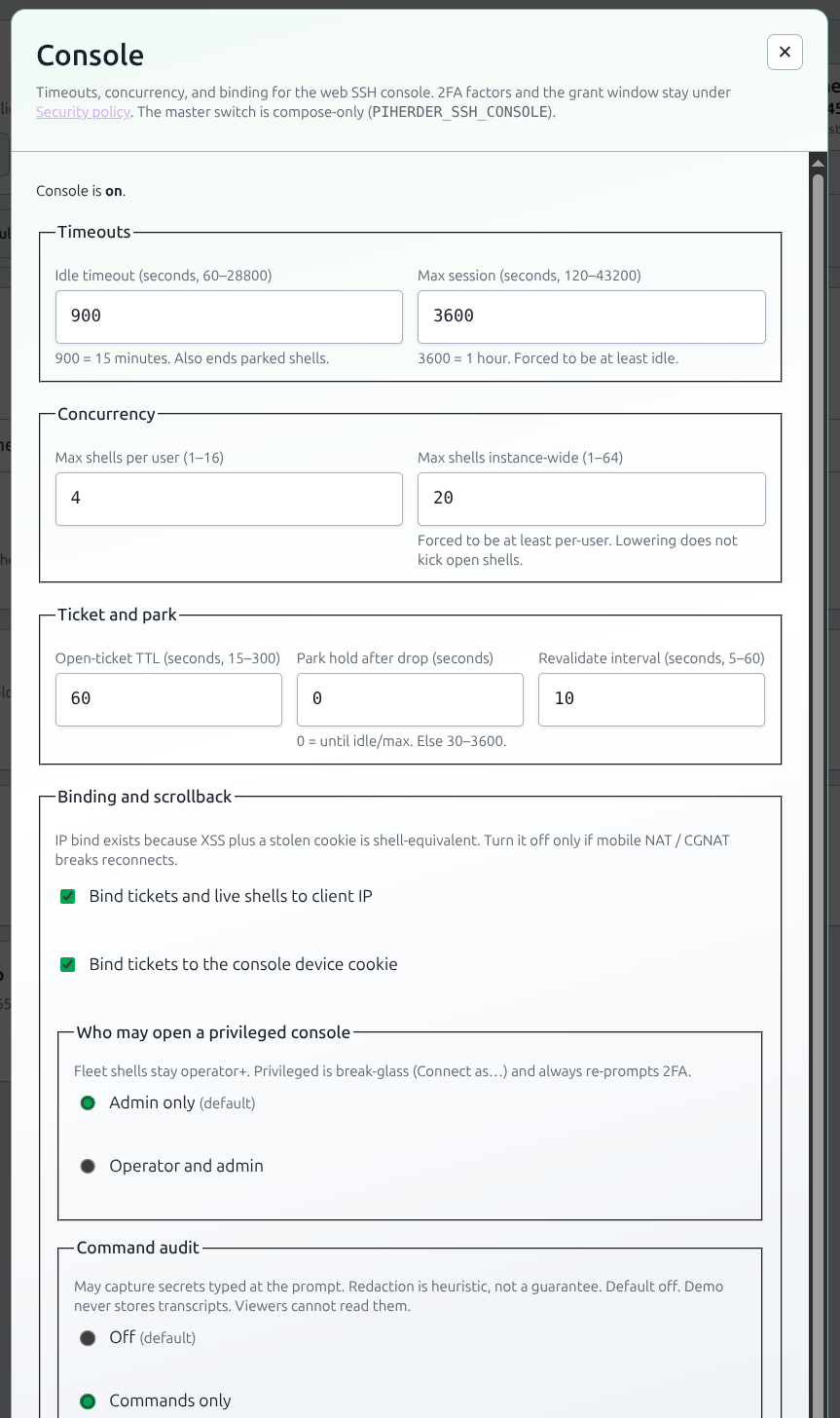
Timezone stays on the page (hero clock). Security policy, Console, Files, SSO, and Stale data cleanup are summary cards (one line of live state) with Edit. The full form opens in a modal — same POST URLs as before. Bookmarks still work: ?tab=general#settings-console opens the Console modal. On a phone, Edit is a full-height sheet: title and Save stay put, only the form body scrolls.
Alerts → Alert policy uses the same pattern (summary + Edit modal). Webhook and SMTP stay on the Alerts tab.
General tab — timezone card
The hero shows a timezone identity card (not a city name jammed into the orb): continent badge, city, UTC±offset, local clock, and full IANA id (e.g. Africa/Johannesburg).
Security policy
Admin-only. Password rules, who must enrol 2FA (off / admins / operators+ / everyone), grace 0–60 days, step-up windows (account / secrets / console grant), allowed factors, and the IdP-MFA login skip (default off). See 2FA.
Console
Admin-only. Available from v1.3. Timeouts and session limits for the optional web SSH console.
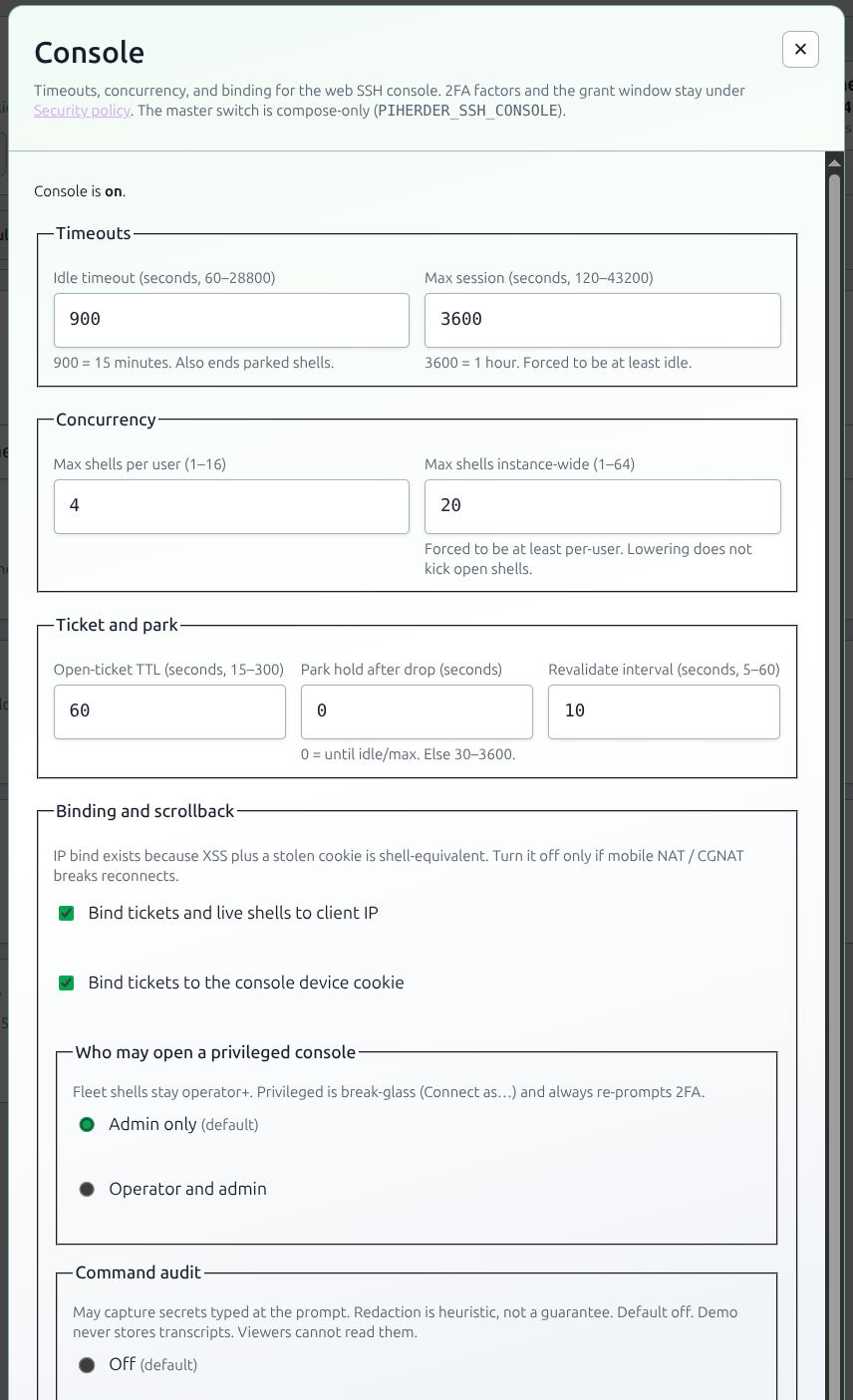
| Setting | Default | Range |
|---|---|---|
| Idle timeout | 900s (15 min) | 60–28800 (8h). Also ends parked shells |
| Max session | 3600s (1h) | 120–43200 (12h), forced ≥ idle |
| Max shells per user | 4 | 1–16 (all hosts, including parked) |
| Max shells instance-wide | 20 | 1–64, forced ≥ per-user |
| Open-ticket TTL | 60s | 15–300 |
| Park hold after WS drop | 0 | 0 = until idle/max; else 30–3600 |
| Revalidate interval | 10s | 5–60 |
| Bind to client IP | on | Off only if mobile NAT breaks reconnects |
| Bind to device cookie | on | HttpOnly console_device |
| xterm scrollback | 2000 lines | 500–50000 |
| Who may open a privileged console | Admin only | Admin only, or operator and admin. Fleet shells stay operator+. Privileged always re-prompts 2FA. Env lock: PIHERDER_SSH_CONSOLE_PRIVILEGED_ROLE |
| Command audit | Off | Off · Commands only · Commands + truncated output. May capture secrets typed at the prompt; redaction is heuristic. Viewers cannot read transcripts. Demo never stores. Env: PIHERDER_SSH_CONSOLE_AUDIT_MODE |
| Require on every session | Off | When on, live shells always record commands (Off is ignored) and refuse to open if recording cannot start. Env: PIHERDER_SSH_CONSOLE_AUDIT_REQUIRED |
| Transcript retention | 14 days | 1–90. Drops the encrypted body; the row still shows that a transcript existed. Env: PIHERDER_SSH_CONSOLE_AUDIT_RETENTION_DAYS |
The master enable is still compose-only: PIHERDER_SSH_CONSOLE (default off). 2FA factors and the grant window stay on Security policy (two forms — do not move those checkboxes here).
A non-empty env var locks that knob (field shows read-only). Bundled compose does not inject defaults for these, or Settings cannot apply. Public demo 403s writes. Lowering concurrency does not kick open shells.
Audit: console_policy_changed.
Files
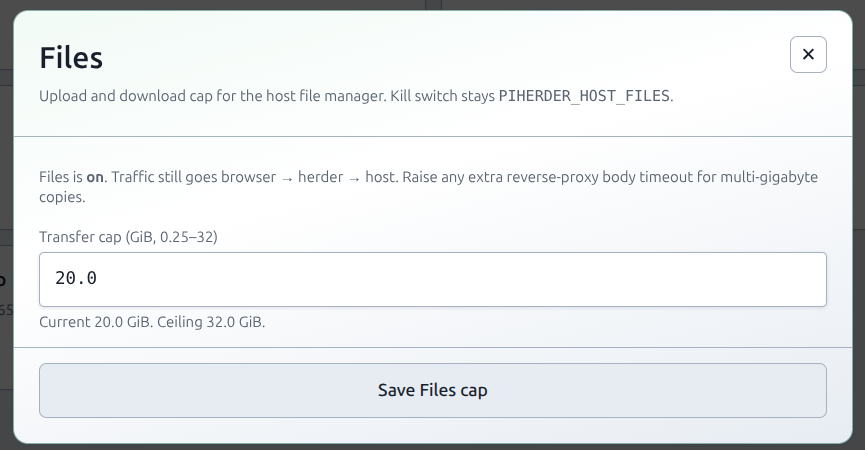
Admin-only. Transfer cap for the optional Host Files manager (default 512 MiB, ceiling 32 GiB). The kill switch stays env PIHERDER_HOST_FILES. A non-empty PIHERDER_HOST_FILES_MAX_BYTES locks the cap.
Stale data cleanup
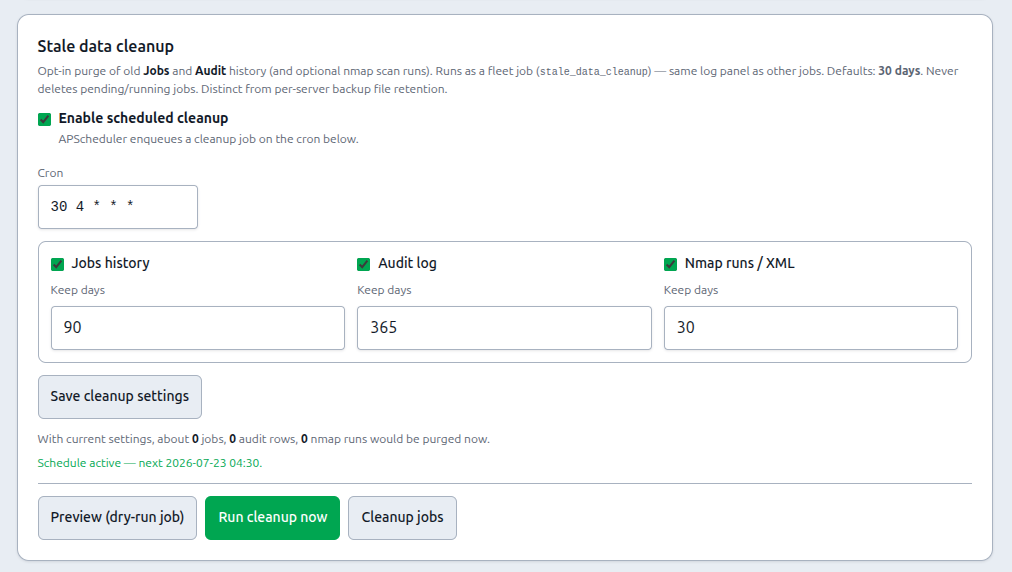
Opt-in purge of old Jobs, Audit, and optionally nmap scan runs (plus run XML under DATA_ROOT/nmap/…). Distinct from per-server backup file retention.
| Setting | Default lean |
|---|---|
| Master enable + cron | Off · cron e.g. 30 4 * * * (app timezone). UI shows a plain-English summary next to the expression (shared schedule helper used fleet-wide) |
| Jobs purge | On when cleanup enabled · 30 days · never deletes pending/running |
| Audit purge | On when cleanup enabled · 30 days (can differ from jobs) |
| nmap runs / artifacts | Off until enabled · 30 days when on |
Run now enqueues Job type stale_data_cleanup (preview counts in the card). Admin-only. Removing a server still keeps unlinked Jobs/Audit by default. Time purge is the bulk growth control (Remove a server).
API and MCP read rows, when that flag is on, use the days on Security policy (1-90, default 7). Cleanup removes those rows whenever it runs, including when the Audit purge toggle is off. They stay off the default Audit list.
Reports reads these same rows. Purging Jobs shortens backup / OS / Docker history; purging Audit shortens console sessions; purging nmap runs shortens LAN live.
General tab — Instance
Admin-only. A name in the header and the home-screen title, one accent, and Show Catalog in the navigation. Empty name keeps Pi / Herder. The mark image and the primary red stay. Unchecking Catalog removes it from the desktop nav and the phone menu only; /catalog still opens. The public demo keeps official chrome and disables Save. PIHERDER_INSTANCE_NAME and PIHERDER_ACCENT lock those fields when set. Full table: Appearance.
General tab — Jobs
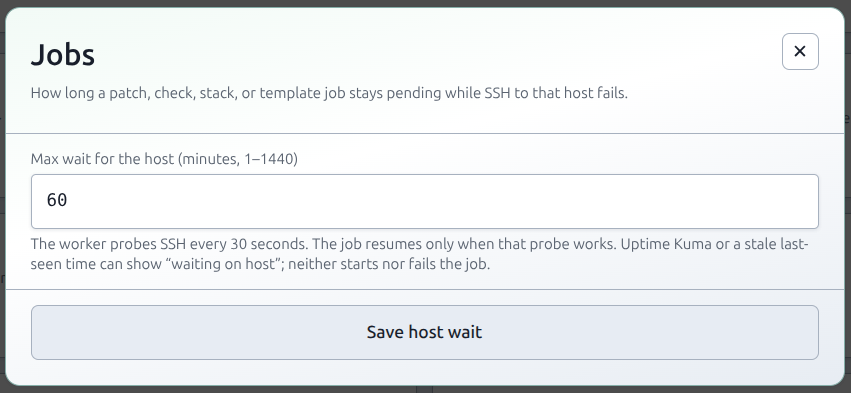
Admin-only. Max wait for the host is in minutes (1–1440, default 30). That is how long a patch, check, stack, or template job stays pending while SSH to that host fails. The worker probes every 30 seconds and resumes only when the probe works. Uptime Kuma or a last_seen older than 15 minutes can label the row waiting on host. Those labels do not start the job and do not fail it. PIHERDER_EXCLUSIVE_HOST_WAIT_SEC locks the field when set (seconds, 30–86400). The worker reads the saved value on the next probe, so you do not recreate celery-worker after a Settings save. See Multi-worker · Jobs.
Common tasks
| Goal | Path |
|---|---|
| Is Redis/Celery healthy? | Settings → Status → Check now |
| Nightly herder backup | Settings → PiHerder backup → schedule + path |
| Force everyone onto 2FA | Settings → General → security policy |
| Console idle / max shells | Settings → General → Console · web SSH |
| Connect Authentik / Keycloak / Entra | Settings → General → SSO · SSO / OIDC |
| Trim old Jobs / Audit | Settings → General → Stale data cleanup |
| Times show SAST / local | Settings → General → timezone |
| Name in the header, one accent, hide Catalog | Settings → General → Instance · Appearance |
| How long a job waits for SSH | Settings → General → Jobs · Multi-worker |
| n8n / HA automation | Settings → API · API |
| Alert policy / webhook / SMTP | Settings → Alerts · Alerts |
| Forgot password on login | Settings → Alerts (SMTP + toggle) · Alerts |
Not under Settings
| Feature | Where |
|---|---|
| Reports (backup / patch / LAN / Docker / console history) | Nav Reports (/reports) |
| Catalog (integrations, certs, templates, network) | Nav Catalog |
| Users | Avatar → Users (admin) |
| Account / 2FA / SSO link / push | Avatar → Account |
| Fleet services grid | Dashboard tile or /services |
General tab — SSO / OpenID Connect
Admin-only. Enable a confidential OIDC client, paste issuer / client id / secret (Fernet in DB), map groups to roles, optional Require SSO (hides the password form; non-admins cannot password-login; admins stay break-glass). Redirect URI is shown on the card.
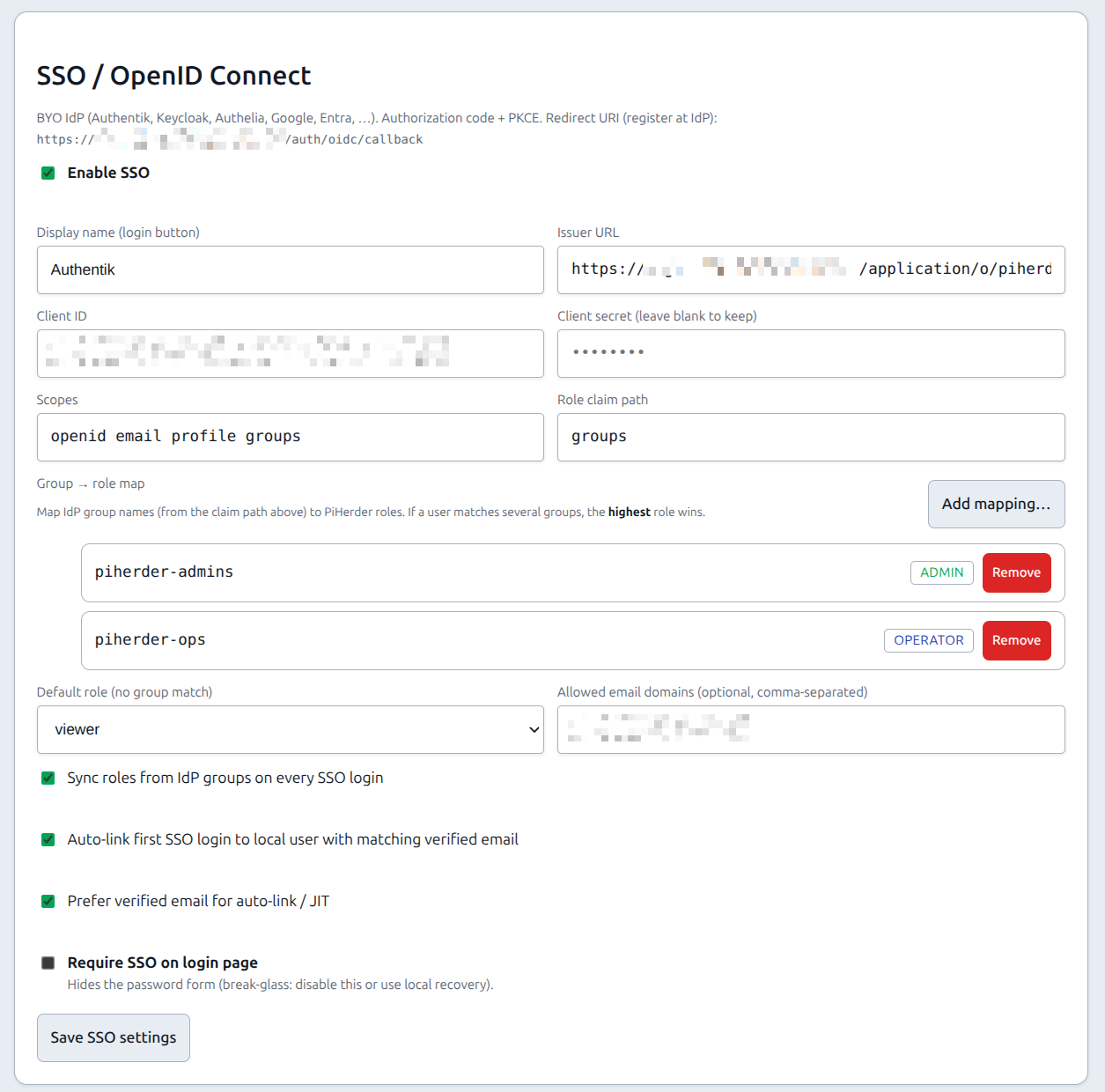
Full operator guide: SSO / OpenID Connect. Lab Authentik: SSO_AUTHENTIK_TEST.md.
Related
- Appearance — instance name, accent, Catalog in the nav
- Environment reference — secrets that stay in
.env(includes LAN nmap fence / volume keys) - SSO / OpenID Connect
- Volumes
- Upgrades