Self-backup & DR
What this is
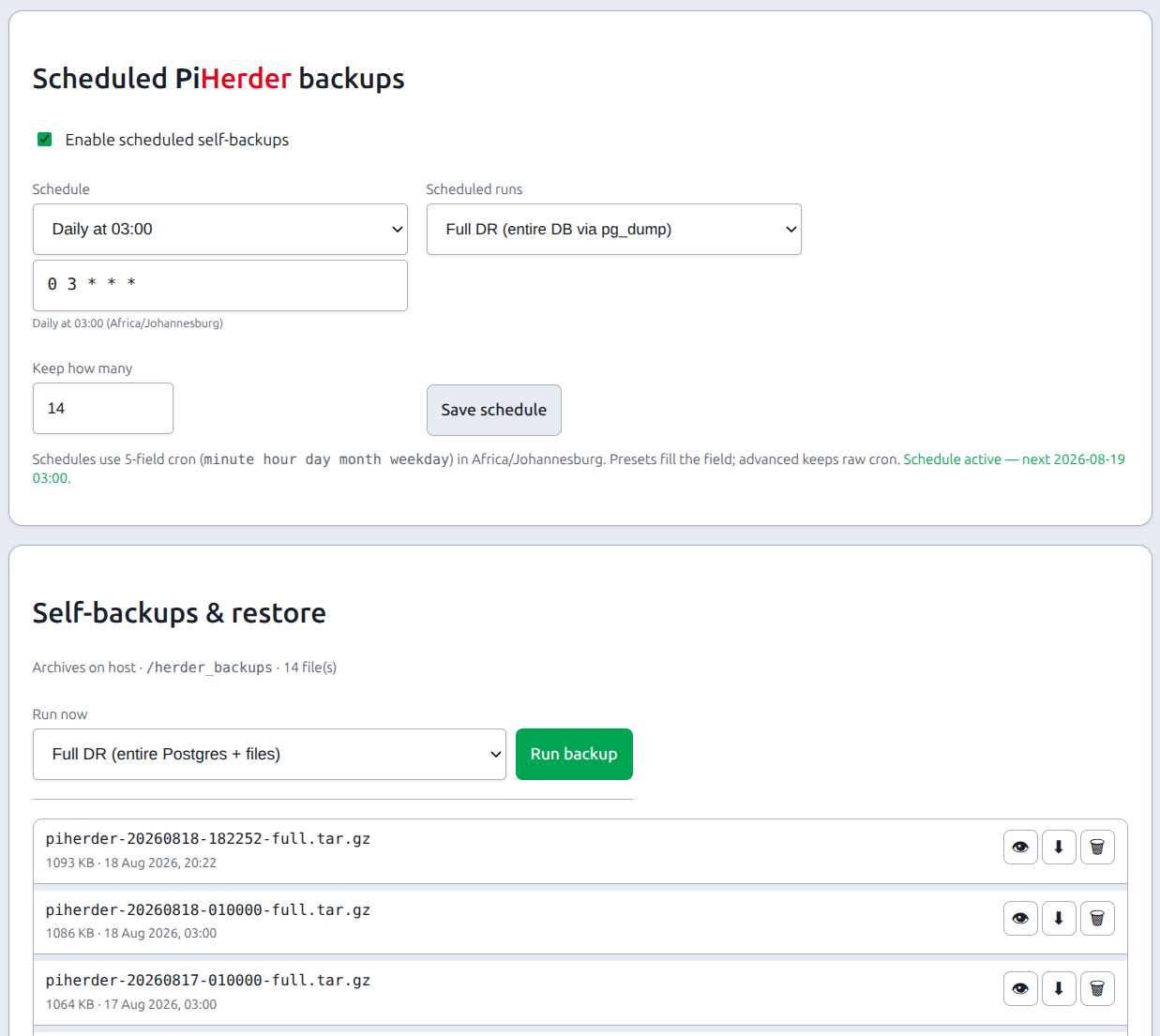
PiHerder self-backup archives the control plane (and, from v1.2.0, a full Postgres dump in Full mode) into .tar.gz files under the herder backup volume.
It is admin only. Where: Settings → PiHerder backup.
It is not a replacement for:
| Not this | That is… |
|---|---|
| Per-server rsync of docker/media trees, or a host that sends those files straight to Drive, OneDrive, or the NAS | Server backups. A direct host does not fill /backups |
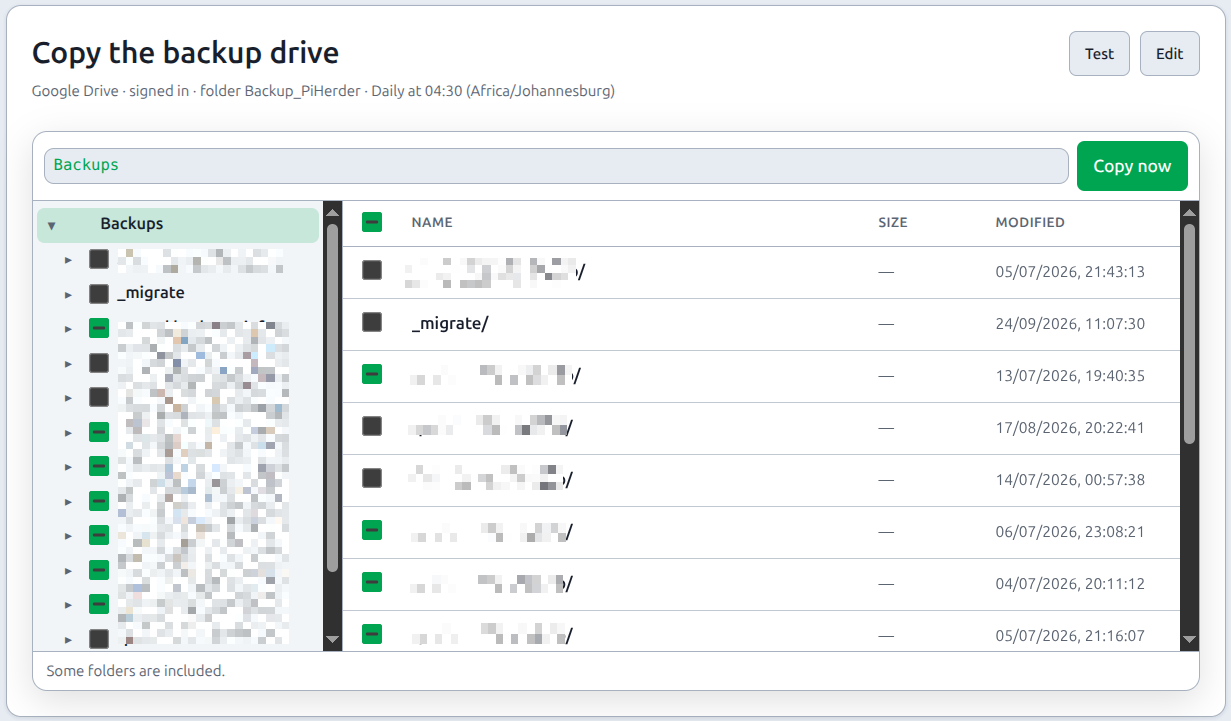
| Copy of that backup drive to Google Drive | Same Settings tab, the card Copy the backup drive, on the v1.8 train only. It copies checked folders from /backups after the host rsync. It is not this archive. Backups |
| A VM/disk image of the herder host | You still install compose + image on the new machine |
Journey: Operator scenarios — Journey F.
Copy the archive off this host
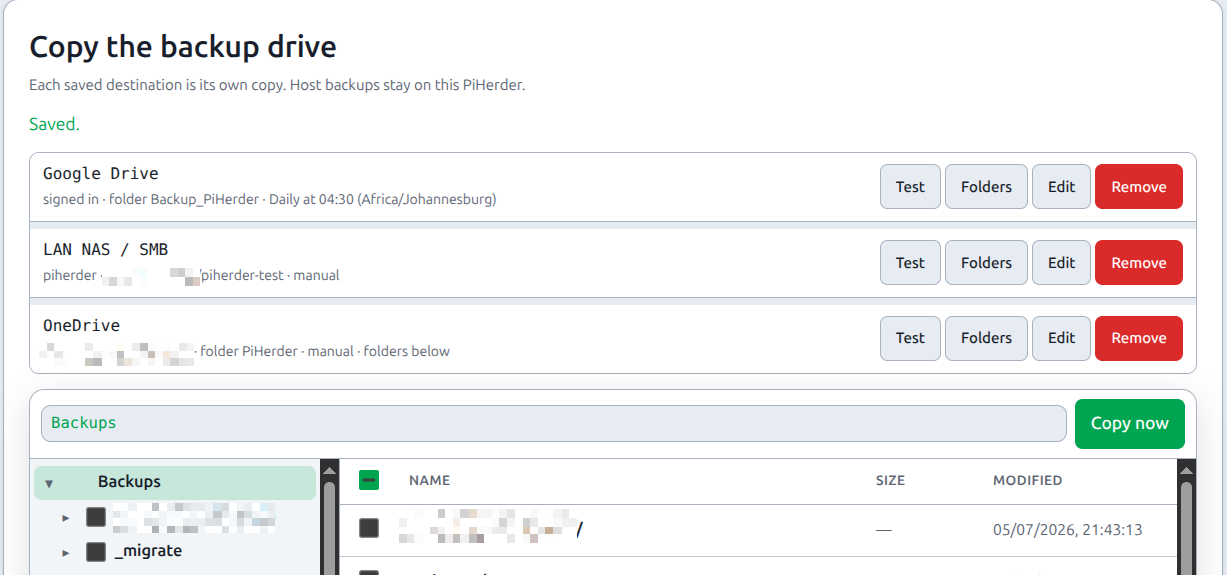
The .tar.gz stays under /herder_backups first. A saved Google Drive, OneDrive, or LAN share can also receive that file.
On Copy the backup drive, turn on Also copy each new self-backup for the destination, then save. The next successful self-backup queues a copy of that one archive. Copy on an archive row sends a file that is already on disk. The copy lands in a herder/ folder on that destination, beside the host backup folders. Jobs labels that row Self-backup copy. It does not block Copy now of the host folders, and a host-folder copy does not block it.
A failed copy fails the copy job. It does not delete the local archive. The public demo does not upload. Restore still reads the local file, not Drive, OneDrive, or the share.

Version matrix (read this before trusting an archive)
| Product version | Self-backup “Full” reality | Suitable as sole DB DR? |
|---|---|---|
| < v1.2.0 (v1.0.x · v1.1.x) | JSON row snapshots only — not a full database dump | No — see limitations before v1.2.0 |
| ≥ v1.2.0 | Full = pg_dump -Fc of entire Postgres + DATA_ROOT files (avatars/logos) | Yes for all DB tables (jobs, audit, everything) |
| Any version | Config only = light JSON control-plane snapshot | No — intentional light pack |
Pre-v1.2 archives
Archives made on v1.0 / v1.1 (and early v1.2 JSON “full” before pg_dump) cannot reconstruct a complete historical DB after wipe. Prefer ≥ v1.2.0 Full DR archives for disaster recovery. Keep an offline PIHERDER_MASTER_KEY with every archive.
Limitations before v1.2.0
Self-backup on v1.0.x and v1.1.x (and any archive whose manifest is JSON-only v1–v5 without database.dump) had these by design limits. They still apply when restoring those old files on a newer image.
| Limitation | Detail |
|---|---|
| Not a full DB dump | Selective JSON row snapshot of durable tables — not pg_dump of every table |
| Jobs excluded | Job queue / job history never stored or restored |
| Audit capped | “Full” mode only added audit, and only a capped recent window (e.g. ~5000 rows) |
| Notifications capped | Recent alerts only (not unbounded history) |
| Nmap scan runs excluded | Device inventory/schedules restored; scan run rows / XML under DATA_ROOT/nmap not |
| No password-reset tokens | Short-lived; not DR-relevant |
| No rsync trees | Host file backups remain a separate product |
| No external product DBs | Kuma / Grafana / Frigate media etc. only as PiHerder connection config |
Practical impact: a “full” self-backup from < v1.2.0 is a control-plane recovery pack, not a complete historical database. After a hard wipe, Jobs UI history and full audit depth from those archives cannot be brought back.
Operator stance for 1.0 / 1.1: keep self-backup + master key for fleet identity and secrets; treat Jobs/audit history as best-effort (export/screenshot if you need long retention). Move scheduled mode to Full DR after upgrading to v1.2.0.
v1.2.0+ modes
| Mode | Contents | Use |
|---|---|---|
| Full DR (recommended) | database.dump (pg_dump -Fc of entire DATABASE_URL) + avatars/logos under data/ · manifest kind=pg_dump_full · format v6 | Sole DR for the herder database |
| Config only | Lightweight JSON control-plane snapshot (not every table at unlimited depth) | Quick config copy / lab; not sole DR |
Image requires postgresql-client-16 (matches compose postgres:16) so Full can run pg_dump / pg_restore.
Restore (Full DR): extracts database.dump → pg_restore --clean into the live DB, then data/ files. Same PIHERDER_MASTER_KEY. Prefer dry-run when the UI offers it; expect a short outage while sessions to Postgres are terminated for clean restore.
Restore (JSON / pre-v1.2): row upserts by id/email (older behaviour). Missing tables (e.g. jobs) stay empty.
Honest DR scenarios (v1.2.0+)
Scenario A — Full DR pack (recommended)
Keep offline: latest Full .tar.gz + PIHERDER_MASTER_KEY.
On a new machine:
- Fresh Install.
- Same master key in
.env. - Settings → PiHerder backup → restore Full archive (or
pg_restoreofdatabase.dump). - Restart web/celery.
- Smoke: login, hosts, Jobs list (history present if it was in the dump), one fleet action.
Scenario B — Control plane + fleet file archives
Also keep the server rsync volume (PIHERDER_BACKUP_HOST_PATH / /backups) — Volumes.
Scenario C — Comfort pack
| Offline | Purpose |
|---|---|
PIHERDER_MASTER_KEY | Decrypt Fernet secrets after restore |
| Latest Full self-backup | Entire herder DB + logos/avatars |
Copy of .env (non-secret notes OK) | Faster rebuild |
Edge ./certs if self-managed | Herder HTTPS |
| Host rsync backup disk | Fleet file DR |
Still outside self-backup
| Expectation | Reality |
|---|---|
| Host docker/media trees | Server rsync / host disks |
Nmap raw XML under DATA_ROOT/nmap | Re-scan if needed |
| External Kuma/Grafana data | Their own backups |
| Redis / in-flight Celery | Ephemeral |
Why older archives looked “small”
JSON + gzip of selected tables (often dominated by capped audit + logos) typically lands around ~1–2 MB. That did not mean the whole DB was inside. v1.2 Full archives contain a real database.dump; size grows with real table data (jobs, audit, etc.).
End-to-end: first DR pack (v1.2+)
- Store
PIHERDER_MASTER_KEYoffline. - Settings → PiHerder backup → Full DR → Run (or schedule Full). Run queues a job and opens Jobs. It does not block the page, and a web restart does not stop the archive. Only one self-backup is active at a time. If that row is still pending after 30 minutes, PiHerder stops it and raises a critical alert (PiHerder self-backup failed). The alert includes the last successful self-backup time, or never. The next run can then start. A backup that is already running is left to finish.
- Copy the archive off the herder host.
- Lab restore with the same master key; smoke test.
Related
| Topic | Page |
|---|---|
| Host path mounts | Volumes |
| Per-host file backups | Backups |
| Env secrets | Env reference |
| Upgrades (backup first) | Upgrades |
| Who may restore | Roles (admin) |
| Operator journey | Journey F |
| Maintainer detail | ADMIN.md · PLAN_v1.2.0.md · v1.2 QA |