Alerts: policy, inbox, webhooks & email
Where: Settings → Alerts (/herder-backups?tab=alerts) — admin only.
Inbox: Alerts in the nav (/notifications) — any logged-in role.
PiHerder surfaces alerts in-app (Notifications) and optional Web Push.
This page covers policy (what fires, how loud) and outbound delivery.
| Channel | Cap ID | Role |
|---|---|---|
| Webhook | Wh-lite | POST JSON to n8n / Signal / Discord / custom |
| SMTP email | H-lite | Alert mail + optional password recovery (G1-lite) |
Env WEBHOOK_* still works as a fallback when Settings has no URL (compose operators).
Alert policy (v1.3)
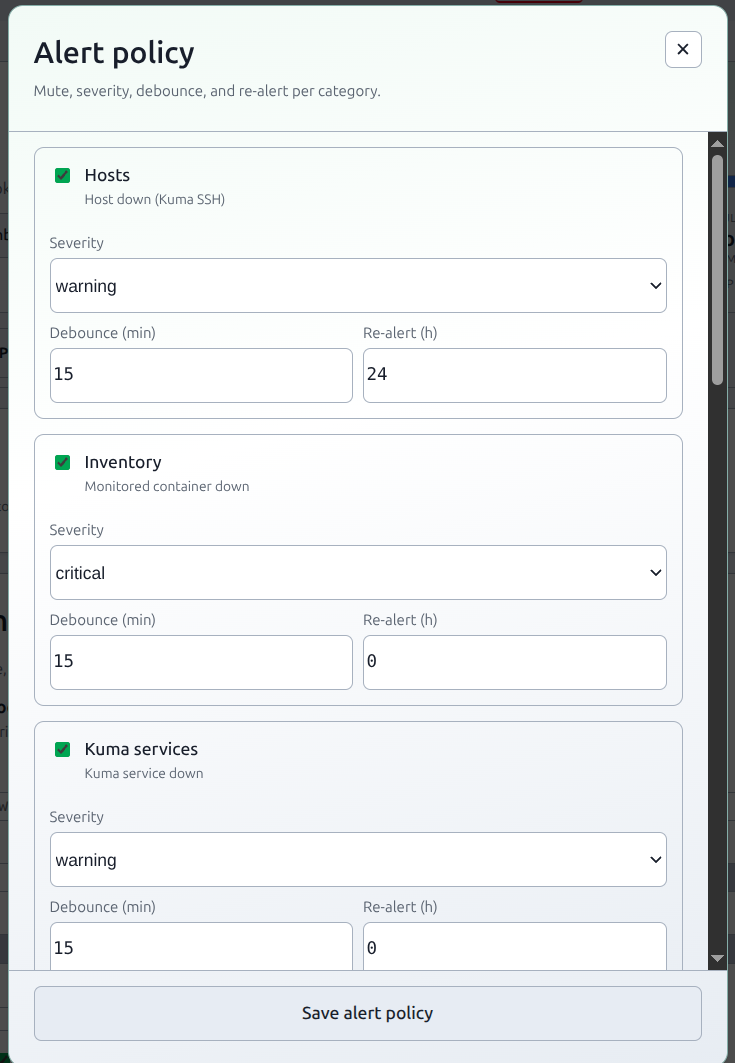
Settings → Alerts → Alert policy is the taxonomy + volume control so map/discovery noise is not as loud as a cert-fail.
| Category | What fires | Default |
|---|---|---|
| Hosts | host_down — Kuma SSH monitor down | critical · debounce 15m · re-alert 24h |
| Inventory | stack_container_down — Kuma-bound container stopped in Docker inventory | critical · debounce 15m |
| Kuma services | integration_monitor_down — Kuma service monitor down | critical |
| Map infra | map_infra_down — Network gateway / WAN Kuma chip down | warning |
| LAN discovery | nmap_new_device (new host) · nmap_device_offline (stale / not seen ~14d) | warning / info |
| PiHerder stack | stack_health — disk / DB / Redis / Celery | fail = critical, warn = warning |
| Certificates | expiring · renew/deploy/verify failed | warning / critical |
| Backups | host backup failed · herder self-backup failed · scheduled backup did not start · copy scheduled before the host backups | critical for a failed run, warning for a missed slot, an early copy, or a stale backup |
| Updates | OS updates · reboot pending · container image updates · scheduled container check did not start | warning |
| Templates | config drift | warning |
| Admin | user created · API token created · force 2FA or template 2FA changed | warning |
v1.12 also opens backup_destination_auth_failed (critical, a Drive, OneDrive, or SMB credential was rejected), backup_stale (warning), backup_schedule_missed (warning), backup_copy_early (warning), and container_updates (warning). A possible NIC change (lan_discovery, info) ships in 1.13.0.
Per category you can mute, override severity (default keeps the table above), set debounce (minutes before a dismissed flap re-opens), and re-alert (hours; 0 = no channel nudge while still open).
Severity default means each type keeps its catalog / emitter hint (so stack-health fail vs warn, and cert verify partial vs fail, stay distinct).
Policy is stored in App Settings (herder backup). Demo cannot save it. Changes are audited (alert_policy_changed).
The Network map checkbox Alert when a Kuma-bound container is stopped writes the same Inventory enabled flag (do not fork a second switch).
Host-down
Herder does not ping or SSH-probe hosts for health. Bind an Uptime Kuma SSH / reachability monitor to the host (ssh_reachability). When that monitor goes down, Alerts opens host_down with a Hosts-map focus link.
LAN discovery
- New devices: one inbox row per device (map focus). Webhook / email / push get one digest per scan (“N new devices on LAN”) so a first CIDR scan does not POST 40 times.
- Offline: nmap last-seen older than the stale window (~14 days). Resolve when the device is seen again.
- Mute LAN discovery in Alert policy before the first large scan if you do not want the inbox filled.
- Port add/remove is not an alert.
- Possible NIC change: a new MAC for a hostname that already has a non-ignored row at that IP, stale for longer than one scan interval, opens one
lan_discoveryrow atinfo. Replace stale MAC is the Discovery action, not an alert button. This row ships in 1.13.0.
Admin changes
Creating a user, creating an API token, or changing force 2FA or template 2FA opens one warning. The body names the actor and the client IP. It does not include a password or a token. Each event stays open until you dismiss it. A later change does not replace the earlier row. Mute the Admin category to stop them. Web Push follows the master switch.
The same alert covers the Users page, the first registration, an SSO account provisioned on first sign-in, Settings → API management, POST /api/v1/tokens, and a browser MCP sign-in. Refreshing an MCP token does not open another one. Grace days and the other security settings do not open this alert.
Missed schedule
A host backup or a container image check that does not start within 15 minutes of its slot opens one warning (backup_schedule_missed or container_check_missed). The clock is the Settings timezone. A slot before the host was added does not count. The next successful run of that same kind resolves the warning. Turning that schedule off resolves it too. Mute Backups or Updates to stop the matching one. Web Push follows the master switch.
/metrics exposes piherder_schedule_missed with kind and server_id. It is 1 while the latest due slot was missed and no success has finished since.
Stuck queue
One warning (stuck_queue) opens when any job stays pending for more than 15 minutes and no Celery worker answers. It resolves when that pending queue drains, or when a worker answers again. A worker check that cannot tell leaves an open warning as it is. Mute PiHerder stack to stop it. GET /api/v1/alerts (read) and hosted MCP list_alerts return open notifications. /metrics exposes piherder_queue_oldest_pending_seconds and piherder_stuck_queue. This alert ships in 1.13.0. 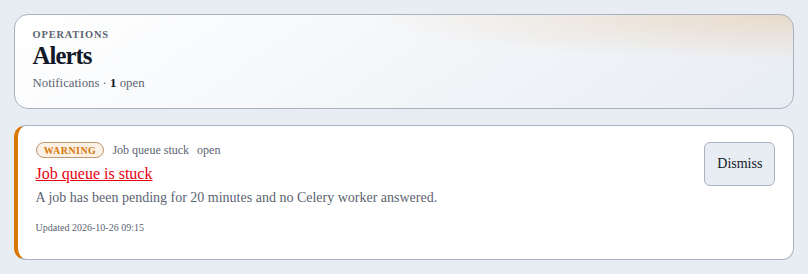
Scheduled Docker prune
A saved per-host Docker prune cron that does not start within 15 minutes of its slot opens one warning (docker_prune_missed). The run is dangling images and exited containers. Volumes and the build cache stay off that schedule. The next successful prune of that host resolves the warning. Clearing the cron resolves it too. Mute Updates to stop it. This warning ships in 1.13.0.
Copy before the backups
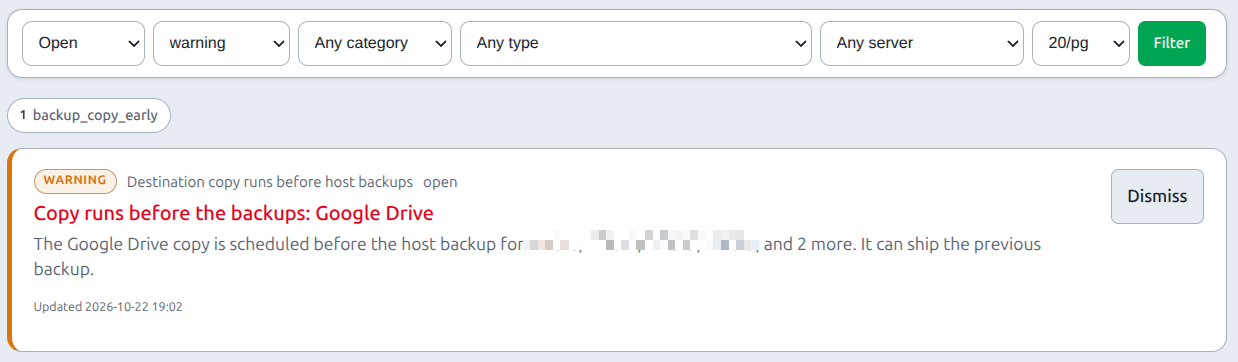
A destination copy that is scheduled earlier the same day than a host backup whose folder on /backups is ticked opens one warning, backup_copy_early. The body names those hosts. The clock is the Settings timezone, and the check looks 35 days ahead. It clears when that copy is no longer earlier. Turning the copy schedule off, or unticking the folder, clears it too. A host that sends files straight out is not included, because that copy reads the host rather than /backups. Mute Backups to stop it. The Settings copy list shows the same sentence. Web Push follows the master switch.
Debounce and re-alert
Fingerprint upsert still refreshes an open row without re-POSTing. After dismiss, a still-true condition re-opens only after debounce. Re-alert re-fires webhook/email/push on a still-open row after N hours (host-down default 24h).
Alerts inbox
/notifications filters: status, severity, category, type (full catalog), server, page size. Dismiss matching open uses the current filters; Dismiss all open is the whole inbox.
Webhook
- Enable Settings webhook and set URL.
- Optional number / recipients (legacy Signal-style payload).
- Optional shared secret → sent as
Authorization: Bearer …andX-PiHerder-Webhook-Secret. - Choose events: notifications · job summaries · backup scripts.
- Min severity for notification events (
info/warning/critical). - Optional notification categories (subset of the policy table). Empty/all = every category.
- Send test.
Payload shape (stable fields; type / category added in v1.3 for notification events):
{
  "message": "[warning] Title: body",
  "event": "notification",
  "severity": "warning",
  "type": "host_down",
  "category": "host",
  "number": "",
  "recipients": [],
  "link_url": "/dns/physical?focus=n:host-3#map"
}
event is one of notification | job | backup | test.
SMTP
- Enable SMTP · host · port · STARTTLS / SSL / none.
- Username / password (password Fernet-encrypted at rest).
- From email + display name.
- Optional Alert email — recipients + min severity + the same category checkboxes.
- Send test email.
- Optional Allow “Forgot password” on login (requires SMTP ready).
Password recovery (G1-lite)
- Visible on sign-in only when SMTP is enabled, host + from set, and “Allow Forgot password” is on.
- Email always returns a generic success (no account enumeration).
- Token is random, stored hashed, expires in 1 hour, single use.
- Reset revokes trusted devices and bumps session version (other browsers signed out).
- Air-gapped / no SMTP: use admin Users → reset access or logged-in change password.
Related
- Network maps — host-down and gateway/WAN chips
- LAN Discovery — new / offline devices
- Metrics & legacy webhooks
- API tokens
- Settings