Nginx Proxy Manager integration
What this is
Connect an existing Nginx Proxy Manager instance for proxy host inventory, admin create, edit, and delete, and TLS certificate pull into the encrypted cert vault.
Why it exists
NPM is often the edge of a homelab. Operators need to see which hostnames are proxied, bind them to fleet servers, and pull cert material for redistribution — without re-implementing NPM’s full proxy editor inside PiHerder.
End-to-end: inventory + pull a cert
- Connect NPM (base URL + admin email/password).
- Poll / open detail → browse proxy hosts.
- Optionally bind a proxy host to a PiHerder server (and Docker project).
- Certificates section → Pull into PiHerder.
- Open Catalog → Certificates → add service maps → Deploy to targets that need the PEMs.
Connect
- Catalog → Integrations → + NPM
- Base URL (e.g.
https://nginx.example.com) - Admin identity (email) + password
- Save & connect (PiHerder obtains a short-lived API token per request)
Proxy hosts
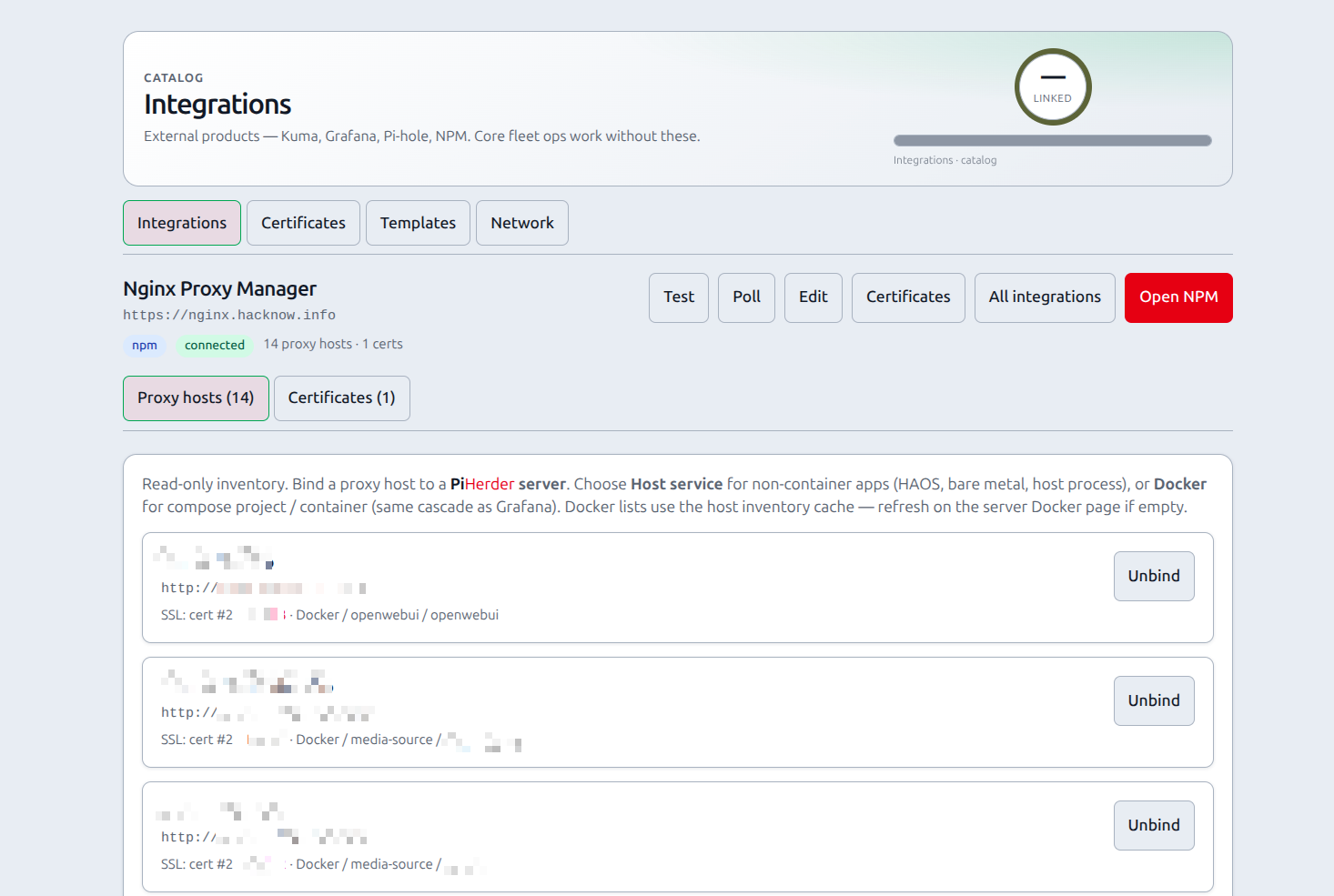
- Inventory from
GET /api/nginx/proxy-hosts - Bind a host to a PiHerder server (optional Docker project/container). An operator can bind. Create, edit, and delete are admin-only.
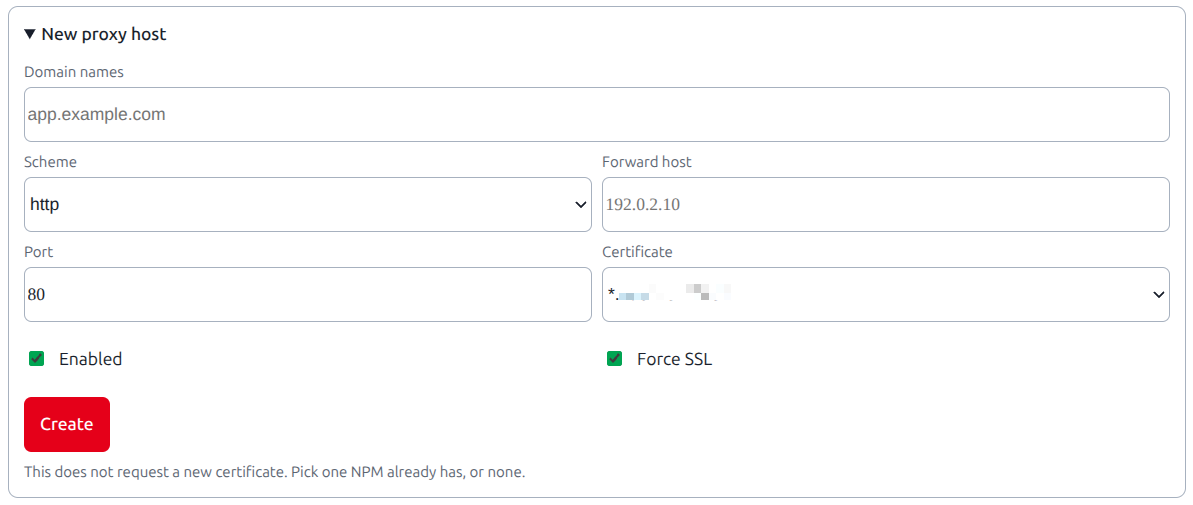
- An admin can create, edit, or delete a proxy host from this page. The form sets the domain names, the forward scheme, host, and port, enabled, an existing certificate, and force SSL. It does not request a new certificate and it does not edit advanced config. A delete removes the PiHerder binding and leaves the certificate.
- Each change writes an audit row. The row names the proxy host id, the domains, and the forward target. It does not include the NPM password. There is no MCP tool for these writes.
- Proxy host binding UI is card-based (mobile-friendly selects; host service or Docker cascade)
Move a service (v1.4): preflight matches the FQDN against this poll cache. The migrate job PUTs forward_host to dest. It does not create or delete a proxy host. A fabric DNS row is not required. An NPM proxy-host binding on the compose project is enough (e.g. app.example.com → Open WebUI). Public CNAME stays on the NPM hostname. Optional Adopt into fabric (default off) adds a via_proxy DNS list row; it does not rewrite Pi-hole CNAMEs or invent certs. Poll NPM before moving.
Moving NPM itself: keep the fleet pattern service FQDN → CNAME → NPM hostname (e.g. app.example.com → edge.example.com). Only the NPM hostname CNAME follows dest. Pi-hole APIs that use https://pihole… through this proxy fall back to the poll-cache LAN backend during cutover. Move a service.
Certificates
From the NPM integration detail Certificates section:
- Pull into PiHerder — downloads the NPM zip, stores fullchain + private key encrypted
- Manage deploy targets under Catalog → Certificates (
/certificates)
You can also upload PEM fullchain + key without NPM: Catalog → Certificates → Upload PEM.
Renew
- NPM-sourced certs with auto-renew are checked every 6 hours
- When ≤ 21 days (configurable) remain: re-pull → if still stale,
POST …/renew→ poll → redistribute to targets - Manual Renew (NPM) on the certificate detail page
Deploy layouts
| Layout | Files |
|---|---|
| pair | fullchain.pem + privkey.pem |
| combined | single file (privkey then fullchain) |
| pair_and_combined | both |
| pair_and_pfx | pair + OpenSSL PKCS#12 on the host |
| pair_combined_pfx | all three |
Optional owner/group, mode (600 default), and post-deploy shell command (e.g. service restart).
Related
- Deploy NPM via Templates
- Full cert vault behaviour: Certificates
- Move a service — NPM-fronted stacks