Home Assistant → PiHerder (HACS)¶
What this is¶
A HACS integration that runs on Home Assistant and observes your PiHerder fleet over /api/v1. It is not the same as HAOS hosts (PiHerder managing the appliance over SSH).
| Arrow | Where it lives | What it does |
|---|---|---|
| Path 1 | This PiHerder image | SSH + ha CLI on an HAOS server |
| Path 2 (this page) | Separate HACS repo | HA polls PiHerder snapshots; Visit opens the herder |
The plugin is not inside the PiHerder Docker image. GitHub: bjorngluck/piherder-ha (plugin 0.3.0 on the plugin main branch; the GitHub Release tag is cut when that repo is tagged). The HACS repo README and the integration’s Documentation link point at this page. The public site piherder-docs.hacknow.info is built from PiHerder main and still describes the v1.6 read-only plugin until v1.7 merges.
Agent tools (Cursor, Grok, Claude, Codex) are a different client of the same token API: hosted /mcp on the herder. bjorngluck/piherder-mcp is the optional stdio fallback. Agents (MCP).
Why it exists¶
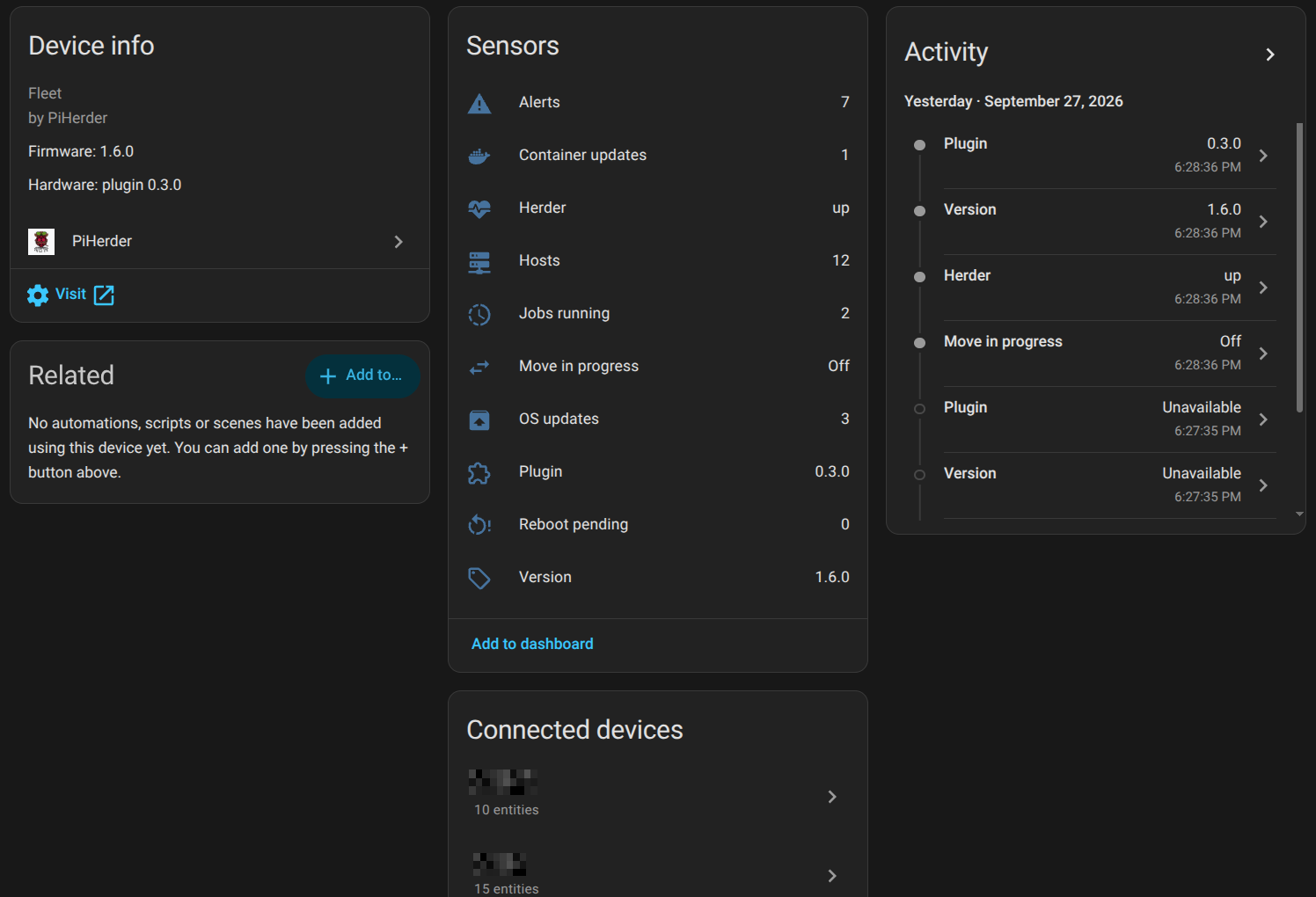
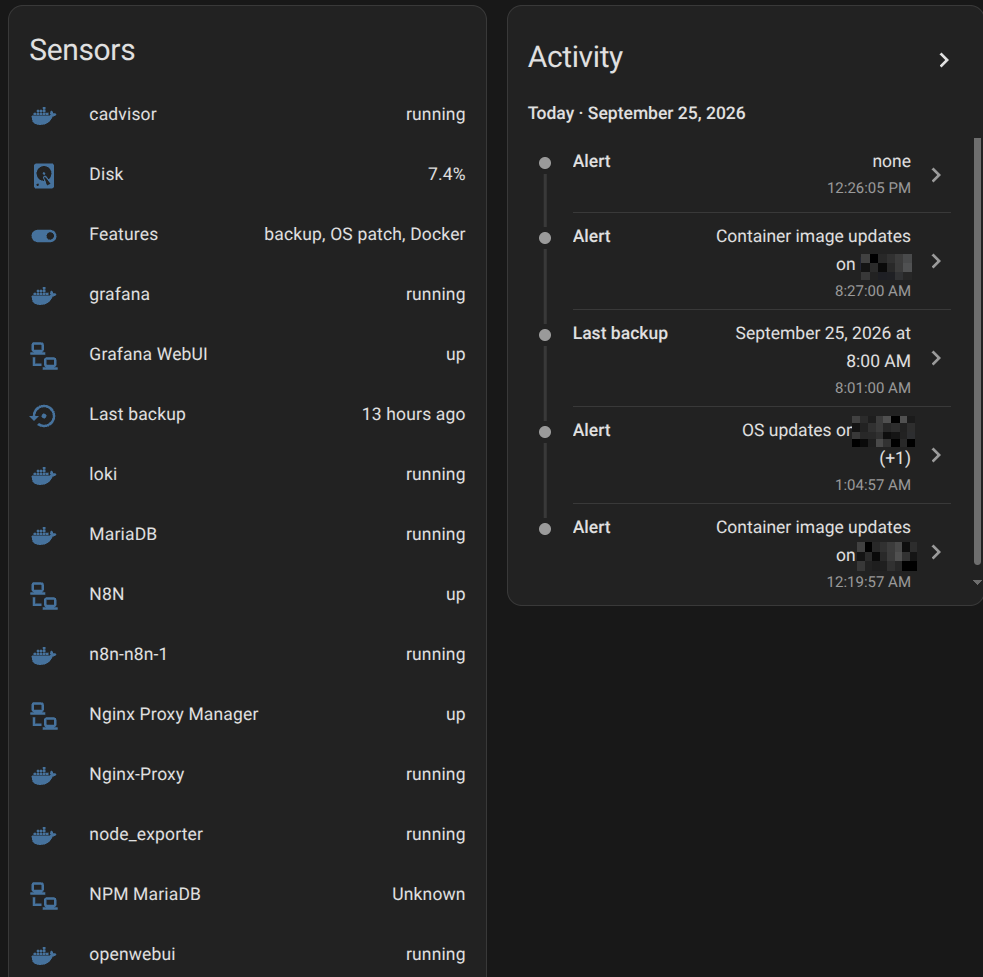
YAML rest sensors against an API token already work. Path 2 is that, first-class: config flow, fleet sensors, one HA device per host. The door back to PiHerder on the device page is HA’s single Visit (the host page). Home Assistant only allows one Visit URL per device for custom integrations — Docker / Backups / Alerts / Audit are not extra Visit links there. Those shortcuts live on the PiHerder fleet Lovelace card. Status sensors are status only — not fake “open” / “press here” buttons (those opened HA history, not PiHerder).
Install (Slice 1)¶
- In PiHerder: Settings → API management → create a token with
read. Addjobsandeditif you want the confirm buttons and feature toggles. Set the IP allowlist to the HA host (HAOS ≈ appliance LAN IP; a container HA may egress as a Docker/bridge IP). - HACS → custom repository → Integration →
https://github.com/bjorngluck/piherder-ha. - Add PiHerder: base URL (your herder origin, including scheme), token
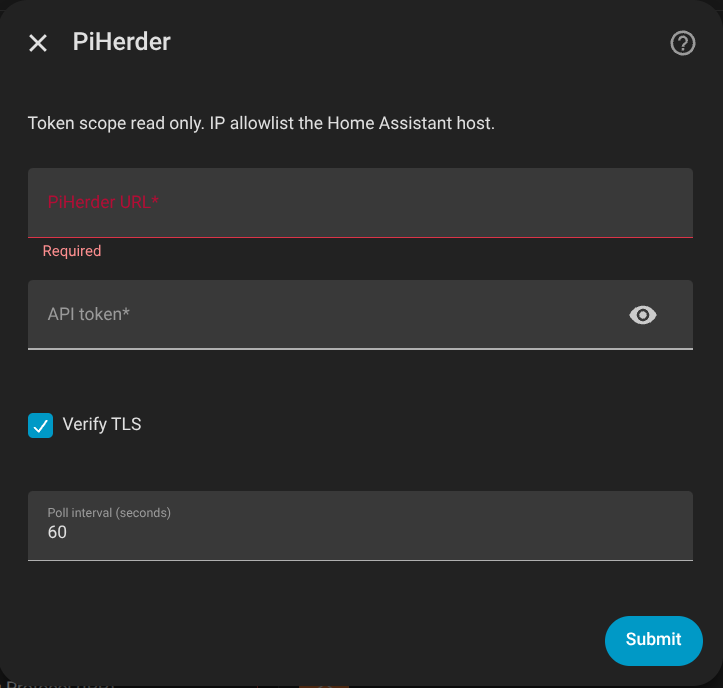
ph_…, TLS verify, poll interval. A bad URL or token keeps the fields filled (plugin ≥ 0.1.3). - Confirm fleet Plugin is 0.3.0. Device page Visit is still the host. For totals and per-host links, add the PiHerder fleet card (below). Memory, disk, and CPU load sensors sit on that same host device, plus one sensor per container and monitored service. They are status only — not start/stop. Write buttons live on the host and updates cards, and only if the token has
jobs.
HACS does not auto-refresh custom repos. New GitHub Release: HACS → PiHerder → ⋮ → Redownload (pick the tag) → restart Home Assistant. Reload of the config entry is not enough for new files.
Token without read, a bad secret, or a mismatched allowlist fails closed.
What it reads¶
GET /api/v1/health, GET /api/v1/summary, GET /api/v1/servers, GET /api/v1/jobs?active_only=true, plus Slice 1b snapshots GET /api/v1/inventory and GET /api/v1/services. A herder older than this train answers 404 on those two; the plugin keeps the Slice 1 sensors.
Poll is database snapshots only. It never SSH’s the fleet on the HA interval. “Host down” is last_seen age, not a live ping.
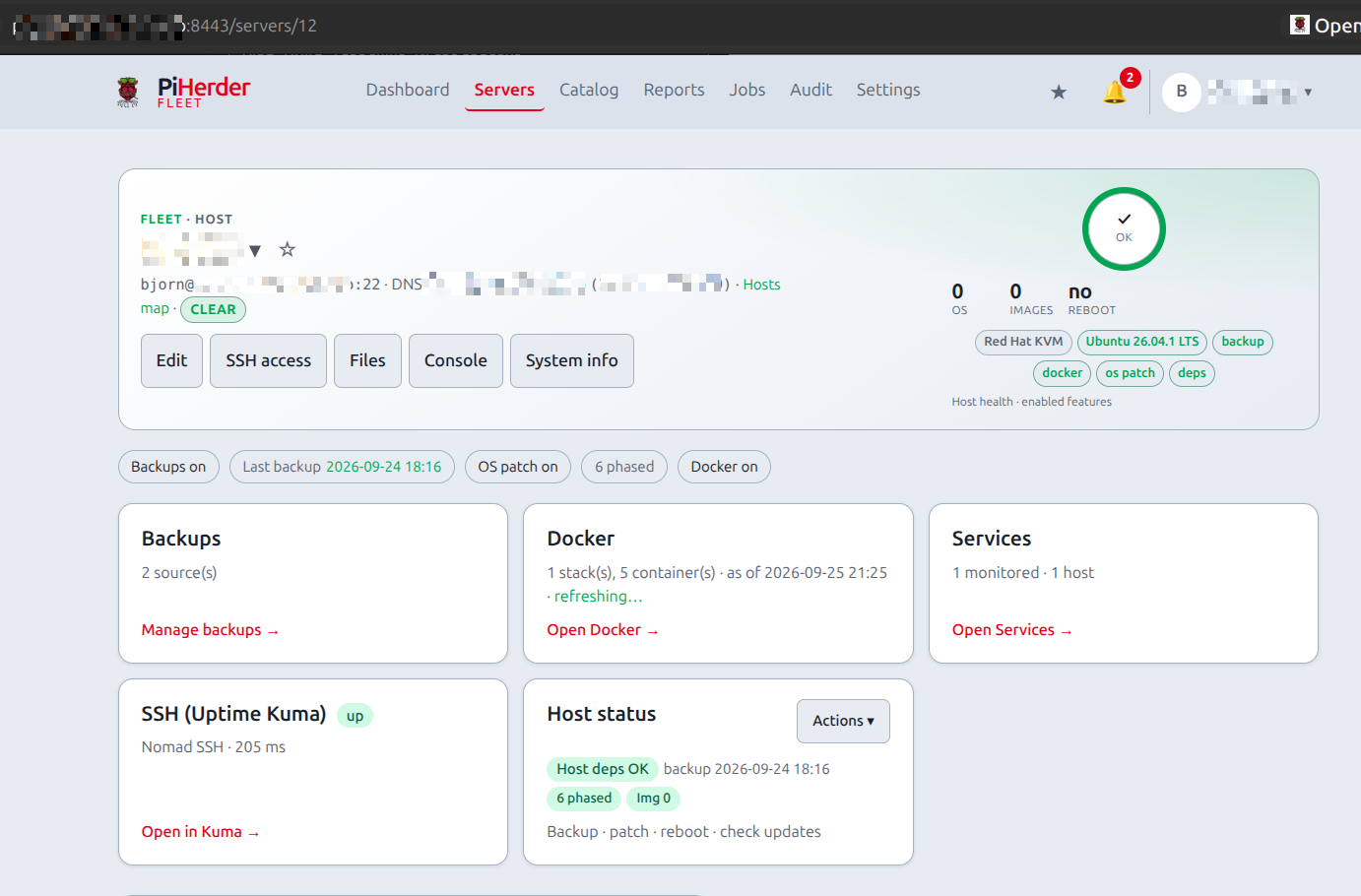
Host hardware, OS, CPU, memory, and disk come from PiHerder System Info (v1.6 host-facts). That snapshot exists so HA does not SSH: the herder writes columns on a ~15 minute job (or the System Info refresh icon), then HA and the fleet card read SQL. Recreate web so Alembic 044 and 045 apply, then refresh System Info once per host (or wait ~15 minutes).
Fleet card (dashboard)¶
The built-in HA device page only has one Visit link. For fleet totals and per-host shortcuts, add the PiHerder fleet Lovelace card:
- HACS plugin 0.3.0, restart Home Assistant, then hard-refresh the browser (Ctrl+Shift+R). Reload of the config entry is not enough.
-
Dashboard ⋮ → Resources — delete any
/api/piherder/…or older/local/piherder-dashboard-card.js?v=0.2.2,?v=0.2.3, or?v=0.2.4card URL. You want one resource: -
URL:
/local/piherder-dashboard-card.js?v=0.3.0 - Type: JavaScript module (not JavaScript)
After setup, the integration copies the card into HA config/www/ so /local/… works.
3. Dashboard → Add card → Manual YAML (the picker may still not list it):
The custom-tag field (if you use it) wants piherder-dashboard-card without the custom: prefix.
4. Hard-refresh again. “Custom element doesn’t exist” means the resource is missing, still type “JavaScript” (not module), or the browser has a cached /api/piherder/… URL.
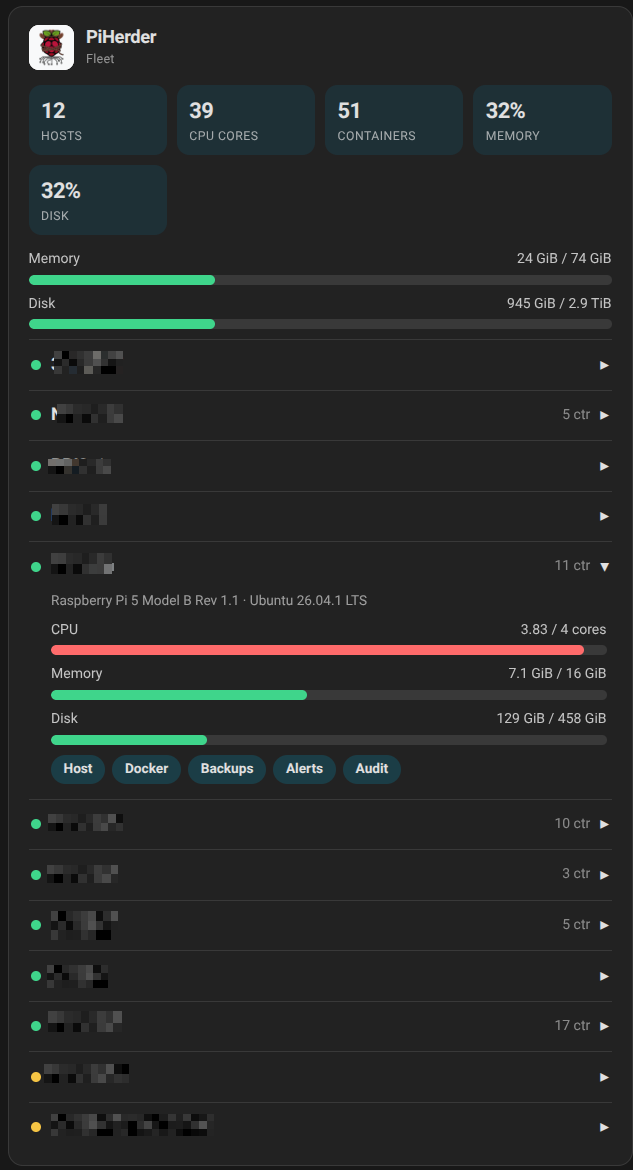
The card header is the PiHerder logo and the name PiHerder. Under that it shows hosts, CPU cores, containers, memory %, disk % for the whole fleet, then each host. Expand a host for CPU/memory/disk bars and chips: Host, Docker, Backups, Alerts, Audit. Those chips are real <a href> links into PiHerder.
Numbers come from the same System Info snapshot the herder modal shows (CPU cores, memory, disk). Recreate web so Alembic 045 is applied, then the System Info refresh icon once per host (or wait for the scheduler). Empty CPU/memory/disk on the card means the herder has not stored a resource snapshot yet — not a card bug.
What you see in HA¶
| Surface | Meaning |
|---|---|
| Fleet device | Counts, herder version, Plugin version, Visit = herder origin |
| Host device | One per PiHerder server. Visit = host page only. Hardware / OS from the stored snapshot |
| Fleet Lovelace card | Fleet sums + expand host + chips to Host / Docker / Backups / Alerts / Audit |
| Sensors | OS, features, alert, last seen, reboot, last backup, memory %, disk %, CPU load, plus one sensor per container (running / image / uptime text) and one per monitored service (up/down). All on the host device. Tapping a sensor opens HA history, not PiHerder |
Operator cards (plugin 0.3.0)¶
The fleet card stays read-only. Three more cards live in the same file. Dashboard ⋮ → Resources: one URL, /local/piherder-dashboard-card.js?v=0.3.0. Delete an older ?v=0.2.4 entry if it is still there.
Leave server_id off the updates and resources cards for the whole fleet. Set it to show one host.
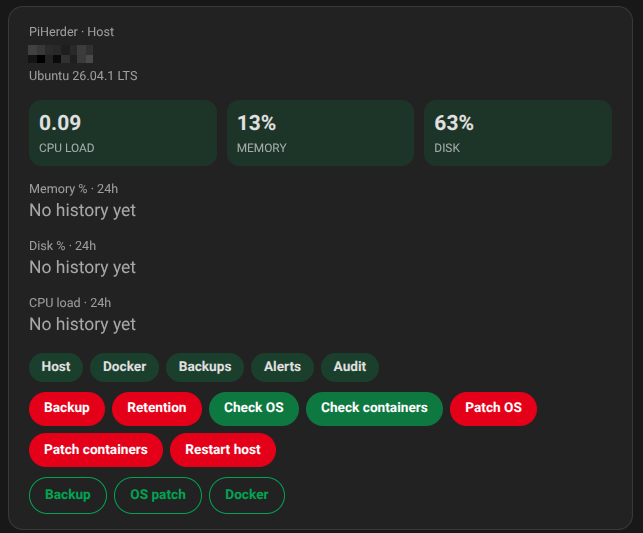
The host card shows gauges and links into PiHerder. Confirm buttons: Backup, Retention, Check OS, Check containers, Patch OS, Patch containers, Restart host. Restart names the host and reboots the machine. It will not start while an OS patch, a container patch, or a backup is already running. Below the buttons, three toggles (backup, OS patch, Docker). Turning one off asks first. The 24-hour sparkline on this card does not draw in 0.3.0. Richer cards are the next release.
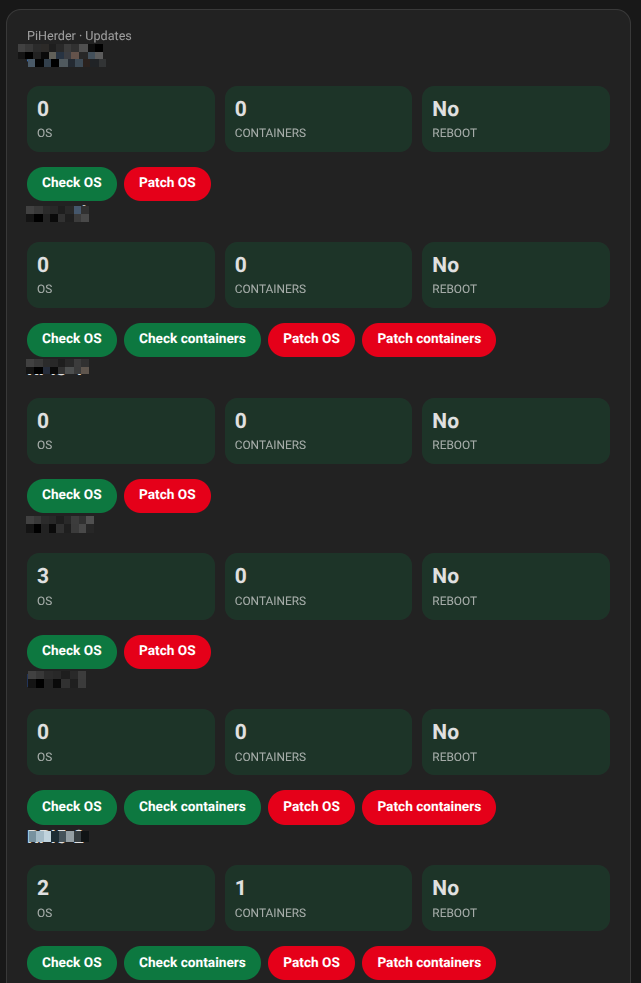
The updates card shows OS and container counts and reboot pending, plus the check and patch confirms.
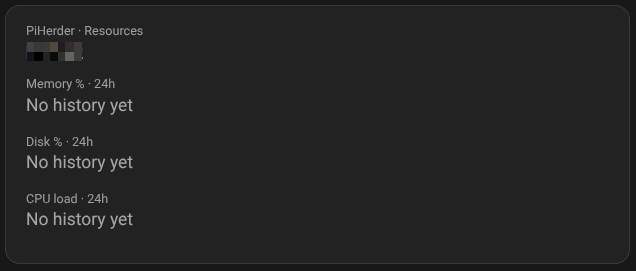
The resources card is for memory %, disk %, and CPU load over 24 hours. That series does not draw in 0.3.0. When it does, the points are Home Assistant history of the snapshot sensors, about every 15 minutes, not a live SSH chart.
A token with only read keeps the fleet card and the sensors and shows no buttons. jobs shows the confirms. edit shows the toggles. feature:os is required for patch, OS check, and restart. feature:backup for backup and retention. feature:docker for container check and patch. The host’s own feature flag must be on as well.
The buttons call Home Assistant services (piherder.trigger_job, piherder.set_features). The token stays on the integration. An automation can call those services without the card’s confirm dialog.
What it will not do¶
No container start/stop, Move, compose write, Files, or console. Slice 1b only reads the last Docker inventory and service-monitor rows. YAML rest: remains possible. The poll still reads stored snapshots and does not SSH.
Related¶
- API tokens · Agents (MCP) · API.md
- System Info (why the snapshot exists) · HAOS hosts (path 1) · Add a server
- Maintainer: PLAN_v1.7.0.md · FEATURE_PLAN_HOME_ASSISTANT.md §7 · shipped PLAN_v1.6.0.md