Generic links (HA · Frigate · n8n · custom)
What this is
A bookmark + reachability probe under Catalog → Integrations (+ Link).
Use it when you want PiHerder to remember a URL for Home Assistant, Frigate, n8n, or any other product without a deep adapter (inventory, API write, etc.).
| Capability | Supported |
|---|---|
| Name + base URL + product preset | Yes |
| Optional health path + bearer for probe | Yes |
| Test / scheduled Poll (HTTP GET) | Yes |
| Pin in header ★ menu | Yes |
| Bind to fleet host / Docker → Services chips | Yes |
| Full product control / create resources | No — prefer API tokens from n8n/HA |
Deep Frigate / HA product surfaces (if ever) are post–v1.1 — see plan stream I residual / PLAN_v1.2.0.
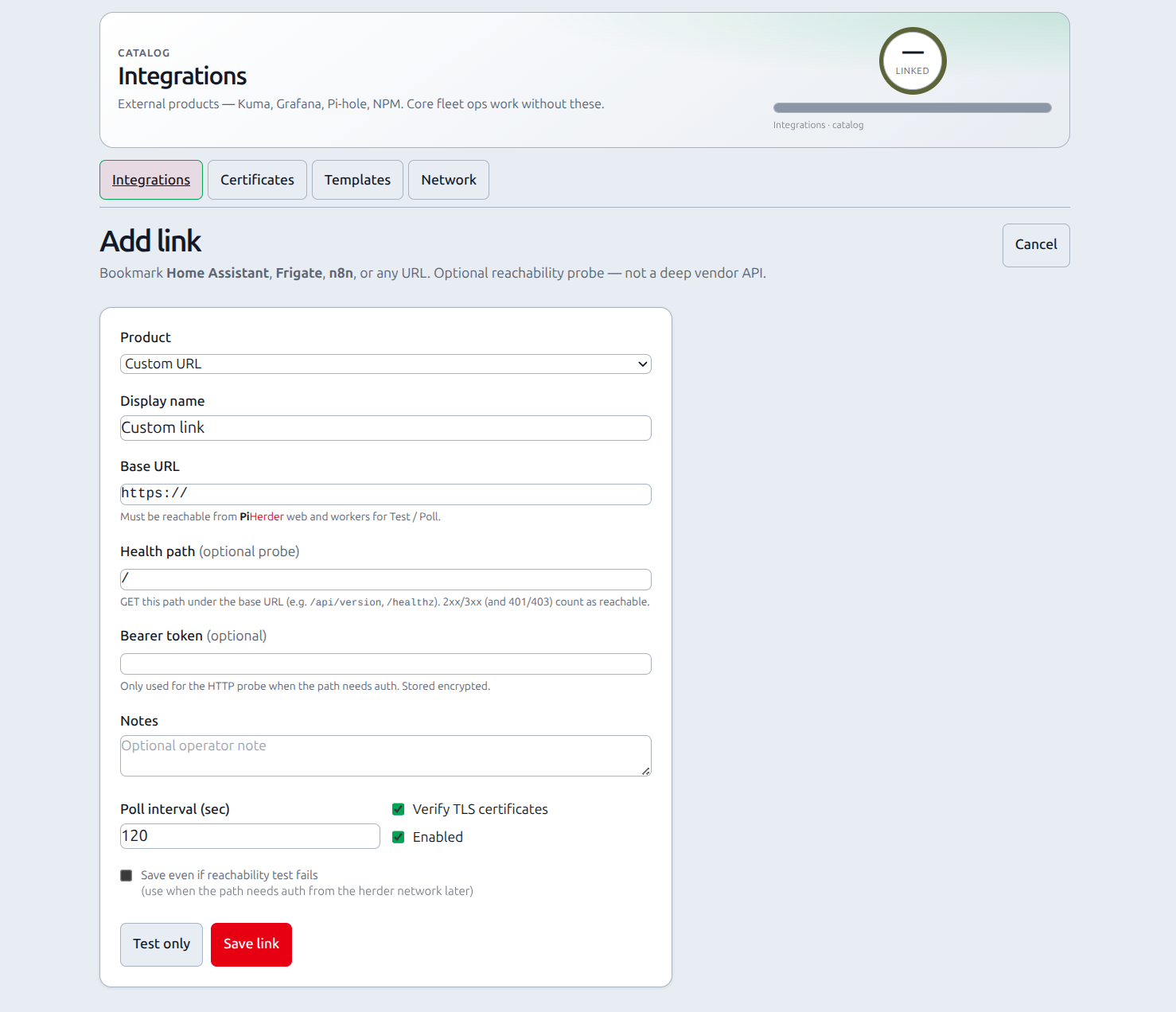
Add a link
- Catalog → Integrations → + Link (or empty-state Add link).
- Pick Product (sets a sensible name + default health path).
- Enter Base URL reachable from the PiHerder web/worker containers.
- Adjust Health path if needed (
/·/api/version·/healthz· …). - Optional Bearer token only if the probe needs auth (stored encrypted).
- Test only or Save link (save can skip a failing probe if you check the box).
Presets:
| Product | Default health path |
|---|---|
| Home Assistant | / |
| Frigate | /api/version |
| n8n | /healthz |
| Custom URL | / |
Probe rules: HTTP 2xx/3xx = reachable. 401/403 still counts as reachable (auth required). Other 4xx/5xx or network errors = fail.
Show on host Services
On the link detail page → Show on host Services:
- Pick a fleet server (e.g. HAOS host or the Pi that runs Frigate).
- Optional path override (blank = base URL).
- Optional Docker project/container for stack-scoped chips.
- Add binding.
Chips appear on:
- Per-server Services
- Fleet Services icon grid
Same surface as Kuma host service bindings — open in a new tab.
When not to use this
| Need | Prefer |
|---|---|
| Up/down + TLS days for a URL | Uptime Kuma |
| Metrics / logs dashboards | Grafana |
| Automate PiHerder (backup jobs, …) from n8n/HA | API tokens |
| Manage HAOS as a fleet host | HAOS hosts (SSH path) |