Pins, ★ menu & host jump
What this is
Pins (favourites) and host jump are operator shortcuts for multi-host fleets:
| Feature | What it does |
|---|---|
| Pin ★ | Save a host feature, app page, or Catalog integration to the header ★ menu |
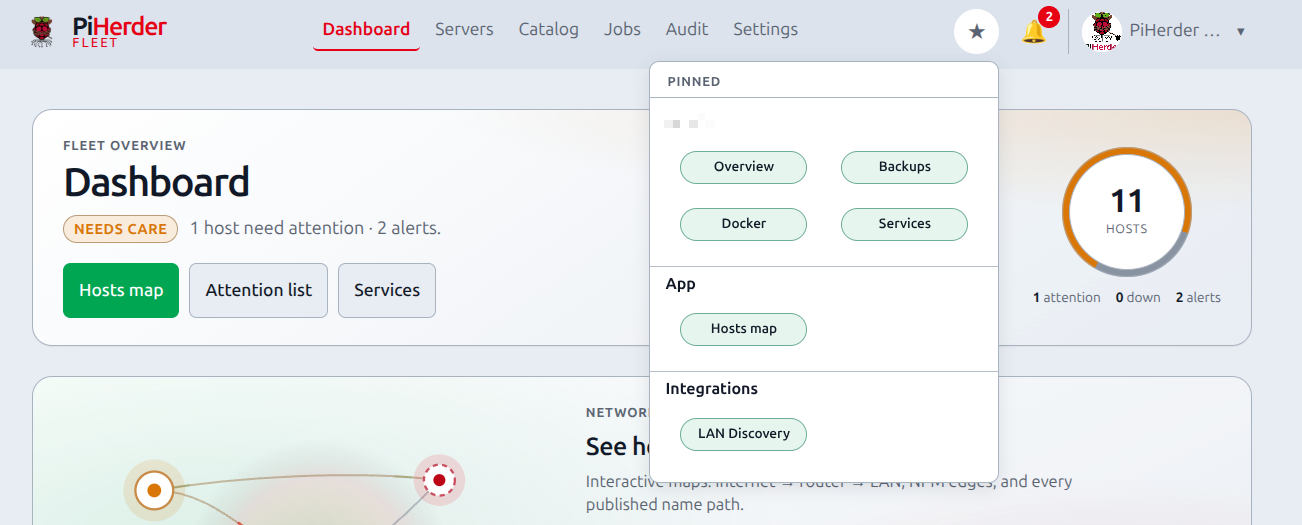
| ★ menu | One-tap jump to your pins — grouped Host · App · Integrations |
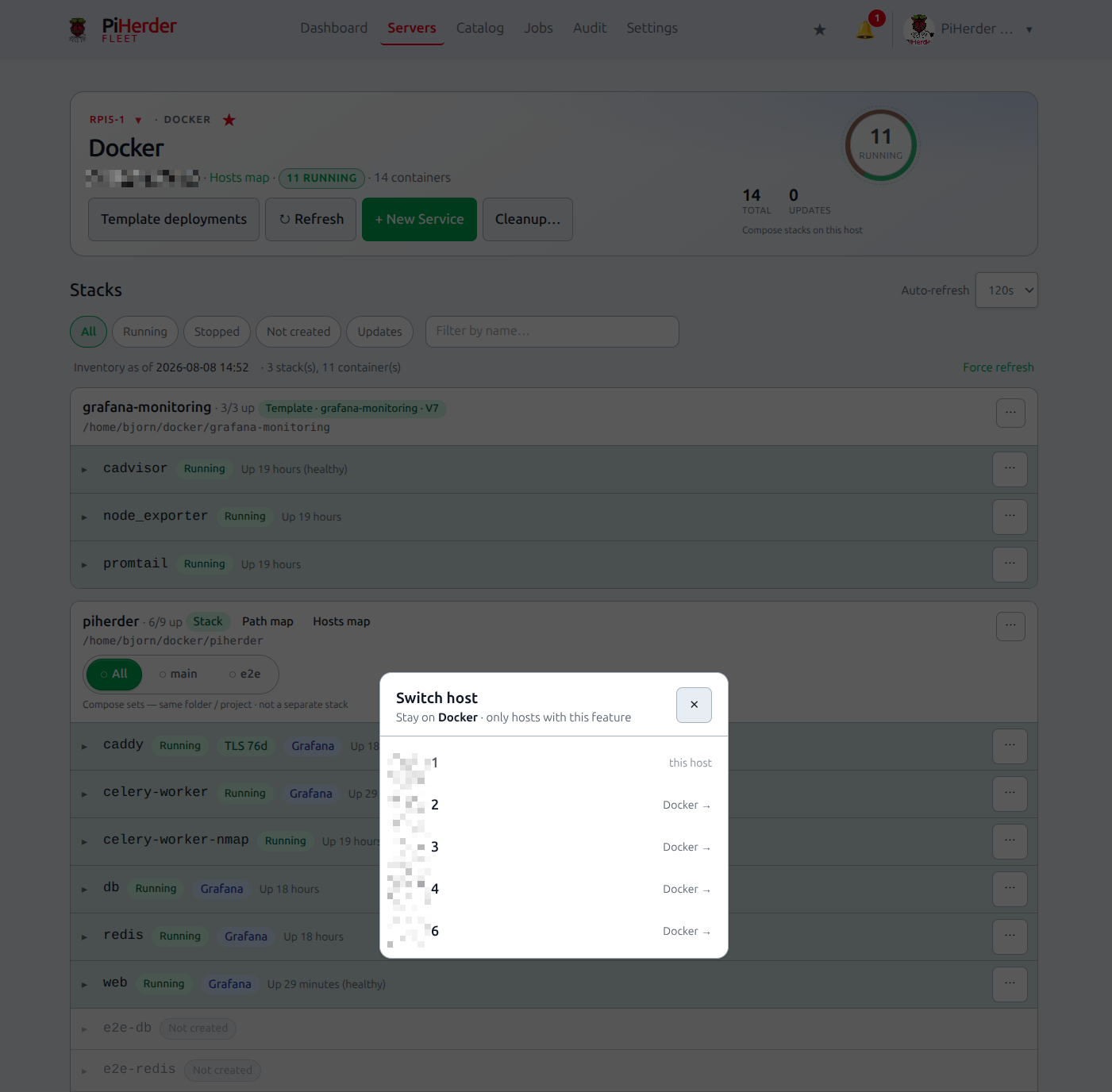
| Host jump | On Overview / Docker / Backups / Services / Files: switch to the same feature on another host |
Pins are per user (stored in Postgres). They are not shared fleet settings.
Why it exists
With many Pis, operators bounce between “this host’s Docker”, “Hosts map”, and “Pi-hole detail”. Pins and jump cut that path without filling the hamburger with noise.
End-to-end: pin what you use every day
- Open a host Docker (or Backups / Services / Files / Overview) page.
- Click the star next to the feature title to pin.
- Open Catalog → Network and pin Hosts map / Path map (star on the hub card or map chrome).
- Optional: pin a Catalog integration (star next to the integration name).
- Open the header ★ → confirm groups and open a pin.
Done when: ★ opens the map graph (SVG), not only the list; host pins land on the right feature page.
Pin kinds (allowlist)
| Kind | Examples | Where to pin |
|---|---|---|
| Host feature | Overview, Docker, Backups, Services | Star next to the feature name on the host page |
| App page | Hosts map, Path map, Certificates, Jobs, Templates, Fleet services | Network hub map cards · map chrome · (allowlisted keys) |
| Integration | LAN Discovery, Pi-hole, NPM, Kuma, Grafana | Star next to the integration title on the detail page |
Maximum 24 pins per user. There is no free-form URL pin (security).
Map pins must open the graph
Hosts map and Path map pages are list-first on many viewports. Working deep links (same as dashboard / Network cards) include the fragment:
| Page | Pin / menu href |
|---|---|
| Hosts map | /dns/physical#map |
| Path map | /dns/logical#map |
Without #map, the browser lands on the list only. Pin storage and the ★ JSON always use the canonical #map hrefs for those pages.
★ header menu
- Desktop and mobile: ★ in the top bar (not a count badge; empty state explains how to pin).
- Groups: per host (feature pills) · App · Integrations.
- Pills are compact (two columns where space allows).
- Pins are not duplicated in the hamburger drawer.
Host jump (cross-host)
On host Overview, Docker, Backups, and Services:
| Control | Behaviour |
|---|---|
| Host name (link) | Always goes to that host’s Overview |
| ▾ Jump host | Same feature on another fleet host |
Jump list is feature-aware:
| Feature | Who appears in the list |
|---|---|
| Overview / Services | All fleet hosts |
| Docker | Hosts with container patch / Docker enabled |
| Backups | Hosts with Backups enabled |
If only one host has that feature, jump is hidden.
Related
- Dashboard & Services
- Network maps — deep links and map chrome
- Add a server — feature flags that drive jump filtering