Jobs, audit & notifications
What this is
Three related systems — do not confuse them:
| System | Purpose | Think of it as… |
|---|---|---|
| Jobs | Queue + live progress of work units | What is running right now? |
| Audit | Immutable history (who / what / when / client IP / snippet) | Who did that last Tuesday? |
| Notifications | Dismissible inbox (updates pending, failed backup, …) | What still needs my eyes? |
Open notifications via the bell icon (no separate Alerts nav link).
Why they exist
Long SSH work must not block the browser (jobs). Homelab and multi-operator setups need accountability (audit). Noise should not bury failures (notifications + optional Web Push). Together they replace “did that cron fire?” shell archaeology. About keeps a short count. View schedule groups jobs by type and lists each host with its status, the latest matching job, and the next time it will run. A saved per-host docker_prune is one of those types. A restart does not clear that time. A missed slot is not a run.
End-to-end: follow one backup through all three
- Start a backup from a server Backups page.
- Jobs → row goes
pending→running→success/failed; open detail for the log tail. A host that sends files straight out names the destination in that detail: Google Drive or OneDrive and the folder, or the LAN host, share, and path, plus each source folder on that destination. The sign-in is not in the row. - Audit → filter that server / backup actions; see request → queued → running → complete phases and client IP. The completed row for a straight-out host names the same destination.
- If it failed earlier, a notification may open; on success, related open alerts can auto-resolve (optional push:
Resolved: …). - Dismiss the inbox item when you have acted.
Jobs
Where: nav Jobs (/jobs) · compact panel on each server detail.
Job types (examples)
| Type | Typical trigger | Runner |
|---|---|---|
backup | Manual or backup cron. A host that sends files straight out uses this same type for Backup now and its schedule | Celery. The finished detail names the destination: Google Drive or OneDrive and the folder, or LAN NAS / SMB with the host, share, and path. Each source row adds the folder on that destination. The sign-in is not stored. The audit row for that run names the same place |
backup_replicate | Settings → PiHerder backup → Copy now, its schedule, the follow-up after a host backup, or a self-backup archive when that destination is set to copy it (v1.8 train, not in the 1.7.0 image). Copy now or the schedule for a host that sends files straight out uses this same type | Celery (default queue). Label Backup copy for a host-folder hop, Direct copy when the row sends a host's files straight out, or Self-backup copy when the row is one herder archive. Backup now on the host stays the Backup job. A running archive hop does not block Copy now. A second folder Copy now returns the running folder row. A direct hop does not wait on a folder row left running. A running folder hop does not block the archive hop. When the ticked list has both a folder on /backups and a direct host, the folder hop runs, then the direct hop starts. A failed folder hop still starts that direct hop, including when the worker records the folder hop as failed after a kill. If that folder row stays running, that tick's direct hop waits for the next schedule. The row does not store the destination sign-in or the temp rclone config. May run for 7 days. A task failure marks the row failed so Copy now can run again. A failed self-backup copy leaves the local archive in place. A hard kill of the worker can leave that row running. Does not take the per-host backup lock. Not on the token or MCP job list |
os_patch / container_patch | Manual or apply schedule | Celery (default queue). SSH down: stays pending and retries. Recycle web is safe. Recycle worker while it is running fails the job |
host_reboot | Server Reboot or the Home Assistant host card | Celery (default queue). Refused while an OS patch, container patch, or backup is active on that host. SSH down: stays pending. Recycle web is safe. Recycle worker while it is running fails the job |
os_update_check / container_update_check | Manual or check schedule | Celery (default queue) |
docker_stack_check / docker_stack_deploy | Stack ⋯ Check updates / Deploy | Celery (default queue) |
docker_stack_stop / _start / _restart | Project ⋯ Stop/Start/Restart all | Celery (default queue) |
docker_prune | Docker page, the token API, hosted MCP, or a saved per-host cron | Celery (default queue). both prunes dangling images and exited containers. images, containers, and networks prune that one category. volumes runs only after the operator confirms it. The saved cron starts both only. Build cache is a separate audit row, not this job |
service_migrate | Docker Move to another host… (flag PIHERDER_SERVICE_MIGRATE) | Celery (same worker as backups). Recycle web is safe. Recycle worker mid-copy fails the job (staging kept; Start source stack when copy/dest-up had begun). JobHold stays until Close. |
service_migrate_undo | Undo move on a Move that failed after names flipped (cutover / rebind / validate). Preview, then confirm | Celery, same dual-host lock. Stops dest (compose stop, not down -v) and starts source. A green Move has no Undo. Recycle worker mid-undo fails that undo and leaves the dest tree |
service_migrate_dest_recover | Inspect destination on a Move that died while starting dest. Then Stop dest and start source | Celery, same dual-host lock. compose stop on dest, then start source. DNS and NPM stay. A green Move does not offer it |
template_deploy / template_redeploy | Catalog template confirm / Save & redeploy | Celery (default queue, stack-mutation lane) |
template_drift_check | Deployment Check drift (live log) | Celery (default queue) |
retention | Per-server backup file retention | Celery (default queue). No host exclusive slot. Recycle web is safe. Recycle worker while it is running fails the job |
stale_data_cleanup | Opt-in Jobs / Audit / nmap-run purge | Scheduler or Settings → Run now |
nmap_discover / nmap_inventory / nmap_detailed / nmap_host_deep | LAN Discovery scans | celery-worker-nmap (-Q nmap) |
nmap_vuln_db_update | Download / refresh vuln pack | nmap worker |
herder_backup | PiHerder self-backup | Celery (default queue). No host. One at a time. Settings → Run opens the job. Recycle web is safe. Recycle worker while it is running fails the job. A row still pending after 30 minutes is failed and raises a critical alert |
Statuses: pending → running → success / failed.
A host-facts row still pending or running after its task is gone is failed on the fleet tick (30 minutes for host facts, 2 hours for the other exclusive types and for backups). The host leaves refreshing, and a failed refresh keeps the previous OS and kernel.
A running job whose Celery worker is gone is failed with Interrupted. The Celery worker is no longer alive. The check runs when a worker starts and on the host-facts fleet tick. If workers answer but the task id is missing, the job waits 60 seconds. If the worker check itself fails, running jobs are left alone. If no worker answers, the job fails immediately. Web startup does not run this check. This reconcile ships in 1.13.0. docker_build_cache_prune is an audit action for the build-cache prune, not a job type. host_bootstrap is an audit action for the SSH Bootstrap missing tools run. It records the actor, the OS id and codename, and whether rsync or docker_ce was installed. The one-time sudo password is Fernet-encrypted in the broker only until a worker picks it up, acked on receipt, expires after 120 seconds, is never retried or redelivered, and is never logged. A worker crash marks the job failed and the operator reruns with a fresh password. If no worker takes the message, the pending job fails with expired before a worker picked it up, rerun with a fresh password. A second bootstrap while one already holds the host fails at once with another job holds this host, rerun when it finishes, and the password is not queued. The audit row does not record that password.
Web restart: retention, the herder’s own backup, host facts, OS/container patch, host reboot, update checks, stack jobs, template jobs, backups, nmap, and Move are Celery — a web recycle does not fail them. Recycle celery-worker while one of those is running fails that job (it is not resumed mid-flight). If SSH is down at the start of a patch or stack job, the row stays pending and is probed again until the host answers or the wait limit (Settings → General → Jobs, default 30 minutes). A Kuma “host down” alert or a last_seen older than 15 minutes can show waiting on host on that pending job. Those are labels. The job resumes only when SSH works, and they do not fail it. See Multi-worker.
Exclusive jobs (one per type per host)
These types do not stack on the same server while already pending or running:
os_patch,container_patch,host_reboot(also waits for a patch or backup, and those wait for a reboot)os_update_check,container_update_check- Stack lifecycle + template deploy/redeploy (shared stack mutation lane on the host)
service_migrate,service_migrate_undo, andservice_migrate_dest_recover— exclusive with backup and stack mutation on both source and desttemplate_drift_check(one drift job at a time per host; not a stack write)host_facts(one snapshot job at a time per host). The scheduler queues one about every 15 minutes per host. Each run writes a Jobs row and an Audit row. The default Jobs list and the default Audit list leave a successful snapshot out. A failed snapshot stays on both lists. Show routine host snapshots on Jobs, and Show routine rows on Audit, bring the successful rows back.
A second start reuses the existing job (UI follows it; REST 409 with already_active / existing job). Backups use a separate rule: per-host Redis mutex + Celery (see Multi-worker). Move a service also refuses a migrate while either host is busy.
Why exclusive: two apt upgrades at once on one host is a recipe for lock conflicts and opaque failure.
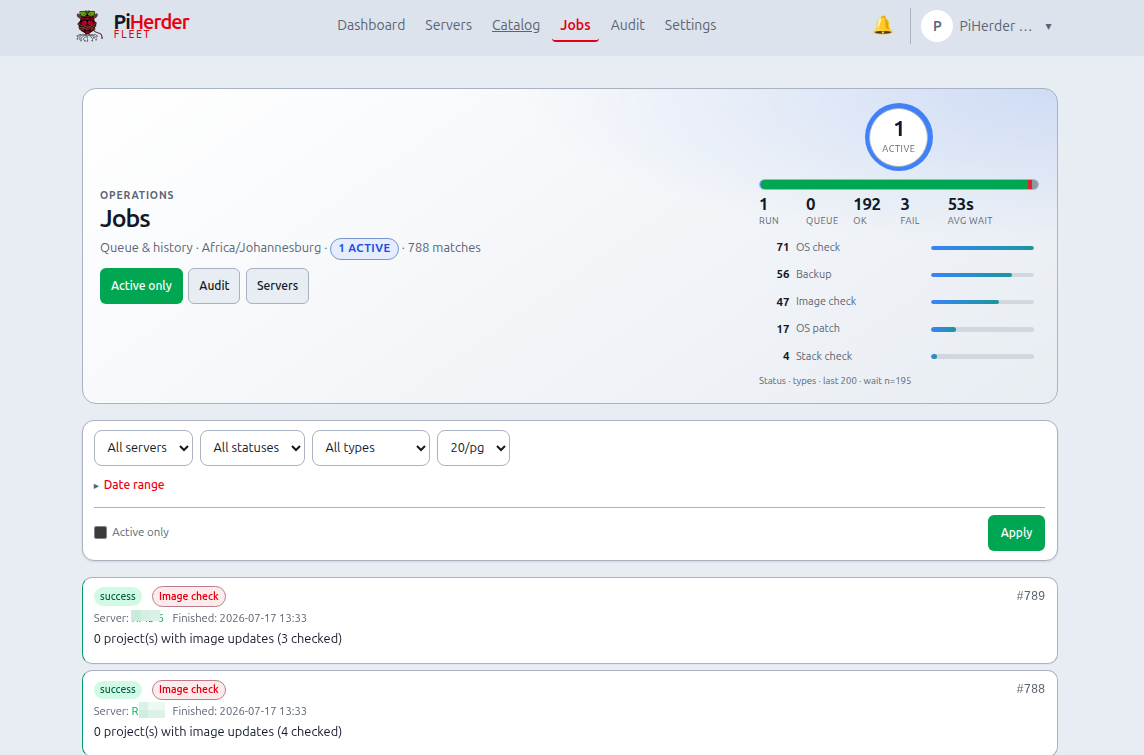
Fleet Jobs UI
- Ops hero at the top: dual-line pulse (running / queue / ok / fail + type chips) and app timezone caption
- Filters: server, status, type, date range with 7d / 30d / 90d / Clear presets, per-page 10 / 20 / 50 / 100 (cookie
ph_per_pageshared with Servers / Docker / discovery) - Date presets use the Settings timezone calendar day (not the browser’s local midnight)
- Active only — pending + running
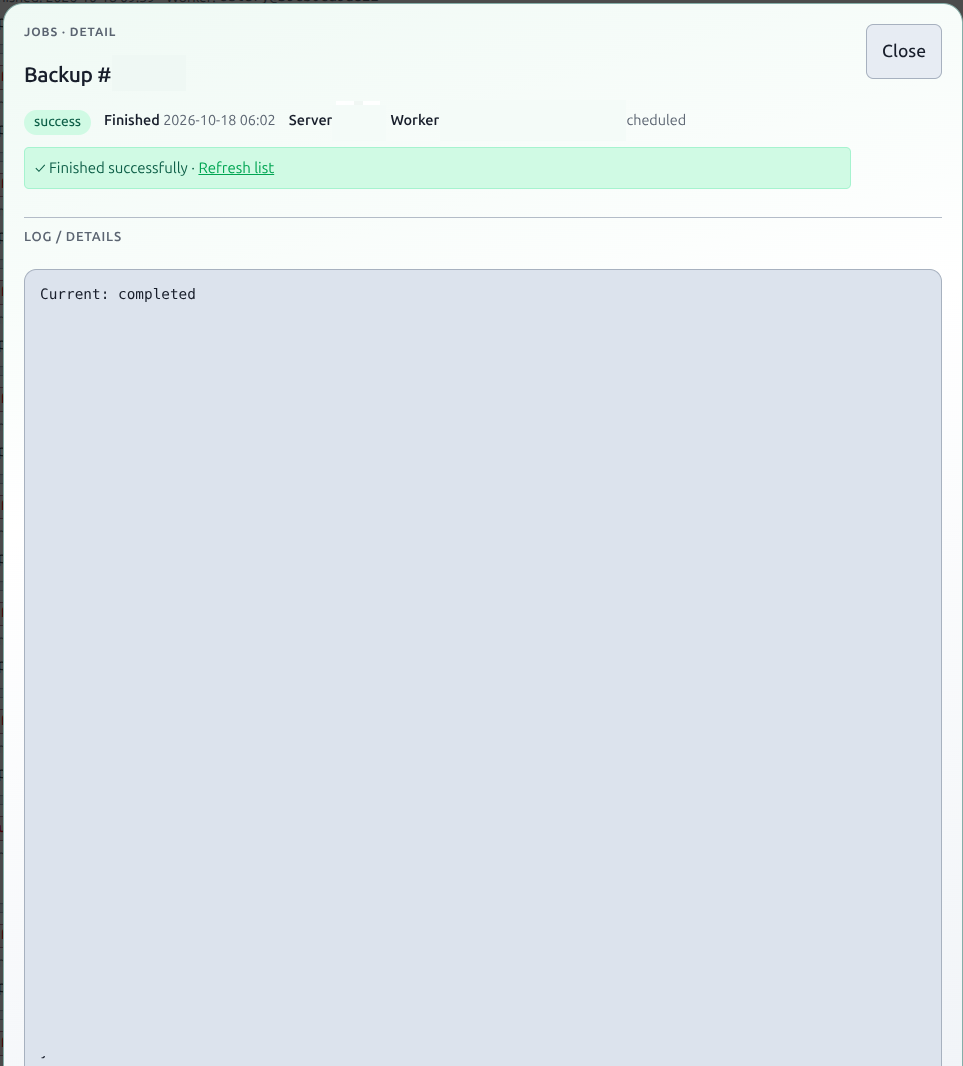
- Row → detail modal (summary, log tail, scheduled flag)
- Worker on each row and in the detail modal: the Celery nodename (
celery@…,nmap@…) once a worker has claimed the job, not claimed while it is still queued, web for demo simulation. Two workers show two different names. JobHold’s status line includes the same name - Cancel works from list and modal (where applicable)
- Link to Audit for historical trail
Live progress
JobHold / progress modals poll status and log lines for OS/container patch, nmap scans (including vuln DB update), and similar work. If a job was already active, the modal notes that and tracks the existing job_id. When a job finishes, the modal stays open with a done banner (no forced full-page reload) so you can read the log.
Stale data cleanup is configured under Settings → General — separate from per-server backup retention jobs.
Bulk fleet queue
From the Servers list, multi-select hosts and queue the same job type across eligible servers (feature flags apply). See Updates & patching — Bulk actions.
Audit
Where: nav Audit (/audit). Also from:
- Server detail footer: All logs, Backup logs, Docker logs, OS audit logs (filtered by host)
- Notifications → Audit log
- Jobs panel links
Actors may be:
- Session user (display name + email)
- API token name + id (automation)
- system / scheduler for cron jobs
Client IP (v0.5.0): every request-driven audit row stores the source IP.
| Path | What you see |
|---|---|
Via Caddy (:8888 / :8443) | True browser/API client (X-Forwarded-For / X-Real-IP overwritten by Caddy) |
Direct app :8000 | TCP peer (often a Docker network IP) — production should not expose this |
| Scheduler / cron only | — (no HTTP request) |
| Job finish (Celery etc.) | IP snapshotted when the job was queued |
Also audited with IP: login / login failed / 2FA, and API token create/update/rotate/revoke. A read call from an API token or from hosted /mcp writes an audit row only when Settings, Security policy, API and MCP read audit is on. The row stores the token id and name, and the client IP. It does not store the token. Those rows stay off the default Audit list until Show routine rows is on, and they keep their own retention (1-90 days, default 7). Turning the flag on or off writes its own audit row. Writes stay audited either way. A restore from a backup writes one audit row, action backup_restore (label Backup restore). It is not its own job type. Free-text search matches IPs. Detail modal shows IP.
Filter by user, server, token, action, status, date range (same 7d / 30d / 90d presets as Jobs — app timezone), or free-text (includes IP). Per-page is the same 10 / 20 / 50 / 100 cookie as Jobs.
The Audit page uses the same ops-hero pattern: status bars, top action-type chips (as filter links), and the active timezone in the subtitle. On dense filter layouts the pulse can be collapsed (Hide pulse) so the filter row stays primary; detail rows open a branded detail modal (summary + snippet).
Console command transcripts (v1.3)
When Settings → Console → Command audit is on, each finished web shell can attach a command timeline (Fernet-encrypted, not in Audit search). Open the ssh_console_close event: operator+ can expand the timeline, open /audit/console/{id}, or download .txt. Viewers see counts only (“transcript hidden”). Demo never stores bodies. Retention drops the ciphertext and keeps the fact that a transcript existed. See Web SSH console.
Backup lifecycle events
Each backup job writes append-only phases:
| Phase | Action | Meaning |
|---|---|---|
| request | backup_request | User / schedule / bulk asked for a backup |
| queued | backup_queued | Waiting for a Celery worker (snapshot, info) |
| running | backup_running | Worker started rsync (snapshot, info) |
| complete | backup | Terminal success or failure |
Completed backups show a summary line with source count and total size (e.g. 2 sources · 1.5 MB), duration, and a detail modal with per-source sizes. A host that sends files straight out adds the destination on that line, for example 2 sources · LAN NAS / SMB · 192.0.2.42/share/Backups. The detail keeps the same place on each source. The sign-in is not in the row. Queued and running phase rows are noise: Hide incomplete runs hides them, and they are left out of the Audit active pulse. Older rows that still say running are treated the same way.
Timezone display
All event times are stored in UTC and rendered in the app timezone from Settings → timezone (e.g. Africa/Johannesburg / SAST). The Audit header shows the active zone. Jobs and Notifications use the same rule.
Notifications
- Bell icon → open / dismiss
- Deep links into the relevant server or page
- Optional Web Push for new open notifications — PWA & Web Push
- When an alert auto-resolves (e.g. backup succeeds, updates clear), a push may fire as
Resolved: …using the same type preference as the original alert - Dismiss is idempotent if already closed
Why an inbox separate from Audit: Audit is forever; the inbox is a short “todo” list for open problems.
Job, nmap-run, and console-open history is aggregated on Reports (backups, OS patches, LAN live, Docker deploys, console sessions).
API
Automation can list and trigger jobs with Bearer tokens — API tokens. Hosted MCP uses that same list and the same 409 when a job is already active — Agents (MCP). Compose stack actions and Move stay in the browser.