Host Files
What this is
A file manager on each SSH host (confined SFTP): browse, upload/download (progress, default 512 MiB), create folders, rename, move, edit UTF-8 text, zip / unzip, chmod / chown, search (names and file contents), preview images / hex, delete files or folder trees, and a thin Docker helper (named volumes + docker cp into the current folder). It is not WinSCP, not dual-pane, not console zmodem, not a backup job, and not the compose editor (no version history, no deploy). The token API and the Home Assistant card stay in the fleet jail (list, download, upload, mkdir, rename, delete of one file or an empty directory). The card does not install HAOS /config and does not open privileged paths. Zip, chmod, recursive delete, and privileged paths stay in this UI, with 2FA where the page already requires it. The hero says Limited access (fleet) or Elevated access (privileged) — not “jailed SFTP”.
Where: host overview Files button (next to Console) → /servers/{id}/files. Same ops hero as Docker / Backups / Services (host jump, ★ pin, Server / Docker / Hosts map). Kill switch PIHERDER_HOST_FILES (default off). Operator+ only on a real herder. The public demo shows a simulated tree (no SFTP); viewers may browse; writes are refused.
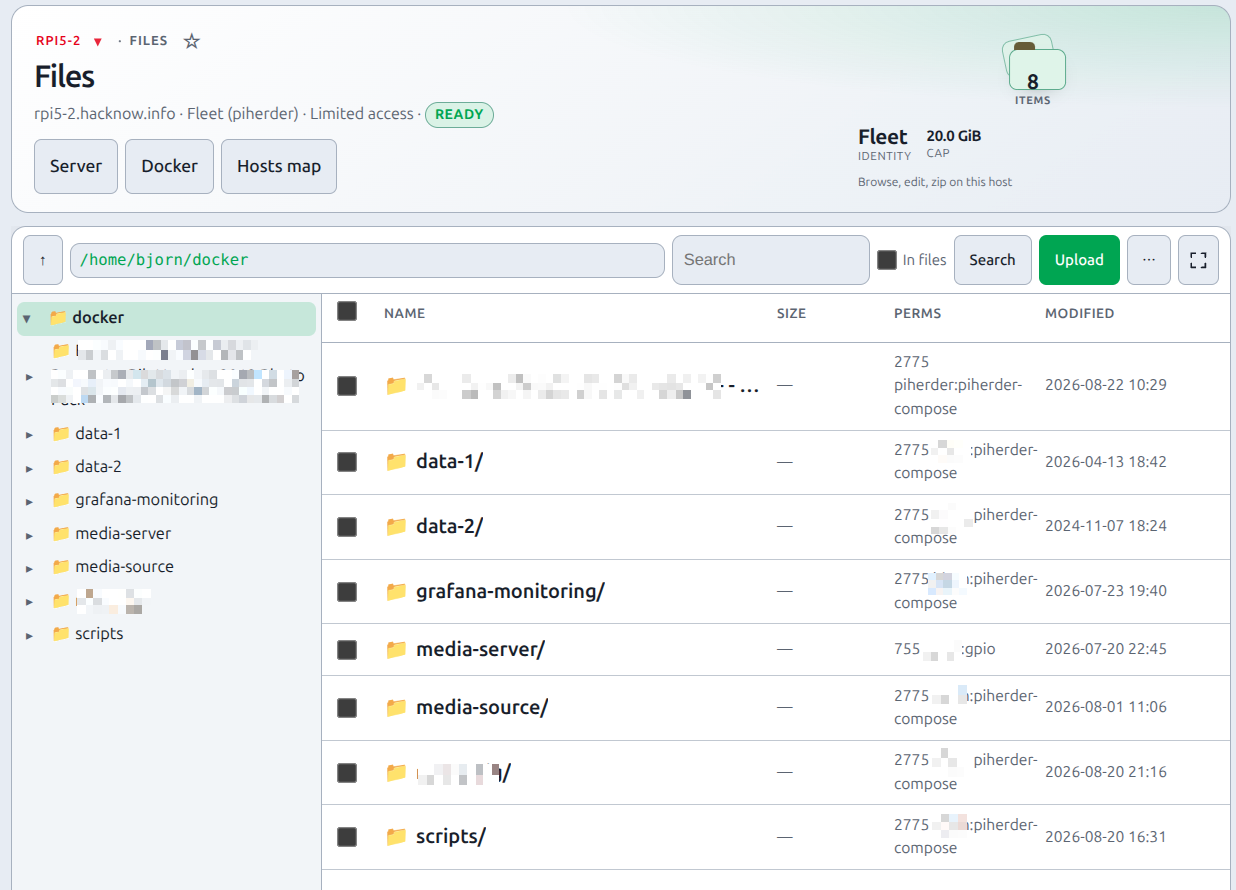
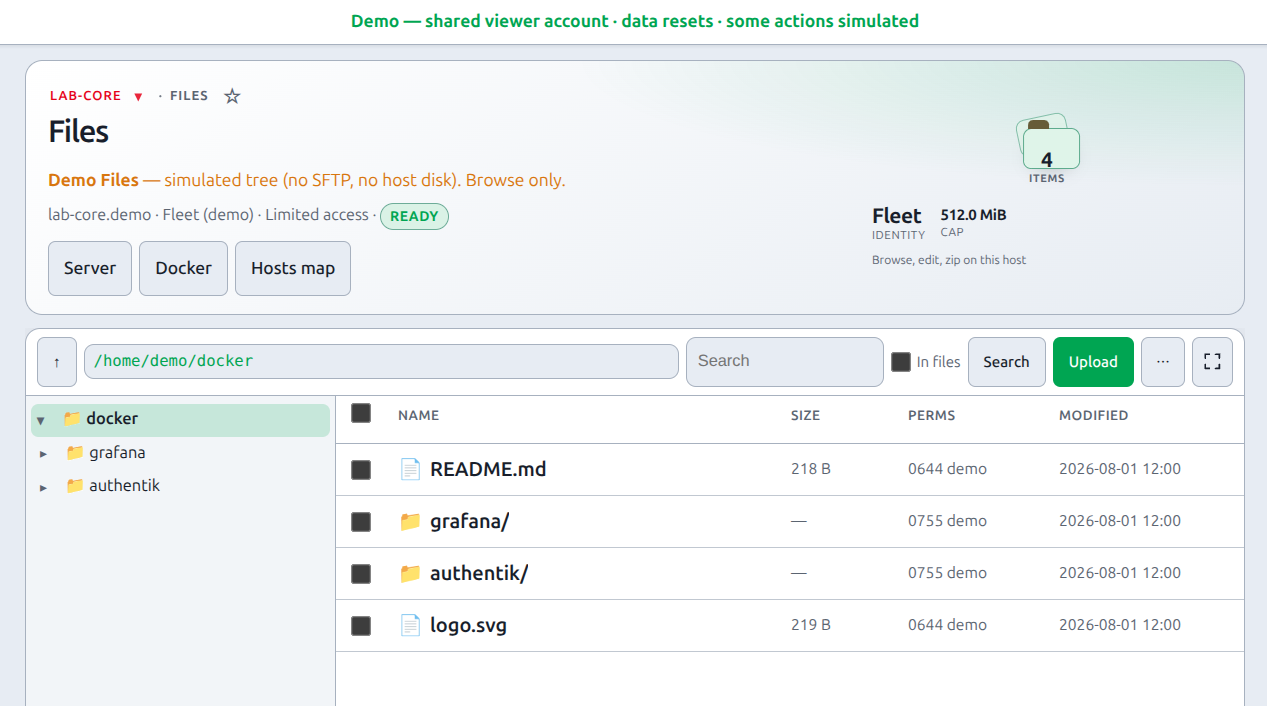
Use the normal PiHerder header (Dashboard / Servers / ☰) to leave the page — Files always receives the logged-in user so that chrome renders. Folder tree on the left, file list on the right — both scroll inside the window (the page does not grow with the folder). The path box is a breadcrumb: one leading / (privileged) or the fleet jail, then folder names; separators are green (not a doubled //). Toolbar: parent, path, search, Upload, ⋯ (New folder, Docker mounts, Refresh, Fleet/Privileged, Maximize), and the expand control (same idea as console Maximize / Hosts map full screen). Maximize hides the hero so the list fills the remaining height — especially useful on a phone. Restore brings the hero back. The choice sticks in this browser. Those ⋯ actions are not extra toolbar buttons. Selection actions appear only after you select rows. Tap or click the name to open a folder, edit text, or preview an image. On a phone, Folders slides the tree over the list; long-press selects and shows actions. Desktop: right-click for the row menu (no per-row ⋯). Drag files or folders onto the list (or a tree folder) to upload. Switch Fleet / Privileged from the toolbar ⋯.
The herder keeps one SFTP session per host/identity for ~75 seconds idle so folder clicks are not a new SSH handshake each time. Transfers use 1 MiB buffers on a dedicated SFTP connection (browse stays on the pooled session). Do not prefetch/pipeline whole files — that stalled around ~12 MiB. Caddy must not gzip application/octet-stream and uses flush_interval -1 so the browser download bar can move. Upload progress is two-phase: send to PiHerder, then write on the host. Traffic still goes browser → herder → host (not a raw LAN scp).
End-to-end: drop a sidecar
- Set
PIHERDER_HOST_FILES=truein.env/ compose and restart web. - Open a host → Files (operator). Jail is
docker_base_dirwhen Docker is on, else that user’s home. - Click folders in the tree, or tap the folder name in the list. Upload → Files… or Folder…, or drop
config.yml(confirm if the name exists). Drop a mix of files and folders on the list. - Tap
config.ymlto edit — same monospace gutter / wrap / Tab indent as the compose editor. Ctrl/Cmd+S saves (512 KiB UTF-8 cap). - Optional: toolbar ⋯ → Privileged (same elevate role as console) + Passkey (TOTP fallback) — for paths outside the fleet jail (HAOS
/mnt/data, Docker volume_data). - Check Audit for
host_file_put(path, bytes, sha256 — never the body).
Why it exists
The web console is a PTY. Dropping a Frigate config.yml, a compose sidecar, or pulling a large log still meant scp / FileZilla. Files is that transfer, inside PiHerder, using the same SSH identities as the rest of the product.
When to use it
| Use Files | Use something else |
|---|---|
| Sidecar / YAML / log sitting next to a stack | Compose editor for docker-compose.yml / .env tabs with history + deploy. .env is redacted there until step-up. |
| One-off upload/download (default 512 MiB; Settings can raise to 32 GiB) | Backups for scheduled trees |
| Zip a folder (save on the host or download) | — |
| Peek at a PNG / hex of a binary | Full media gallery (not in Files) |
| Copy a file out of a container into the jail | Toolbar ⋯ → Docker mounts / docker cp on this page. Whole-stack host→host copy is Move a service |
HAOS /mnt/data via privileged (⋯) | Cert deploy (PEM paste) · template deploy |
Actions
| Action | How |
|---|---|
| Edit | Tap/click the name, or Edit. Overlay: line numbers, YAML-ish colours, Wrap, Tab indent, Ctrl/Cmd+S. Binary / larger than 512 KiB opens Preview instead. Close warns if unsaved. Privileged save of a root-owned file uses sudo -n tee. If that fails, the editor shows why (need NOPASSWD sudo, or connect as root) — not a raw PermissionError after Close. |
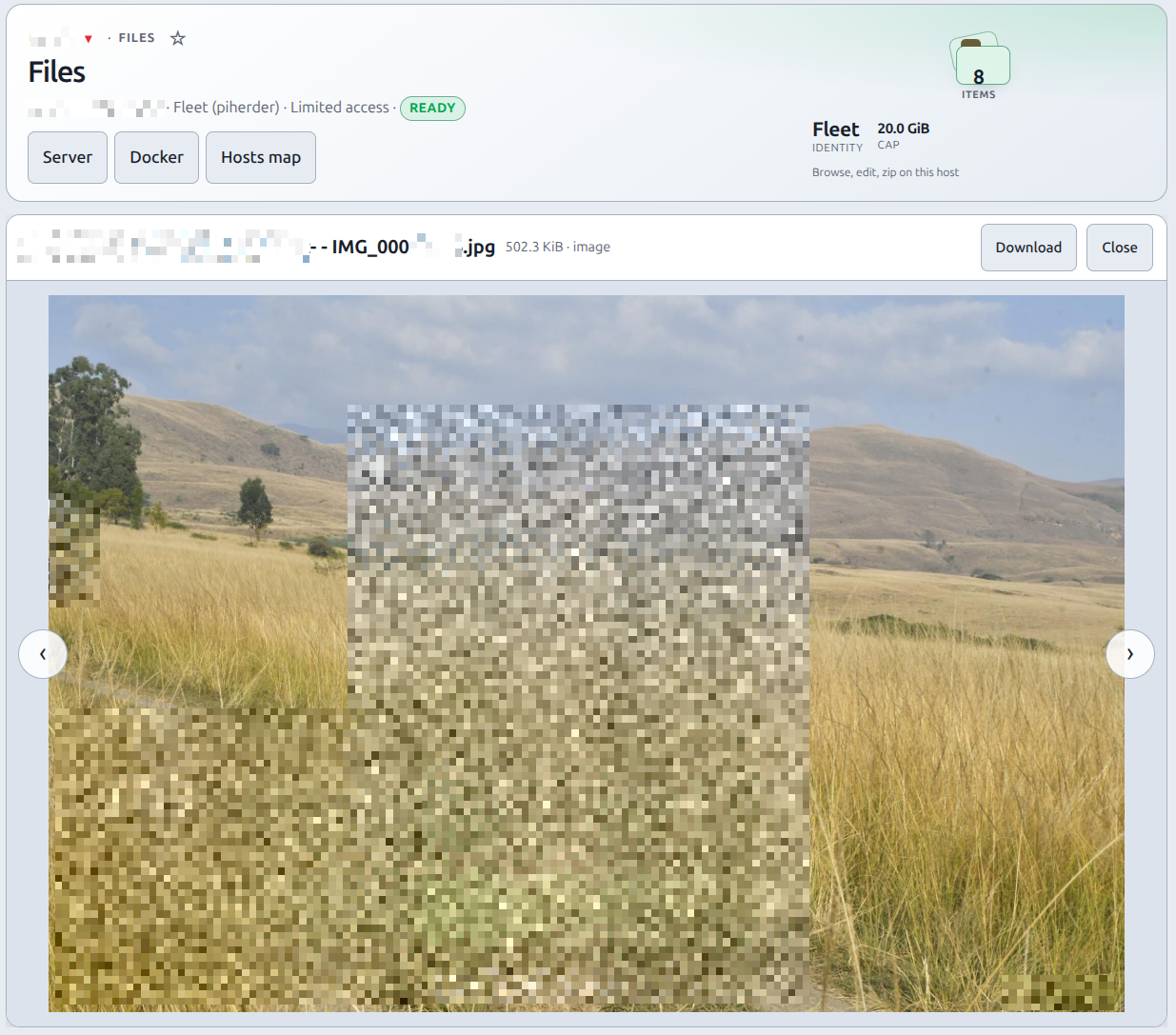
| Preview | Images in-page (8 MiB). Other binaries: hex/ASCII peek + Download. ‹ › (or arrow keys) step through files in this folder. Next/previous shows a loading overlay until the image bytes arrive (the peek is fast; the picture is a separate SFTP pull). |
| Zip | Select rows → Zip. The archive is built on the host (zip or python3 — the tree does not go through PiHerder). Optional Also download a copy. With download, Remove the zip from the host after download (originals stay). Needs zip or python3 on the machine. Caps: 2000 files, depth 24. |
| Extract | Select a .zip or tap it. Extracts into the current folder. .. / absolute members refused (zip-slip). Existing names replaced after confirm. |
| Delete | Selection (files and folders). Folders go with their contents. Jail root cannot be deleted. |
| Permissions | Selection → Permissions. Octal + rwx checkboxes; owner/group names (pi, www-data) or numeric ids. Listing shows names when getent works. Recursive option for folders. Jail root cannot be changed. Fleet may chmod files it owns; chown and chmod of files you do not own need privileged. If that SSH user is not root: sudo -n chmod / sudo -n chown (no password prompt — add NOPASSWD, or use a root privileged identity). HAOS root often has no sudo — plain chmod/chown is tried too. |
| Search | Toolbar box or Ctrl/Cmd+F, then Enter or Search (it does not search on each keystroke). Tick In files to grep UTF-8 text (512 KiB/file, 80 content hits). Secret-ish files skipped in content search until 2FA unlock. Caps: 200 name hits, 2000 scanned. |
| Move | Select → Move (or drag onto a tree folder). Same jail, SFTP rename. Cannot move a folder into itself. Existing files confirm replace. |
| Upload | Upload → Files… or Folder…. Drop mixed files and folders on the list (browsers cannot pick both in one system dialog). Folder upload creates parents on the host (mkdir -p). .. refused. Cap 2000 files. |
| Secrets | .env, *.pem, and key files still list. Open / edit / download / preview / content-search needs the same 2FA grant as privileged Files (Passkey preferred). Operators can unlock on fleet without being allowed to elevate. Prefer the compose editor when you need redaction. |
| Docker | ⋯ → Docker mounts… Pick a container. You see its named volumes and bind mounts (host path → container path). Browse opens that host path in this same file manager (edit/zip/search all work). Named volumes are usually /var/lib/docker/volumes/<name>/_data and need privileged. Bind mounts under docker_base_dir work on fleet. Optional docker cp copies a path that is not mounted into the current folder. |
| Select | Click the row (not the name). Checkbox, Shift-click, Ctrl/Cmd-click, header checkbox, Ctrl/Cmd+A. Phone: long-press selects and opens actions. |
| Maximize | Toolbar expand control (or ⋯ → Maximize). Hides the hero so the list fills the remaining height — same idea as console Maximize / Hosts map full screen. Fleet nav stays. Restore brings the hero back. Remembered in this browser. |
Identities (Fleet / Privileged)
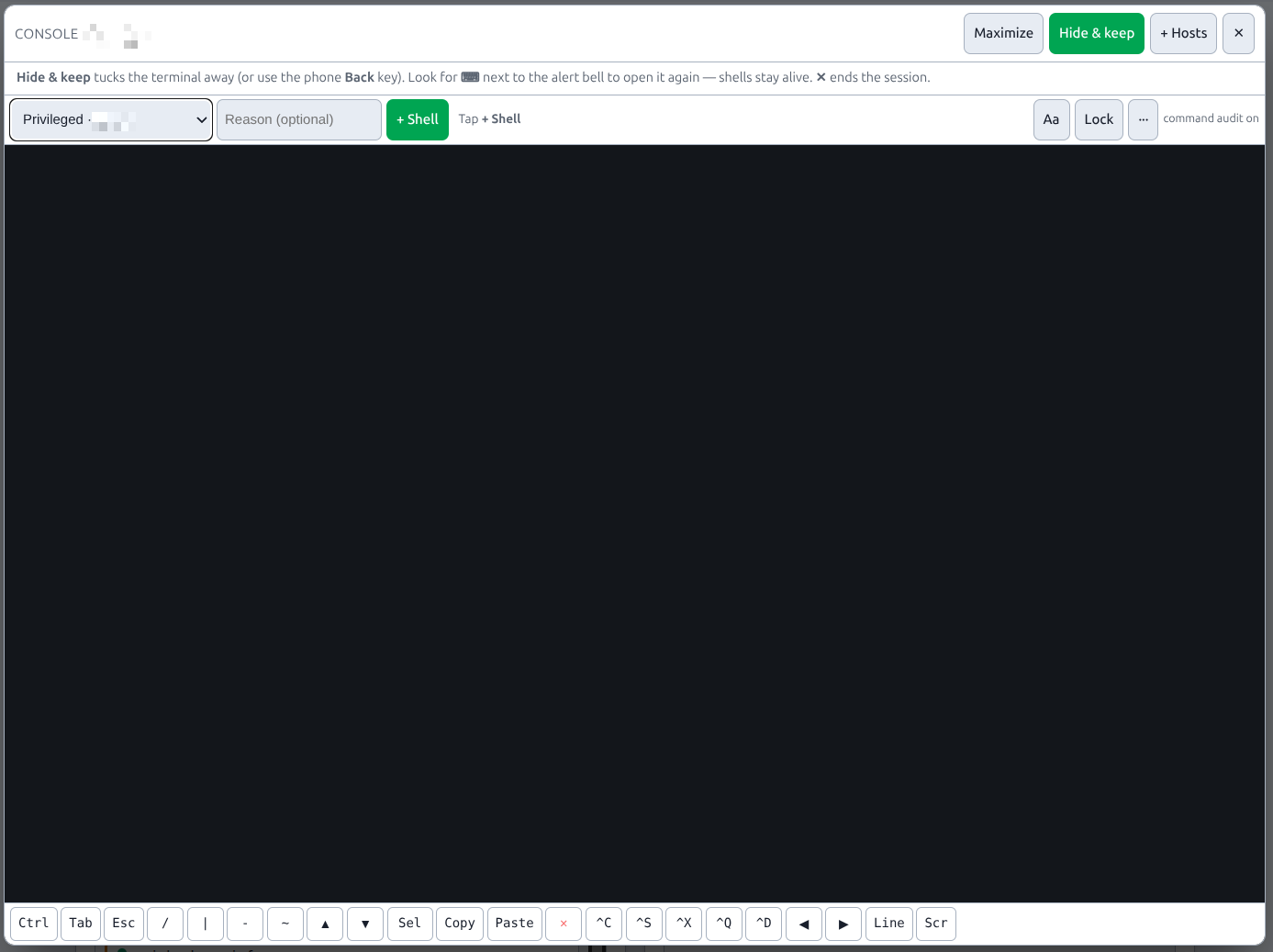
Default fleet (least-priv). Switch from toolbar ⋯. Optional privileged — same Settings who may elevate as the console. Step-up is Passkey first when you have one enrolled; authenticator TOTP is the fallback unless Settings requires passkey. An existing console grant cookie also unlocks privileged Files and secret-ish files. Jobs stay on fleet. API is fleet only.
| Identity | Hero | Where you can go |
|---|---|---|
| Fleet | Limited access | docker_base_dir when Docker is on, else that user’s home (HAOS often /root). Never /. .ssh and OS trees (/etc, /proc, …) blocked. |
| Privileged | Elevated access | Almost the whole host (/ minus /proc /sys /dev /run). The privileged key’s OS rights are the real ACL (root ⇒ almost anything). |
HAOS is in. SSH add-on SFTP works where that user can write. Fleet home may be too tight for /mnt/data — use privileged.
Overwrite and delete
Upload onto an existing name: browser confirm, then tmp+rename (same as compose writes). Delete always confirms; folders are recursive. Unzip confirms. Download-and-remove-zip confirms (originals stay).
API
Token scope files (not on by default). Fleet identity only. List / download / upload / mkdir / rename / delete-empty. Edit, zip, unzip, chmod, recursive delete, preview, Docker helpers, and privileged stay in the browser (tokens have no 2FA). A richer Files API is under consideration for a later minor. Hosted MCP uses this same jail and these same calls — Agents (MCP). See API tokens.
Env
| Variable | Default | Notes |
|---|---|---|
PIHERDER_HOST_FILES | false | Master enable. Compose injects this. Not a Settings checkbox. |
PIHERDER_HOST_FILES_MAX_BYTES | — | Optional lock. When unset, Settings → General → Files sets the cap (default 512 MiB, ceiling 32 GiB). Also caps unzipped size and preview-adjacent transfers. Do not put a default in compose. |
Large uploads stream through the herder (O(chunk) RAM) with an upload progress bar, then “Writing to host…”. If you front PiHerder with nginx, raise client_max_body_size and timeouts for multi-gigabyte copies. Caddy in the bundle has no small body cap.
Stale-data Cleanup does not purge Files (there is no Files table). Audit rows (host_file_*) follow normal Audit retention.
Audit
| Action | Details (never the file body) |
|---|---|
host_file_list | identity, directory, entry count |
host_file_get / host_file_put | identity, path, bytes, sha256, overwrite on put; zip download/save, unzip, docker cp, and text save count as get/put |
host_file_mkdir / rename / delete | identity, paths; recursive delete includes file/dir counts; move is rename |
host_file_chmod | identity, names count, mode, owner, group, recursive, changed, whether sudo was used |
Failures store status=error and a reason code (secret_confirm when 2FA is required for a secret-ish file).
Related
- Web SSH console — privileged is console and Files
- Compose edit — redacted
.env/ history / deploy - Docker overview
- Move a service — not the Files copy engine
- Public demo — canned Files tree, no SFTP
- HAOS hosts
- API tokens
- Settings — kill switch is env; transfer cap is Settings → Files