Home Assistant OS (HAOS) hosts
What this is
PiHerder can manage a Home Assistant OS appliance as a normal fleet Server over SSH (Terminal & SSH add-on). Updates, system facts, and backups use the ha CLI and plain rsync — not apt and not Docker Compose fleet management.
Supported path: PiHerder → HAOS via SSH + ha CLI. HA can also call PiHerder with API tokens. Host Files uses the same SSH/SFTP user (fleet home, or privileged for /mnt/data).
Why it exists
Many labs run HAOS next to Debian/Pi hosts. Operators want one dashboard for “is it up, is it backed up, are Core/OS/Supervisor updates available?” without pretending HAOS is a compose box or an apt distro.
When to use it
- Full HAOS (or Supervised-like) machine with SSH add-on enabled
- You manage that Pi/VM as a Server in PiHerder
- Not for “Home Assistant is only a Docker container on another host” (mark that host as Debian/Linux and use Docker features there)
Prerequisites on the HAOS box
| Dependency | Why |
|---|---|
| Terminal & SSH add-on (or equivalent SSH) | All path-1 work |
PiHerder public key installed for the SSH user (often root) | Key auth |
rsync package on the host | Directory backups (plain rsync, typically as root) |
| Network reachability | PiHerder → SSH port |
Exact package install steps for rsync may vary by HAOS version — enable the SSH add-on first, then install rsync with your usual HAOS package method. PiHerder does not install packages remotely.
SSH add-on is Alpine
The add-on shell’s /etc/os-release often says Alpine, not hassos. Identity uses the ha CLI, not that file alone. System Info still shows Home Assistant OS from ha host info.
End-to-end: add and verify HAOS
- Add a server — hostname/IP, SSH user (often
root), port. - Deploy the PiHerder key via the wizard or SSH access; Test connection.
- Edit → General → Host profile → Home Assistant OS (HAOS) (or run an OS check and let auto-mark set
os_type=haos). - Edit → Features → enable HA updates (same flag as OS patch) and Backups if you want rsync. Leave Docker / containers off. Console mux is hidden / forced off on HAOS.
- SSH access → Check dependencies — expect
haCLI (not apt) when HA updates is on; rsync when backups is on. - System info — Core / OS / Supervisor versions, free disk (
ha host info/ disks usage). - Actions → Check HA updates — count of components with updates (0–3).
- When ready, HA update… — apply order supervisor → core → OS (confirm + audit).
Done when: hero shows HAOS chip; System info shows real versions; check job succeeds; deps overall is ok for enabled features.
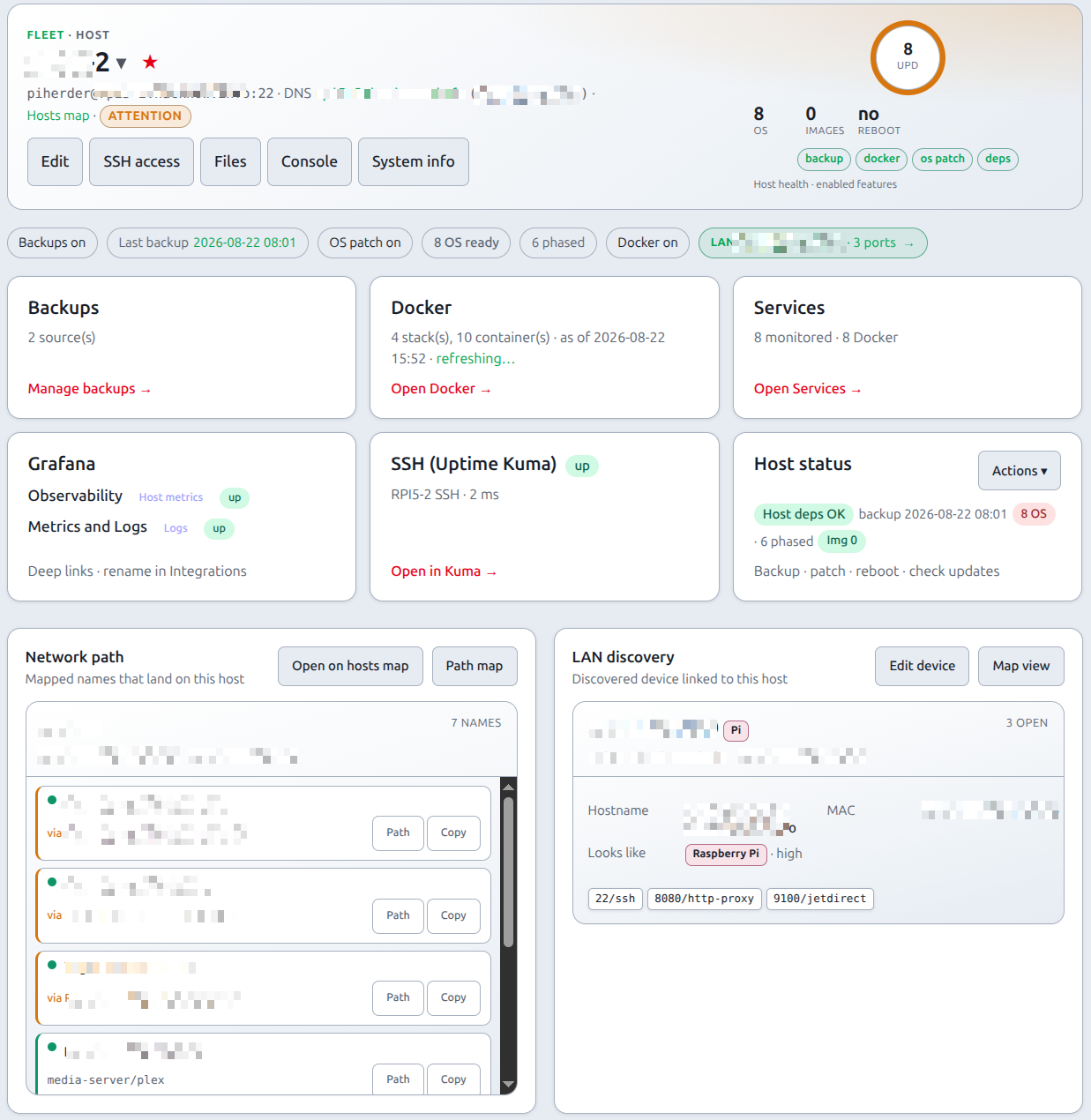
What PiHerder does on HAOS
| Capability | Behaviour |
|---|---|
| Identity | Manual profile or auto-mark when ha works / probes confident |
| System info | Stored snapshot (Core / OS / Supervisor, disk, CPU, memory). Refresh icon SSHs once; scheduler ~15 min. Why |
| OS check | ha core\|os\|supervisor info — not apt |
| OS apply | ha supervisor\|core\|os update when available; opt-in via same OS patch flag / schedules |
| Backups | Plain rsync if package present (root / no sudo path) |
| Kuma host service | Bind UI reachability as a host service (not Docker project) |
| Least-priv automation | Skipped — guidance only |
| Docker Compose fleet | Not used — Supervisor owns containers |
Update counts
os_updates_count on HAOS is the number of components with update_available (Core / OS / Supervisor), not apt package count. UI sample lines look like core 2026.7.3 → 2026.8.0.
Apply order
- Supervisor (often required before Core can move)
- Core
- OS (most disruptive; may reboot)
Schedules reuse the same check/apply machinery as Debian hosts; the backend branches on os_type=haos.
What it does not do (0.9)
- Poll Home Assistant REST with a long-lived access token
- Manage add-on updates one-by-one
- Treat HA as a Docker Compose project on the appliance
- Appear as a Move source or destination (Move a service) — HAOS is always host-locked
- Run apt upgrade on HAOS
- Ship an HA custom component in this image. Path 2 (HA observes the fleet) is a separate HACS repo (plugin 0.5.4 on this train). Operator: Home Assistant → PiHerder. Device page Visit is the host. Lovelace is one card with Fleet, Host, and Updates. Containers starts, stops, restarts, or updates one service, and can stop a compose project on a Docker host. That card does not manage HAOS add-ons, and its Files view is the fleet jail, not HAOS
/config. YAMLrestremains possible.
Related
| Topic | Page |
|---|---|
| Add server / SSH | Add a server |
| Check vs apply | Updates & patching |
| Backups | Backups |
| SSH / rsync issues | SSH, rsync & dependencies |
| API from HA | API tokens · API.md |
| Move a compose stack | Move a service — HAOS is never source or dest |