SSO / OpenID Connect¶
What this is¶
Optional sign-in with your own OpenID Connect (OIDC) identity provider — Authentik, Keycloak, Authelia, Google Workspace, Microsoft Entra ID, and similar.
Local password login stays available for break-glass (unless you remove a user’s password after linking SSO). PiHerder 2FA (TOTP and/or passkeys) still applies after SSO when enrolled or when Force 2FA is on.
Train: v1.2 Stream S — FEATURE_PLAN_SSO_OIDC.md · lab smoke: SSO_AUTHENTIK_TEST.md
Why it exists¶
Many labs already have a central IdP. SSO reduces password sprawl while keeping an air-gapped recovery path when the IdP is down.
End-to-end: enable SSO¶
- Set
PIHERDER_PUBLIC_URLto the exact origin operators open in the browser (include:8443if you use mapped HTTPS). - In your IdP, create a confidential OIDC client (authorization code + PKCE).
- Register redirect URI (exact match):
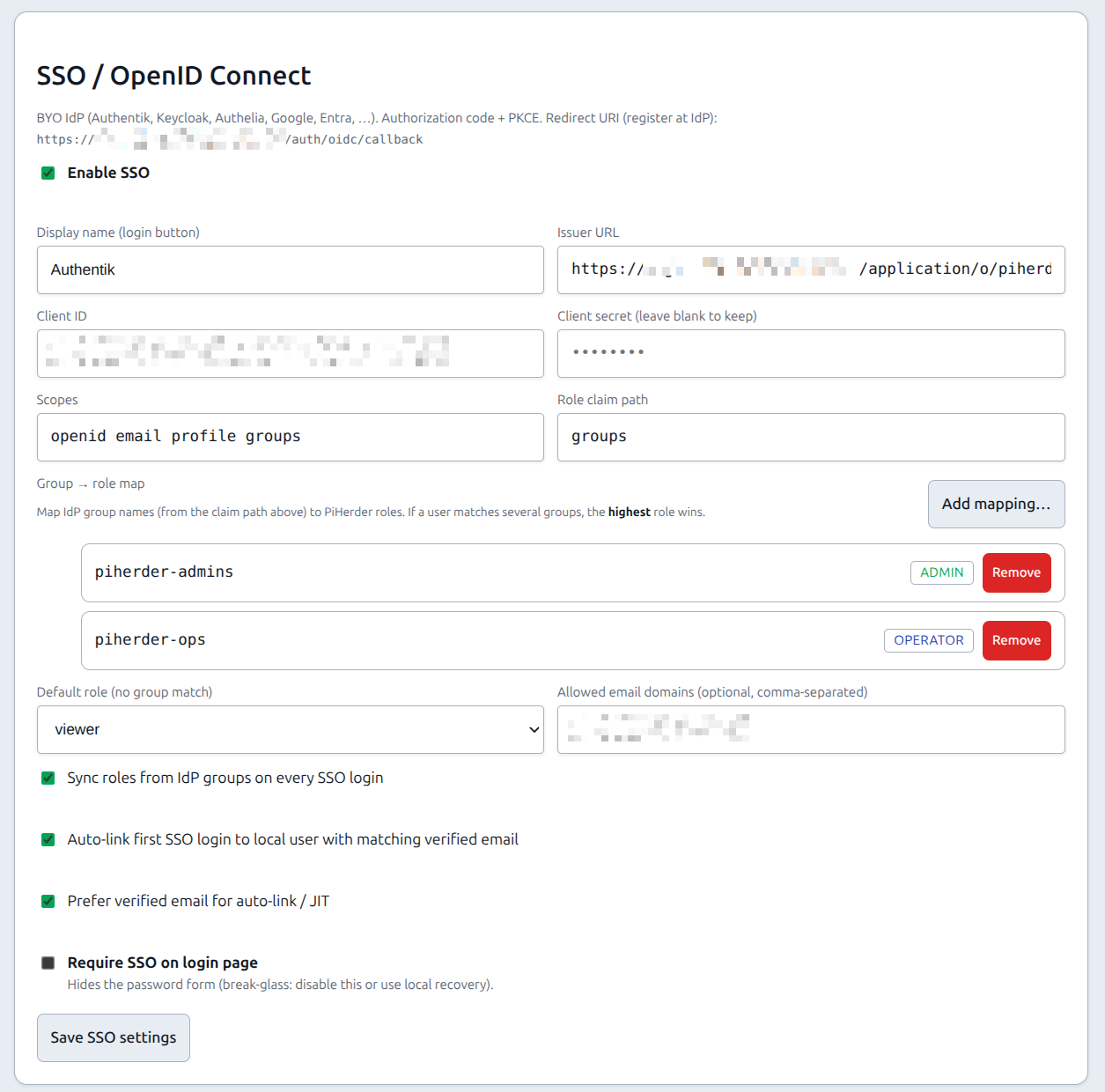
- As admin → Settings → General → SSO / OpenID Connect:
- Enable SSO
- Paste issuer, client id, client secret
- Map IdP groups →
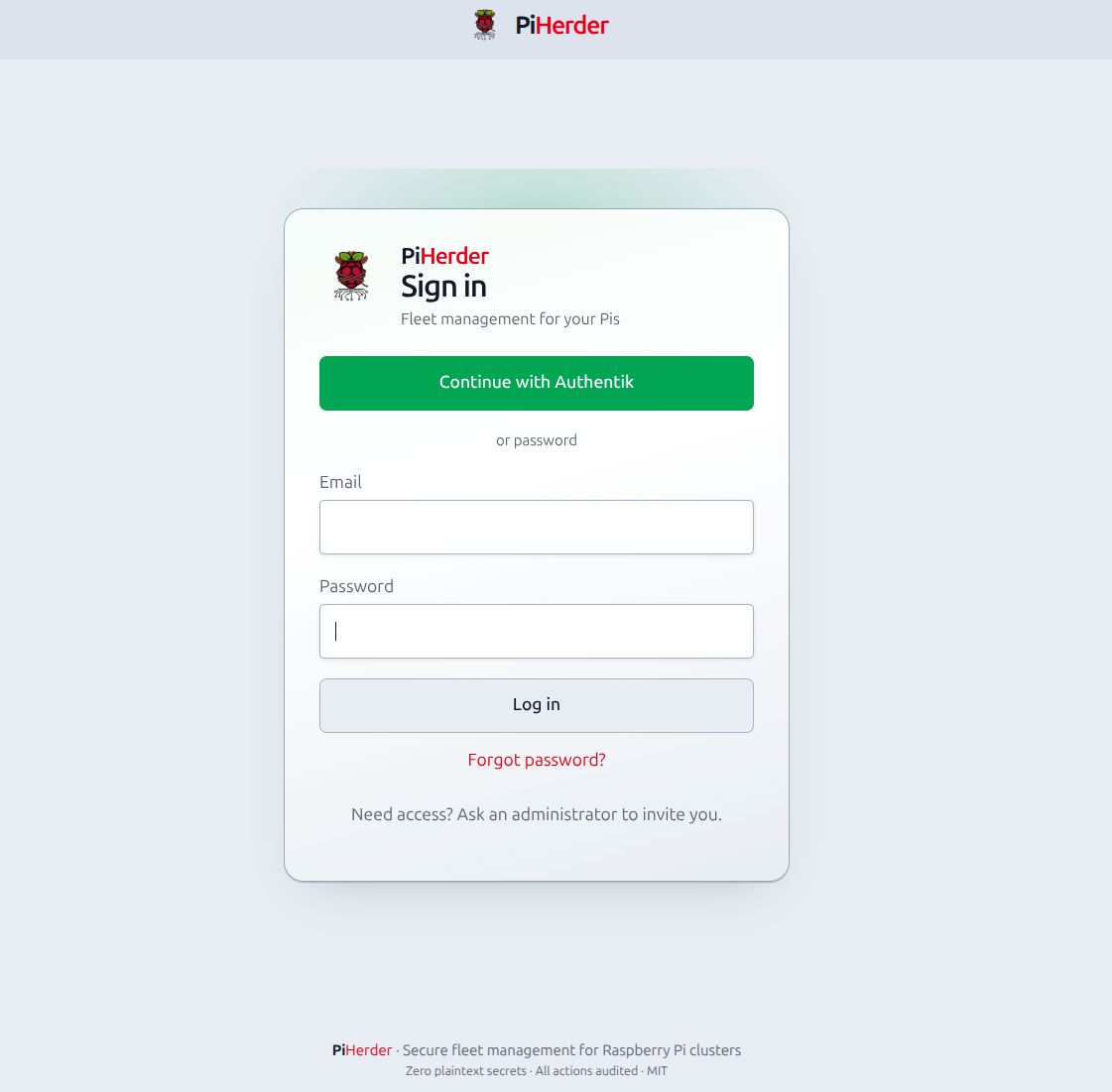
admin/operator/viewer - Sign out → login page → Continue with …
- Optionally Account → Connected accounts to link/unlink; optional Remove password after a good link.
Settings fields¶
Where: Settings → General (/herder-backups?tab=general) → SSO / OpenID Connect.
| Field | Purpose |
|---|---|
| Enable SSO | Show login button; allow OIDC flow |
| Display name | Button label (e.g. Authentik) |
| Issuer URL | OIDC issuer (discovery at {issuer}/.well-known/openid-configuration). Authentik usually ends with a slash (…/application/o/<slug>/); both forms are accepted. |
| Client ID / secret | Confidential client; secret stored Fernet-encrypted in DB (self-backup includes it) |
| Scopes | Default openid email profile (+ groups scope if your IdP needs it) |
| Role claim path | e.g. groups or realm_access.roles |
| Group → role map | Add mapping… modal: type IdP group name, pick role (viewer / operator / admin), Add. List shows mappings with Remove. Highest privilege wins if several groups match. |
| Default role | Used when no group matches (default viewer) |
| Sync roles on login | Update role from claims on every SSO login (sole admin not demoted if it would leave zero admins; audit user_role_sync_skipped) |
| Auto-link by email | First SSO login links to an existing active user with the same verified email |
| Require email verified | IdP must send email_verified=true. Missing or false is not verified (auto-link / require-verified fail closed). |
| Allowed email domains | Optional allow-list (comma-separated) |
| Require SSO | Hide password form. Non-admins cannot POST /auth/login. Admins stay password break-glass. Disable this or use host recovery if the IdP is down. |
Redirect URI for the IdP is shown on the Settings card (same as above).
Issuer must be reachable from the PiHerder web container
If PiHerder runs in Docker and issuer is http://localhost:9000, discovery uses the container’s localhost. Prefer a host/LAN URL both the browser and the container can reach. Lab notes: SSO_AUTHENTIK_TEST.md.
How users get linked¶
| Path | What happens |
|---|---|
| SSO → local (auto) | Login with IdP; if (issuer, subject) unknown but email matches one active local user → auto-link + login |
| SSO → new user (JIT) | No match → create user with role from map (or default), password login off, SSO linked |
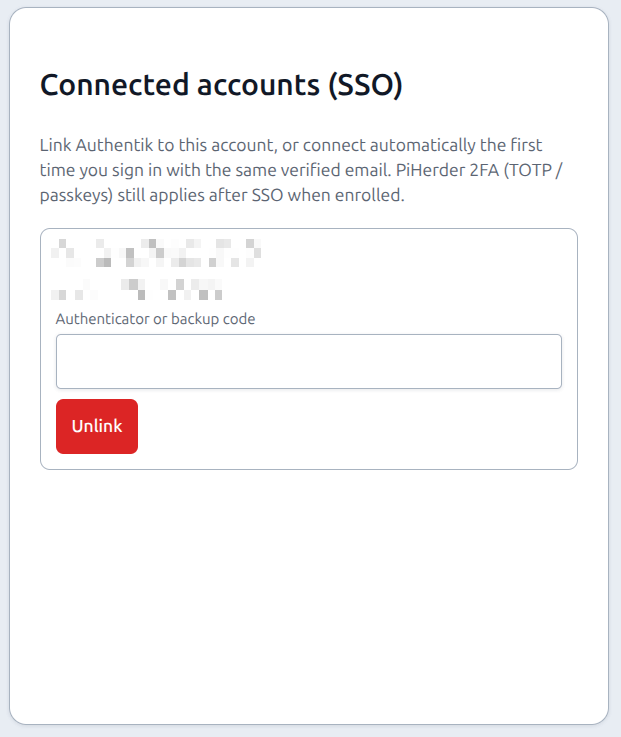
| Local → SSO (explicit) | Signed in → Account → Connected accounts → Link … (confirm passkey or authenticator, then Link). Browser goes to the IdP; after consent you return linked. |
Identity key is (issuer, subject), not email alone. Email is only for soft match / display.
Password optional (SSO-only)¶
After at least one SSO link:
| Action | Where | Notes |
|---|---|---|
| Remove password | Account → Password | Confirms with 2FA (if enrolled) or current password; then password login fails for that user |
| Set password | Account → Password | Restores break-glass local login |
| Unlink SSO | Account → Connected accounts → Unlink… | Opens a confirmation sheet (issuer + email). Confirm with passkey or authenticator/backup in that sheet. If password was removed, set a password in the same sheet before unlink completes — never leave zero login methods. Failed step-up stays on this sheet (does not open the authenticator-app card). |
2FA and SSO¶
PiHerder does not skip its own 2FA because the IdP already authenticated you.
| Situation | Behaviour |
|---|---|
| User has TOTP and/or passkey | After IdP callback → same 2FA step-up as after password (or trusted device skip) |
| Force 2FA; no factor enrolled | After identity proven → force-2FA enroll wall |
| Link / unlink / remove password | Re-validate 2FA in the same sheet when enrolled. v1.3: any enrolled factor (Confirm passkey, TOTP, backup). Password only when no 2FA is enrolled. Unlink is Unlink… → confirm sheet, not a one-click POST. |
IdP MFA (if any) is extra, not a substitute for PiHerder TOTP/passkeys. Details: 2FA & force 2FA.
Login UX¶
- SSO enabled → primary Continue with {display name} on
/auth/login. - Require SSO off → password form still shown.
- Require SSO on → password form hidden; non-admin password POSTs are rejected; admin password login still works.
Audit¶
| Action | Meaning |
|---|---|
sso_login / sso_login_failed | SSO session attempt |
sso_link | Linked (email auto-link, explicit Account link, or JIT) |
sso_unlink | Unlinked |
sso_user_provisioned | JIT user created |
user_role_changed | Role updated from IdP groups |
user_role_sync_skipped | Sole admin would have been demoted; role left unchanged |
user_password_removed / user_password_set | Password lifecycle after SSO |
Also emits user_login on successful SSO for last-login / history consistency.
Recovery if IdP is down¶
- Local password login (if not removed).
- Admin Users recovery or host recover-admin.
- Temporarily disable Require SSO (admin session or DB settings) if the password form was hidden.
Do not enable Require SSO and Remove password for every admin without a tested break-glass path.
Lab Authentik¶
Throwaway compose and full smoke matrix:
Related¶
- 2FA & force 2FA
- Users
- Settings
- Environment reference —
PIHERDER_PUBLIC_URL - SECURITY.md
- ADMIN.md § SSO