PiHerder documentation
Secure fleet management for Raspberry Pi and Linux hosts — backups, patching, Docker control, and service templates with secrets encrypted at rest.
Public demo site (view-only)
PiHerder has a live public demo — explore the UI without installing:
- URL: https://piherder-demo.hacknow.info
- Login:
demo@hacknow.info/PiHerder@123?_(shared viewer account) - Details: Public demo — password may rotate; this wiki always has the latest.
- Caveat: some screens use simulated hosts/data and may not match a real fleet 100% (see that page).
On GitHub
Star the project, or bring a question, an idea, or a setup.

Release status
| Current release | v1.13.0. certifi 2026.10.19. Package 1.13.0. Plugin 0.5.4. Adapter 0.4.4. Prior patch v1.12.1 |
| Image | bjorngluck/piherder:1.13.0 · 1.13 · latest (multi-arch amd64 + arm64). Manifest sha256:bb38e2c547b0599e860d60305934ff45251f5818da71fe6db040450e63fdc045. Pin 1.12.1 stays that patch. Pin 1.12.0 stays that patch. Pin 1.11.1 / 1.11 is the previous minor image. Pins 1.10.1 / 1.10, 1.9.0 / 1.9, 1.8.1 / 1.8, and 1.8.0 stay valid. |
| Release notes | RELEASE_v1.13.0.md · v1.12.1 · v1.12.0 · v1.11.0 · v1.10.0 · v1.9.0 · v1.8.1 · v1.8.0 · v1.7.0 · v1.6.0 · v1.5.0 · v1.4.0 · v1.3.0 · v1.2.0 · v1.1.1 · prior v1.0.0 |
| Known issues | Console mobile Tab residual IME (KI-console-mobile-soft-tab). Command audit redaction is heuristic (web SSH). Busy-source rsync vanish retries — troubleshooting. |
| Next | None. v1.13.0 is the current release. |
| Source | github.com/bjorngluck/piherder |
| Docs (this site) | piherder-docs.hacknow.info |
| Public demo | piherder-demo.hacknow.info — limited viewer sandbox · credentials |
| License | MIT (open source) |
If something is unclear or wrong, open a GitHub Issue.
What is PiHerder?
PiHerder is a web app you run once (usually with Docker Compose) that becomes the control panel for many Raspberry Pis and Linux hosts.
Instead of SSHing into each machine separately for backups, package updates, Docker stacks, and certificates, you work from one browser UI. The app reaches hosts over SSH, runs work in the background, keeps an audit trail, and stores secrets encrypted — not in plain text on disk.
Why it exists
Homelab and small fleet operators typically end up with:
- Cron scripts and ad-hoc rsync that only the original author understands
- Different “how we patch this Pi” recipes on every host
- Compose stacks edited by hand with secrets living in shell history
- No single place that answers what needs attention right now?
PiHerder turns those habits into repeatable, audited UI actions so you can focus on running services, not babysitting SSH sessions.
What it is for (and what it is not)
| PiHerder is for | PiHerder is not |
|---|---|
| Managing a fleet of hosts you own (lab, home, small team) | A multi-tenant SaaS or public cloud control plane |
| Backups, OS/container updates, Docker compose, templates | Replacing specialised tools (Kuma, Grafana, Pi-hole, NPM) |
| Optional deep links / adapters into those tools | Embedding every vendor API end-to-end |
| Operators who accept SSH-based remote control | Agent-based or air-gapped fleets with no SSH path |
Core fleet work (SSH, backups, patch, Docker) never requires Catalog integrations or templates. Those are optional accelerators.
Start here
-
Try the public demo
Limited view-only sandbox · synthetic fleet · shared login.
-
Install in ~15 minutes
Docker Compose, master key, first admin user.
-
Add your first Pi
SSH key deploy, least-priv user, feature flags.
-
Deploy a service template
NPM, Uptime Kuma, Pi-hole, Grafana — wizard + secrets.
-
Operator scenarios
“I want to…” → end-to-end journeys for common work.
How the system fits together
flowchart LR
  You[Browser / PWA] --> Caddy[Caddy TLS]
  Caddy --> Web[FastAPI web]
  Web --> DB[(PostgreSQL)]
  Web --> Redis[(Redis)]
  Celery[Celery workers] --> DB
  Celery --> Redis
  Celery -->|SSH · rsync · docker · apt| Fleet[Pi / Linux fleet]
  Web -.->|deep links| Kuma[Uptime Kuma]
  Web -.->|deep links| GF[Grafana]
Web -.->|DNS / proxy| PH[Pi-hole / NPM]| Capability | What it does for you | Why it matters |
|---|---|---|
| Fleet ops | rsync backups, apt OS patch (or ha CLI on HAOS), Docker projects, bulk actions | One UI instead of N SSH sessions |
| Safety | Encrypted keys/certs, audit (+ client IP), RBAC, optional 2FA + push | You can prove who did what and limit blast radius |
| Templates | Versioned stacks, OOTB vs Yours badges, from-host (+ sidecar configs), desired state, drift, step-up secrets | Repeatable deploy without copying compose by hand |
| Catalog (optional) | Kuma, Grafana, Pi-hole, NPM, certificates, network maps, LAN discovery | Homelab topology and status in one place |
Documentation map
Use this table when you already know the area; use Operator scenarios when you only know the goal.
| Section | What you’ll learn |
|---|---|
| Getting started | Install, first admin, HTTPS, appearance |
| Day to day | Dashboard, servers, backups, updates, jobs, remove host |
| Docker | Host containers, inventory cache, compose edit |
| Templates | Catalog templates: deploy, from-host, secrets, drift |
| Integrations | Catalog products, certs, network maps |
| Account & security | RBAC, users, 2FA, PWA |
| Operations | Settings, env, DR, metrics, API, upgrades |
| Public demo | Shared view-only sandbox credentials + limits |
| Troubleshooting | Common failures and where to look |
| Developers | Code, tests, contributing |
| Support the project | GitHub Sponsors · Buy me a coffee |
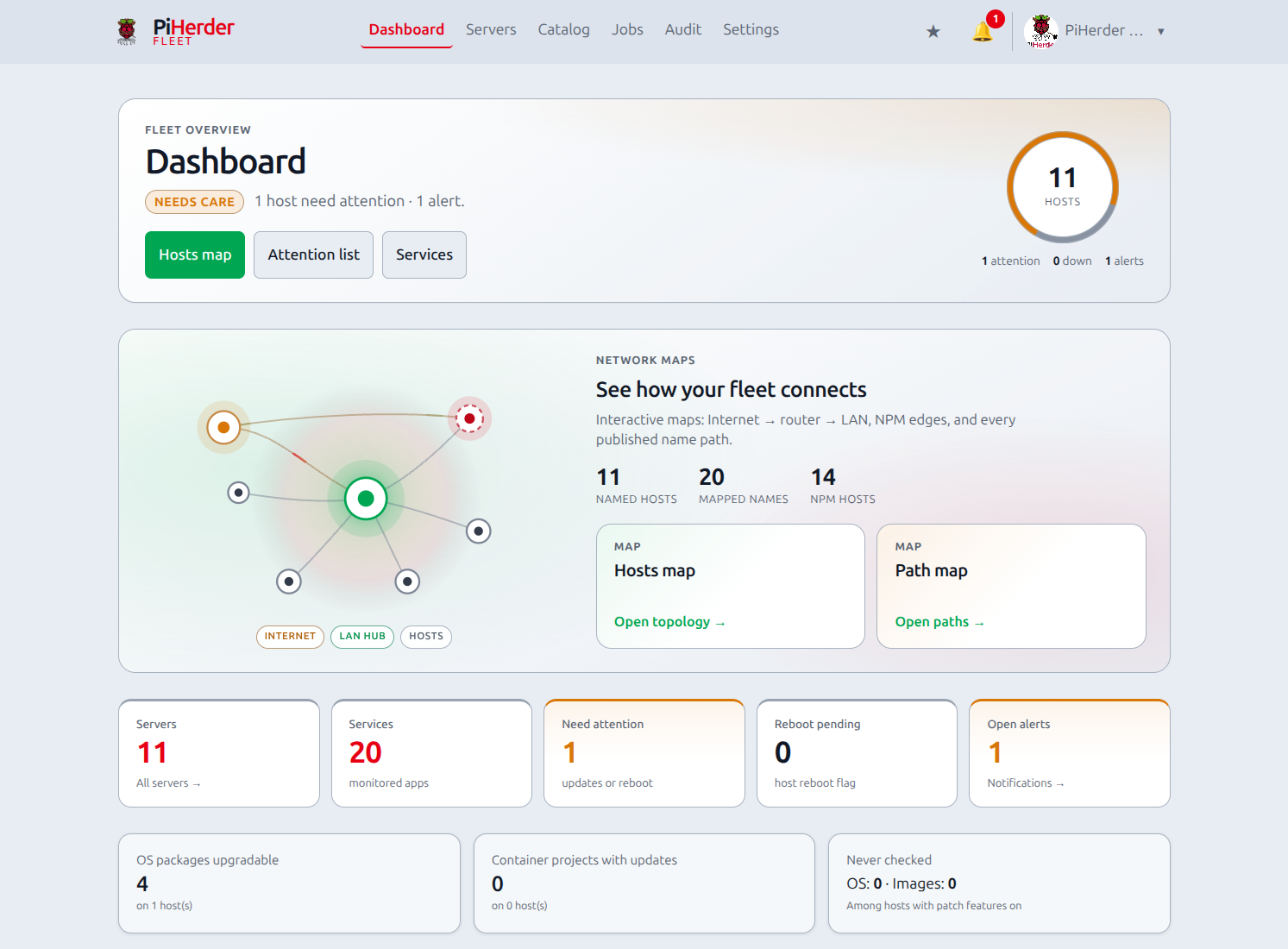
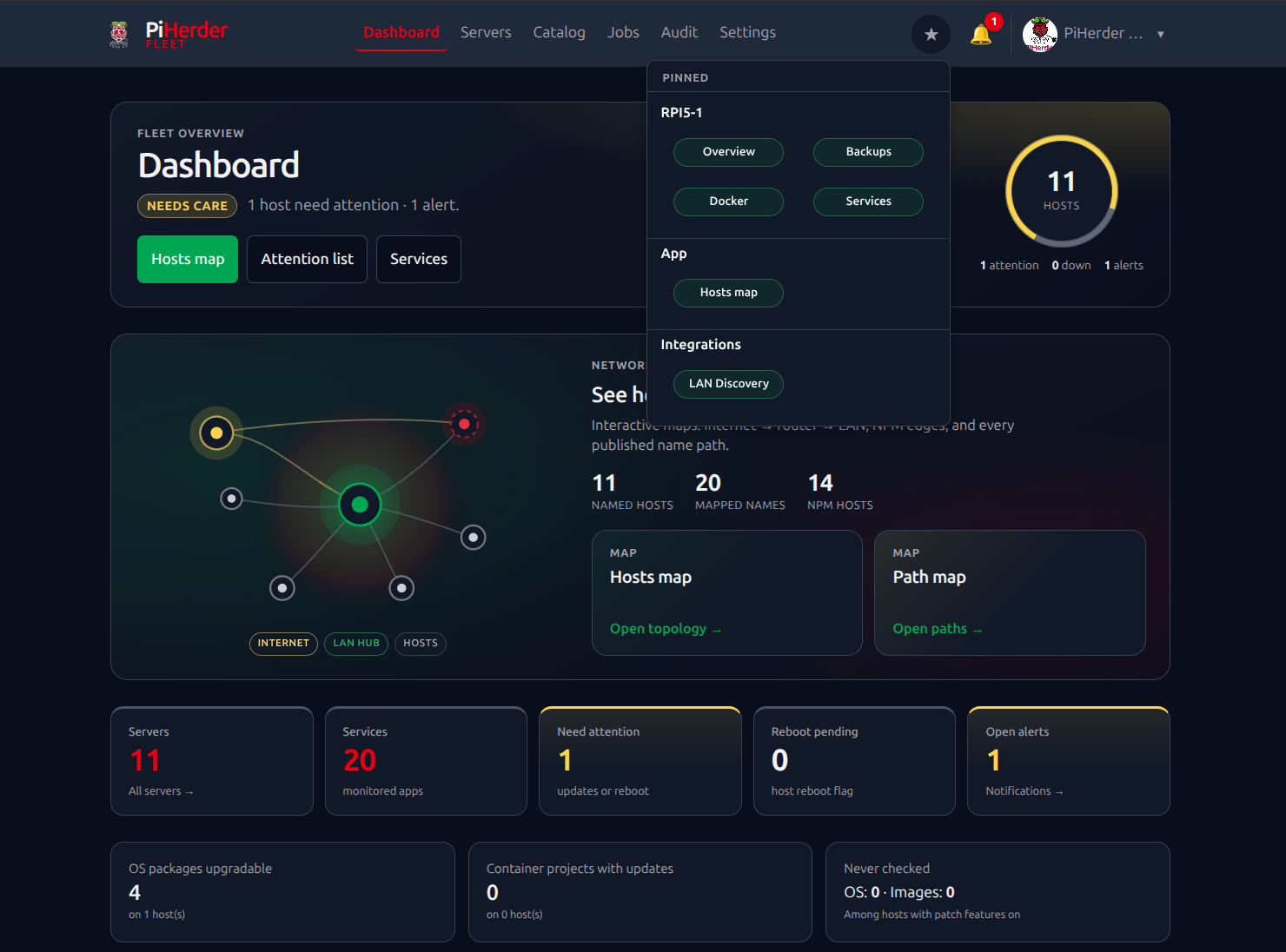
Screenshots
Support the project
PiHerder is free and MIT-licensed. If it is useful, you can help fund development and the public demo — optional, never required to run the app.
-
GitHub Sponsors
Monthly or one-off through GitHub.
-
Buy me a coffee
One-off thank-you — no GitHub account needed.


Full details: Support the project.
Quick links
- Public demo (view-only): piherder-demo.hacknow.info · login details
- Interactive API (on your instance):
/docs(OpenAPI, tagapi-v1) - Security policy: SECURITY.md
- Report issues: GitHub Issues
- Support: GitHub Sponsors · Buy me a coffee